Omnia Configurator - Creating a New Configuration Configuring Omnia PCB
MDE-5369G FlexPay™ IV (with Omnia V04.07) Programming and Service Manual · March 2021 Page 5-33
Network Tests
These tests check network base functionalities.
Ping Test
This will perform a simple ping test to one of these hosts:
1 Default Ethernet gateway (defined in the network configuration section of General Settings
page)
2 Applause Server (only if media or open apps are installed)
3 Manually chosen host (it can be an IP address or a URL)
Host can be an IP or a URL: in the case
of a URL, a successful result means that DNS is
functional.
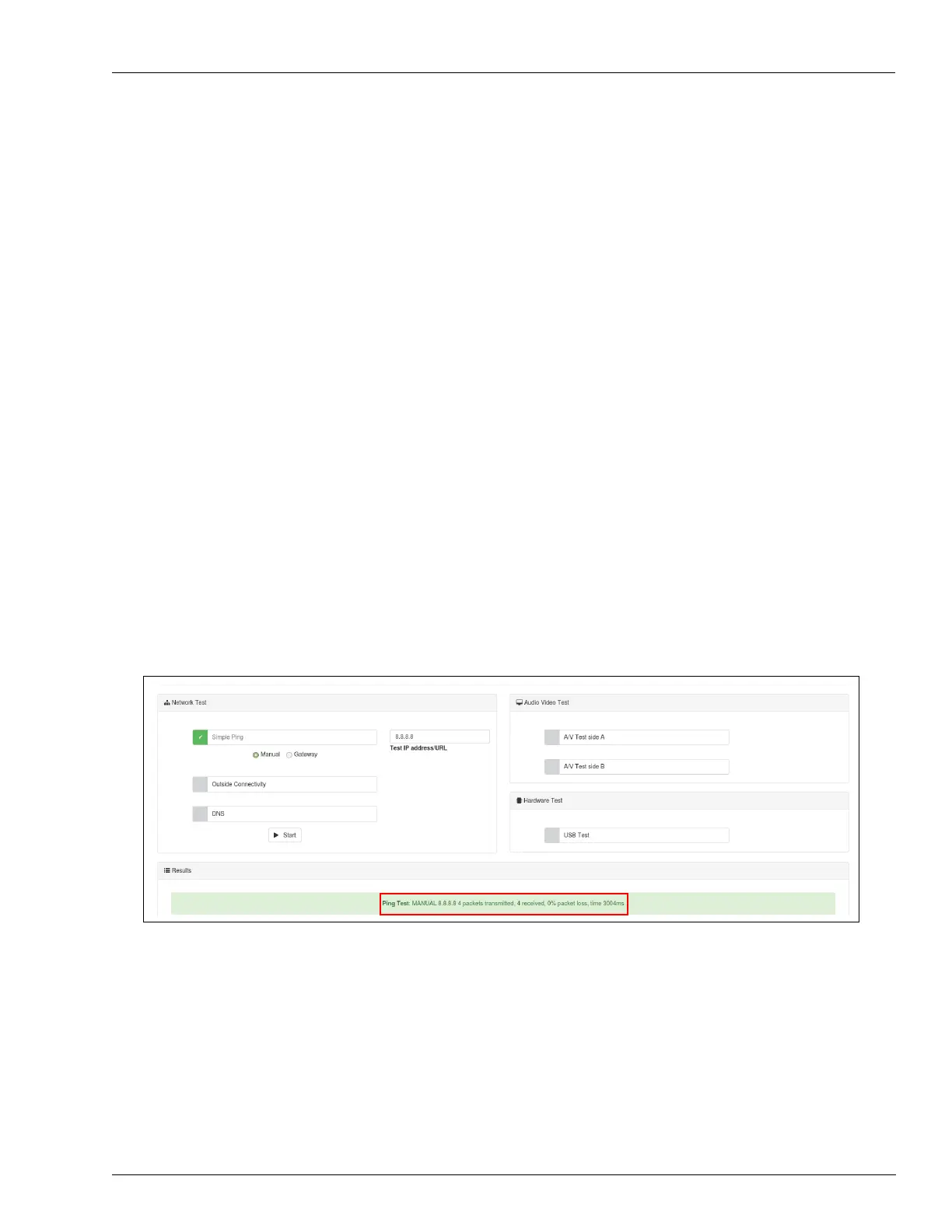
To perform a ping test, proceed as follows:
1 Check Simple Ping.
2 Enter the IP address or URL to be pinged.
3 Click Start.
4 Select the test result in the “Results” section.
Figure 5-45: Ping Test



 To Next Page