Omnia Setup with Wizard - Import Configuration Configuring Omnia PCB
MDE-5369G FlexPay™ IV (with Omnia V04.07) Programming and Service Manual · March 2021 Page 5-47
3 Choose a configuration file to be exported on the same site. For more information on exporting
configuration, refer to “Omnia Configurator - Tools” on
page 5-19.
4 Click Import.
The wizard procedure will di
splay General Settings, Media, and Cloud pages based on the
imported configuration.
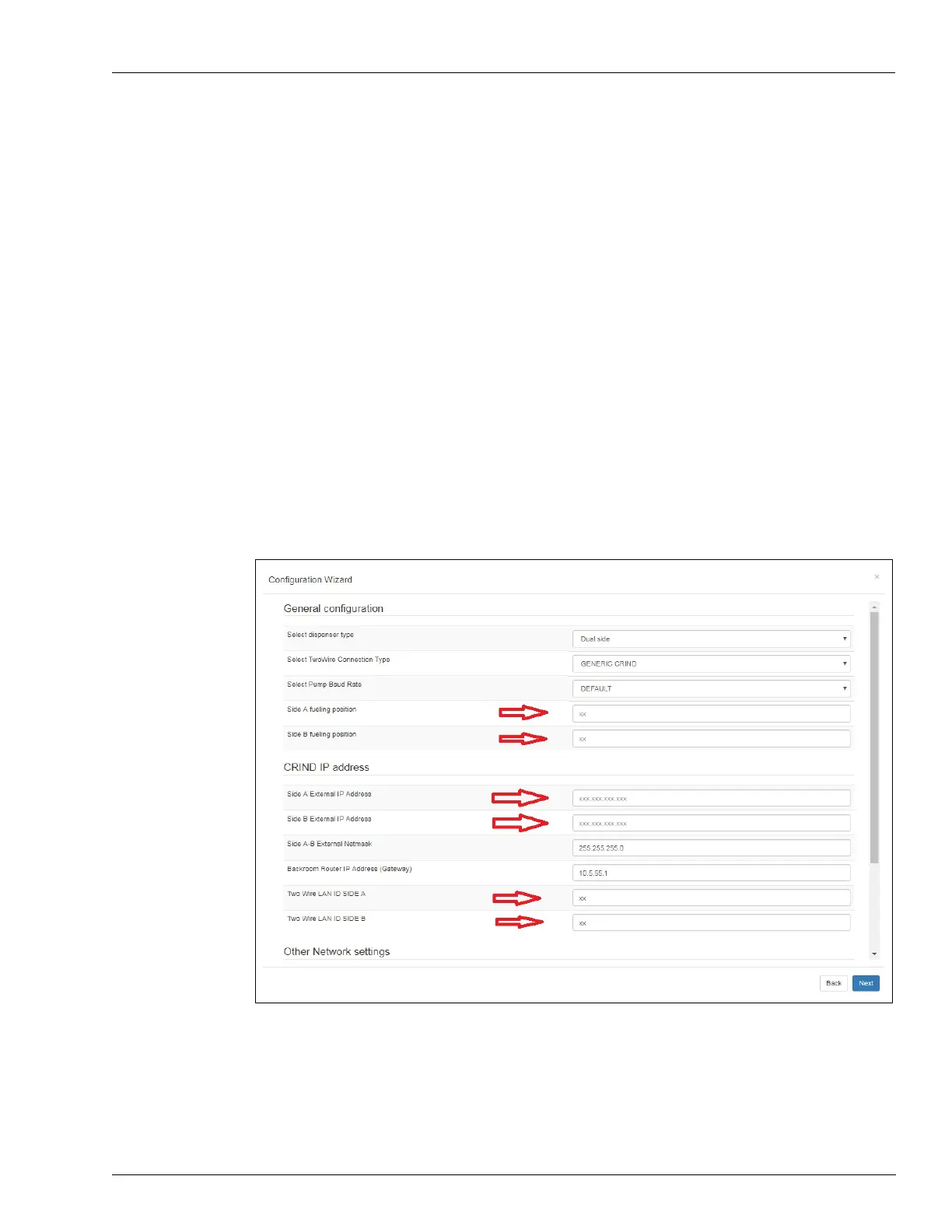
5 The following common configuration parameters are already set into the Omina wizard and do
not need to be configured by the technician:
General Settings
SIDE A fueling position
SIDE B fueling position
Side A External IP Address
Side B External IP Address
Side A-B External Netmask
Two Wire LAN ID SIDE A (only if generic mode
is selected)
Two Wire LAN ID SIDE B (only if generic mode is selec
ted)
Figure 5-68: General Settings Import



 To Next Page