30
Fryer Operation
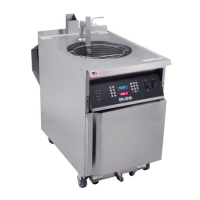
GBF-70 Fryer
4.01 The Computer Controller
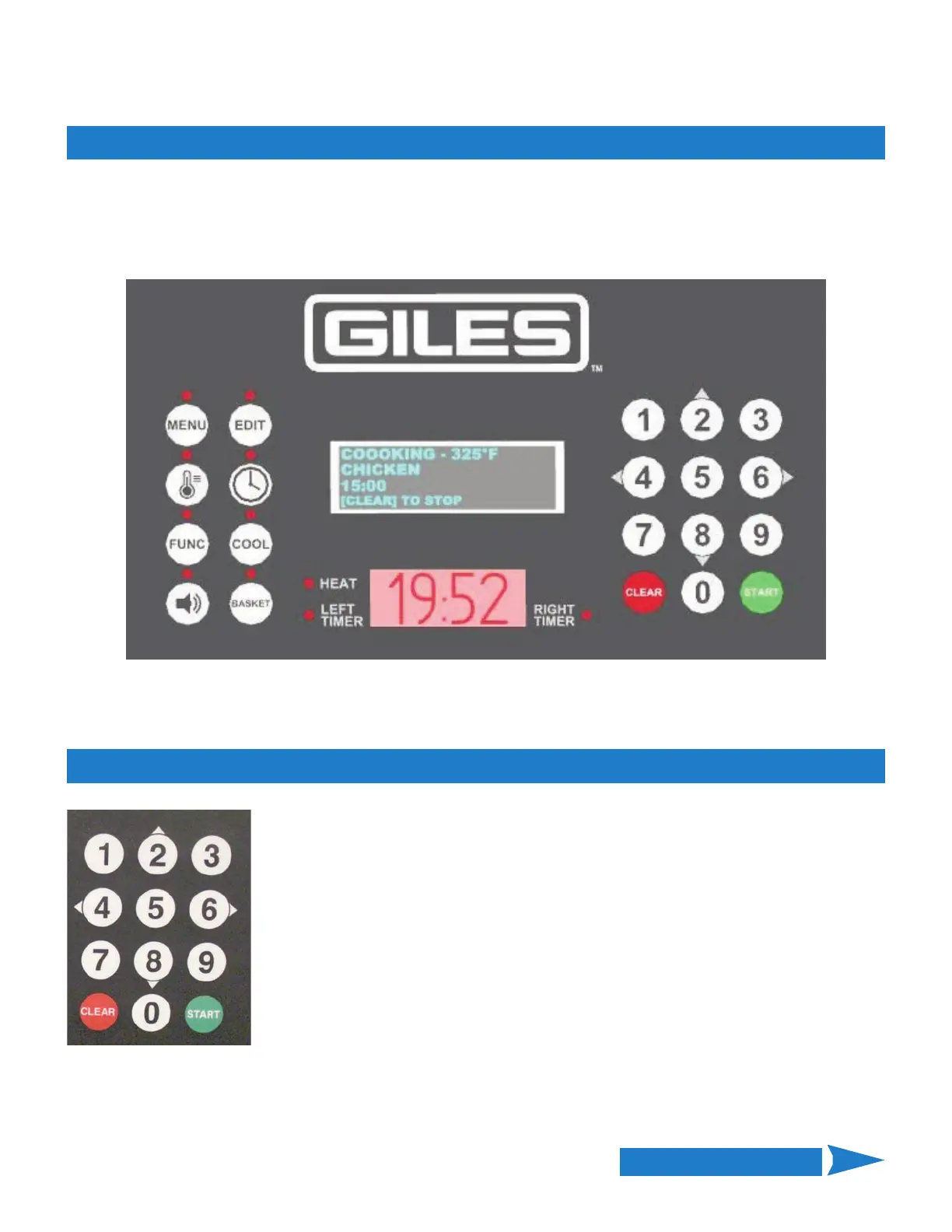
This section explains the functions, features, and programming/operational procedures for the Dual‐Timer
Computer Cooking Controller. This controller has been designed to be user‐friendly and when working with it many
instructions and prompts will be shown on the Upper Display (blue) to help guide you through each process.
4.01.1 Keys and Functions
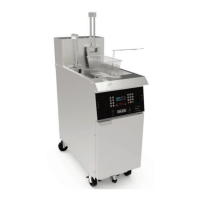
Numeric Keypad: Enter fryer settings and edit preset Menu Item cooking presets.
Arrow Keys: [2]•[4]•[6]•[8] keys are used as directional arrow keys for operational
functions, selecting inputs, scrolling through lists, moving the cursor, etc.
[2]=UP • [8]=DOWN • [4]=LEFT • [6]=RIGHT. The keys light up when active as arrows
keys.
[START]: Function key used for various operations: start cook cycle, select items, save
settings, exit operations, etc.
[CLEAR]: Function key used to cancel cook cycle, exit functions, etc.
Continued on Next Page


 To Next Page