41
Fryer Operation
GBF-70 Fryer
4.01.6 Cooking Cycle General Overview
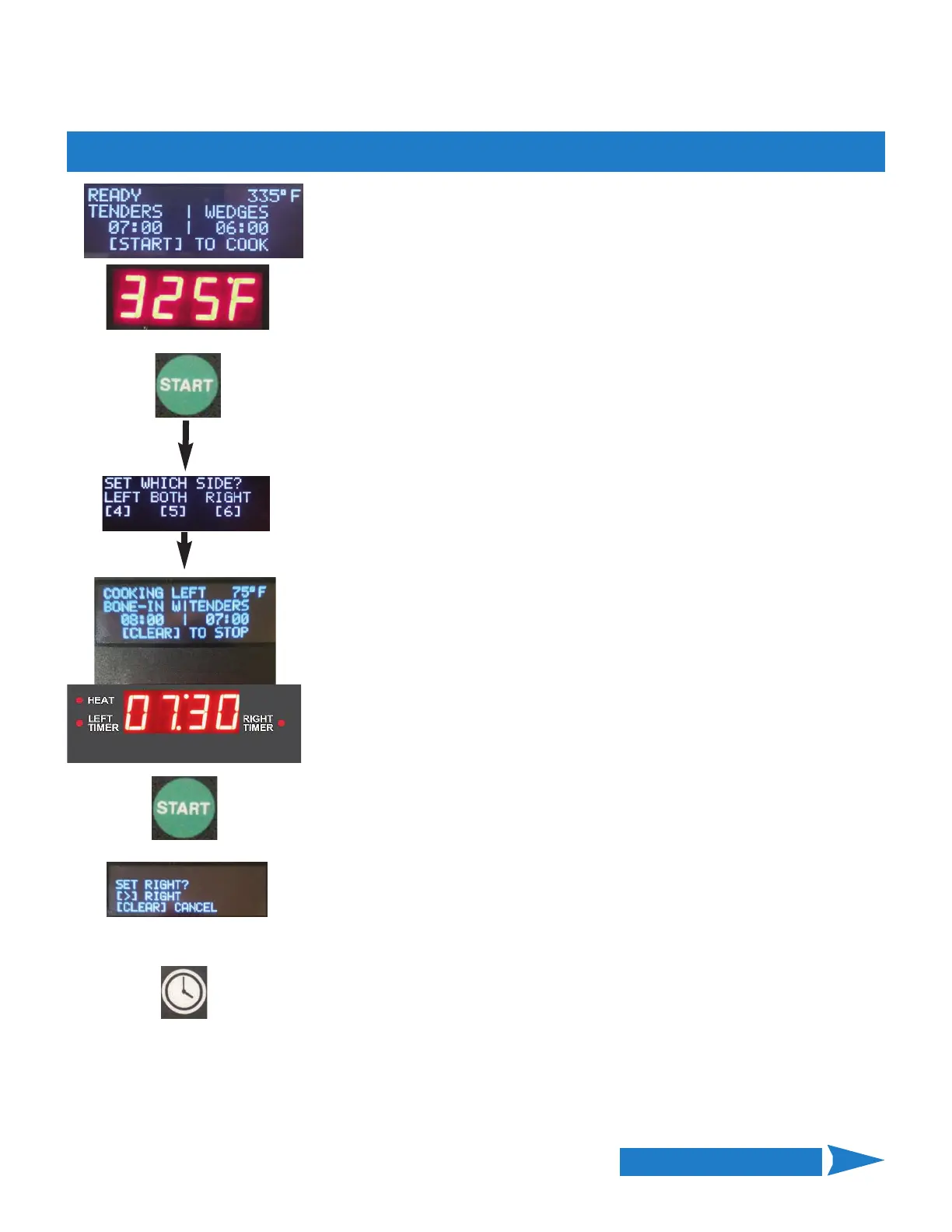
TEMP SETPOINT, MENU NAME & COOKING TIME currently assigned to each
side are shown in the Upper Display.
When in READY state, temperature setpoint is shown in upper right corner of
Lower Display. The READY message in the upper left corner indicates that
cooking oil is at temperature and the fryer is ready for cooking.
To start a cook cycle press the [START] key once.
You will be prompted to select which side to start. Either or both sides can be
selected as shown; use keypad to input.
After selecting side, controller enters COOK state. If the fryer is equipped with
automatic basket lifts, the appropriate basket will be lowered into the cooking
oil and the cooking time countdown will be shown on the Lower Display, while
Upper Display shows which side is cooking. The Timer Indicator for the timer
currently being displayed will be ON.
A different menu item can be selected & started, or a manually input cook cycle
can entered & started for the other side. See Selecting a Menu Item Preset for
Cooking (Section 4.01.5.2) or Manually Setting Cooking Time (Section 4.01.4).
To start the second cook cycle press the [START] key once again, when
prompted, press the appropriate arrow key (#4 or #6) to start the second timer.
Lower display and timer indicator will change to show the second active timer.
When both sides are cooking, pressing the [TIME] key twice toggles the timer
displayed on the Lower Display. Timer Indicator shows which timer is currently
displayed.
x 2
Continued on Next Page



 To Next Page