40
Fryer Operation
GBF-70 Fryer
+
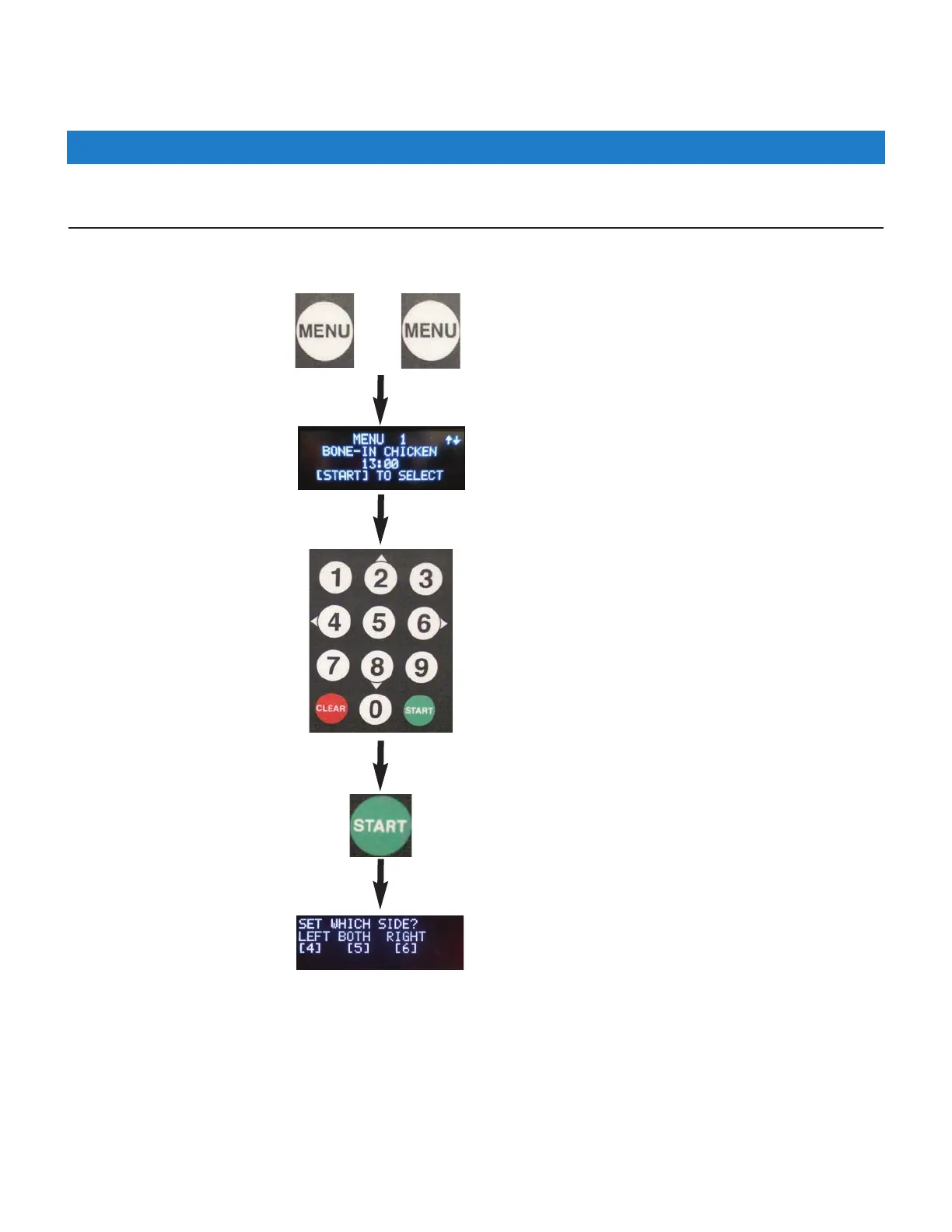
Scroll Method: If a Menu No. is not known, you can scroll through the list of Menu Presets to select the desired
item ... the current settings will appear in the Upper Display.
Press the [MENU] key twice (2x)
Use numeric keypad [2] • [8] (up/down) to
scroll through list to find the desired menu.
4.01.5.2 Selecting a Menu Preset for Cooking - continued
Use keypad to select side
[4]=Left [5]=Both [6]=Right
If the fryer is in READY state, cooking can be started; see Cooking Cycle Overview (Section 4.01.6).
Press [START] key to select.



 To Next Page