33
Fryer Operation
GBF-70 Fryer
4.01.3 Setting the Cooking Temperature
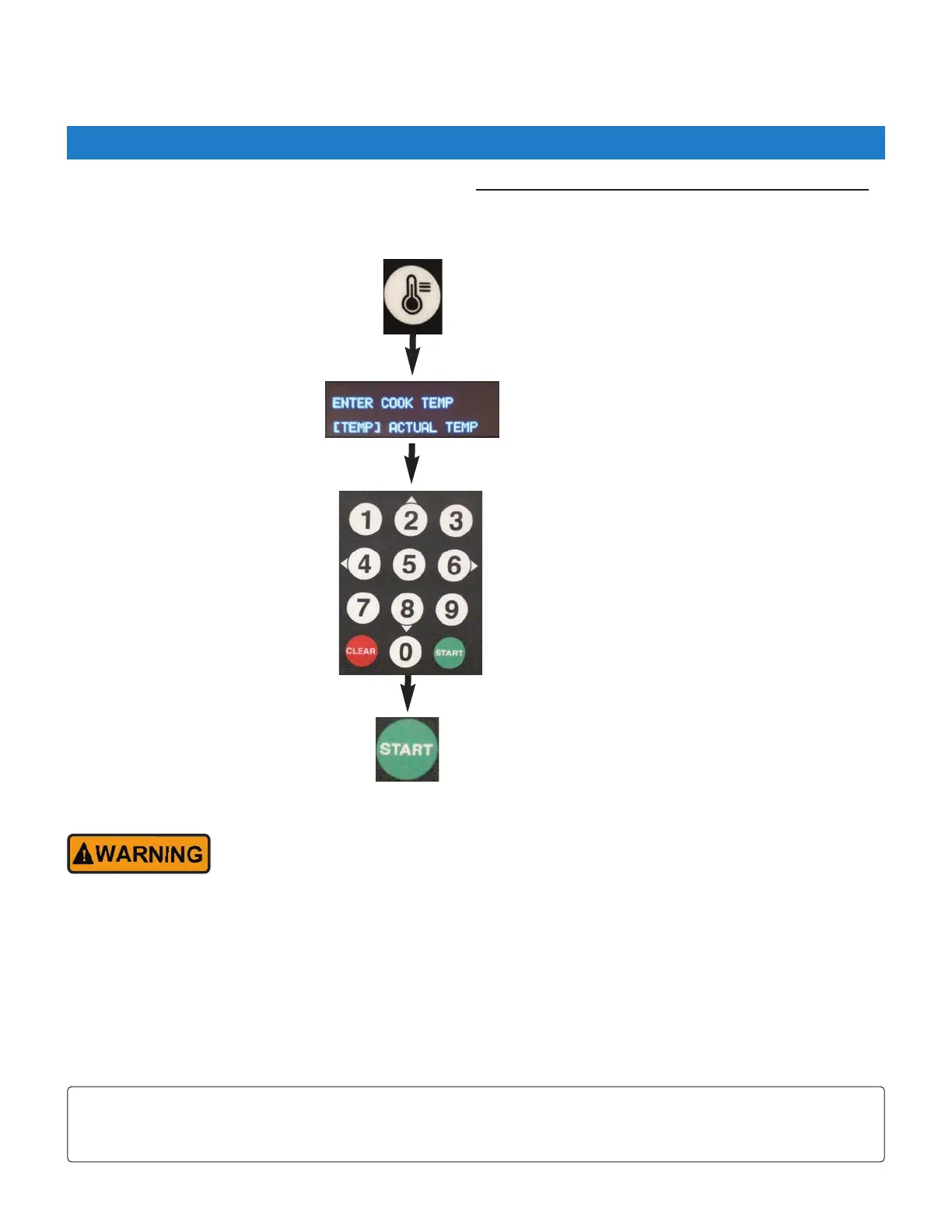
Press the [TEMP] key
Use keypad to enter cooking temperature
setpoint (°F). Ex: 325 = 325°F
Press the [START] key to save setpoint.
NOTE:
Pressing the [TEMP] key twice (2x) will display actual oil temperature for 20 seconds.
Default unit for Temperature is [°F] ... can be changed in User Settings (Section 4.01.8).
Cooking temperature setpoint must be input manually, as menu Item presets do not include temperature settings.
Instruction prompts will be shown on the Upper Display to help guide you through the process.
DO NOT place Heat Switch in the [HEAT] position unless vat is filled with cooking oil to the
[FULL] level.
• If actual oil temperature is lower than the entered setpoint, controller enters PREHEAT phase (small red HEAT
indicator beside the Lower Display turns ON). Before oil will actually begin heating, the Heat Switch on the
control panel must be placed in the [HEAT] position. The amber HEAT indicator on control panel will turn ON and
oil begins heating.
• If the oil temperature is already equal to or greater than the entered setpoint, an alarm sounds and the message
“SETPOINT REACHED” is displayed. Press the [ALARM] key to enter READY state. Fryer is ready for cooking.
While heating, real‐time actual oil temperature is shown on the Lower Display. After reaching setpoint, display
changes to show the setpoint temperature.



 To Next Page