34
Fryer Operation
GBF-70 Fryer
4.01.4 Manually Setting Cooking Time
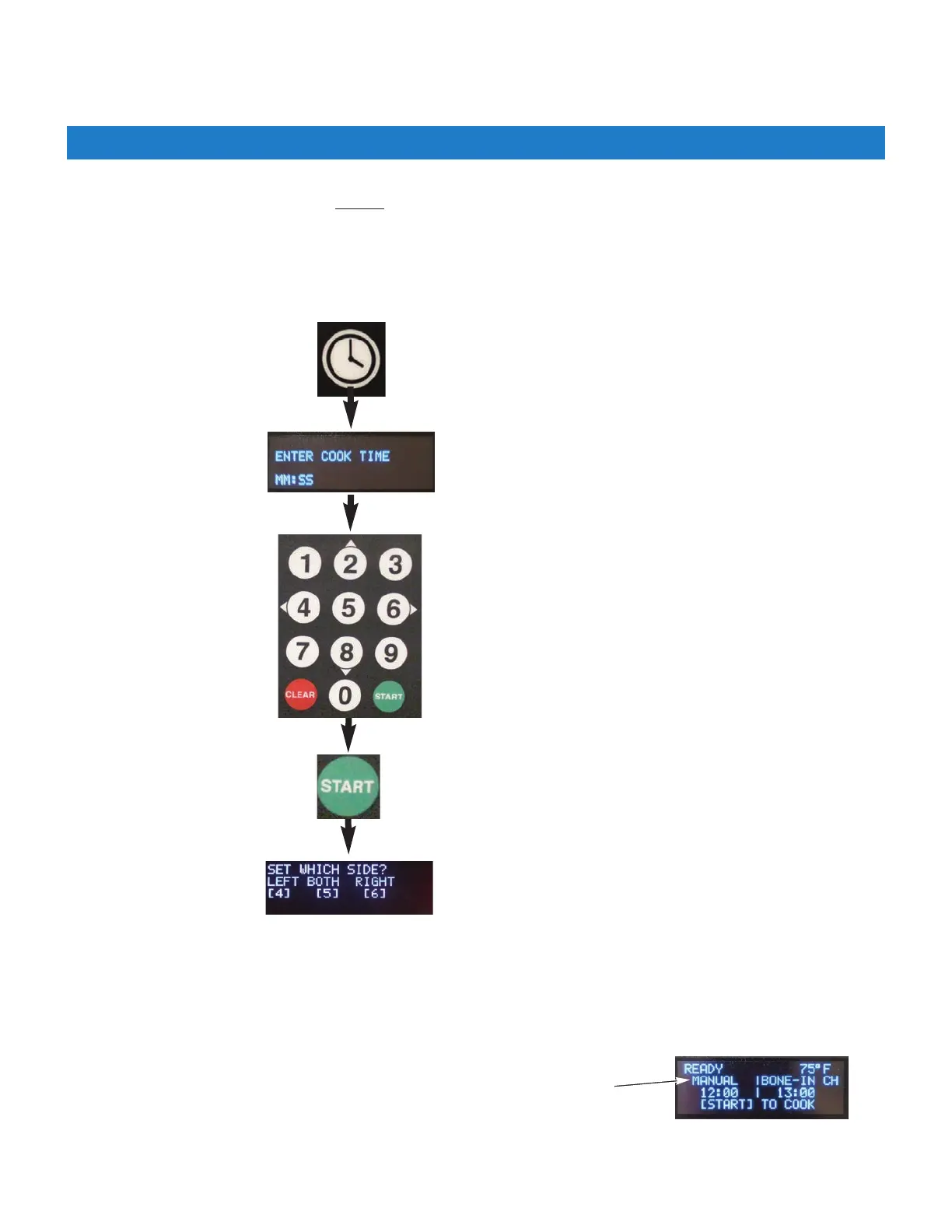
Press the [CLOCK] key
IMPORTANT!
If PASSCODE is enabled, cooking time cannot
be manually input without entering the required password. You are
restricted to only choosing from the Menu Item Presets available, see Section 4.01.5, Working with Menus.
Press the [START] key.
Use keypad to select SIDE
[4]=Left [5]=Both [6]=Right
Repeat process to set a time for the
other SIDE.
NOTE: Menu Item Presets include a Name which is displayed on the Upper
Display when the preset is selected. When a cooking time is manually input,
the displayed name will show as [MANUAL] instead of a food item name.
Use keypad to enter Cook Time (mm:ss).
Ex: 1530 = 15:30



 To Next Page