GKB 4CH/8CH VFire Server
53
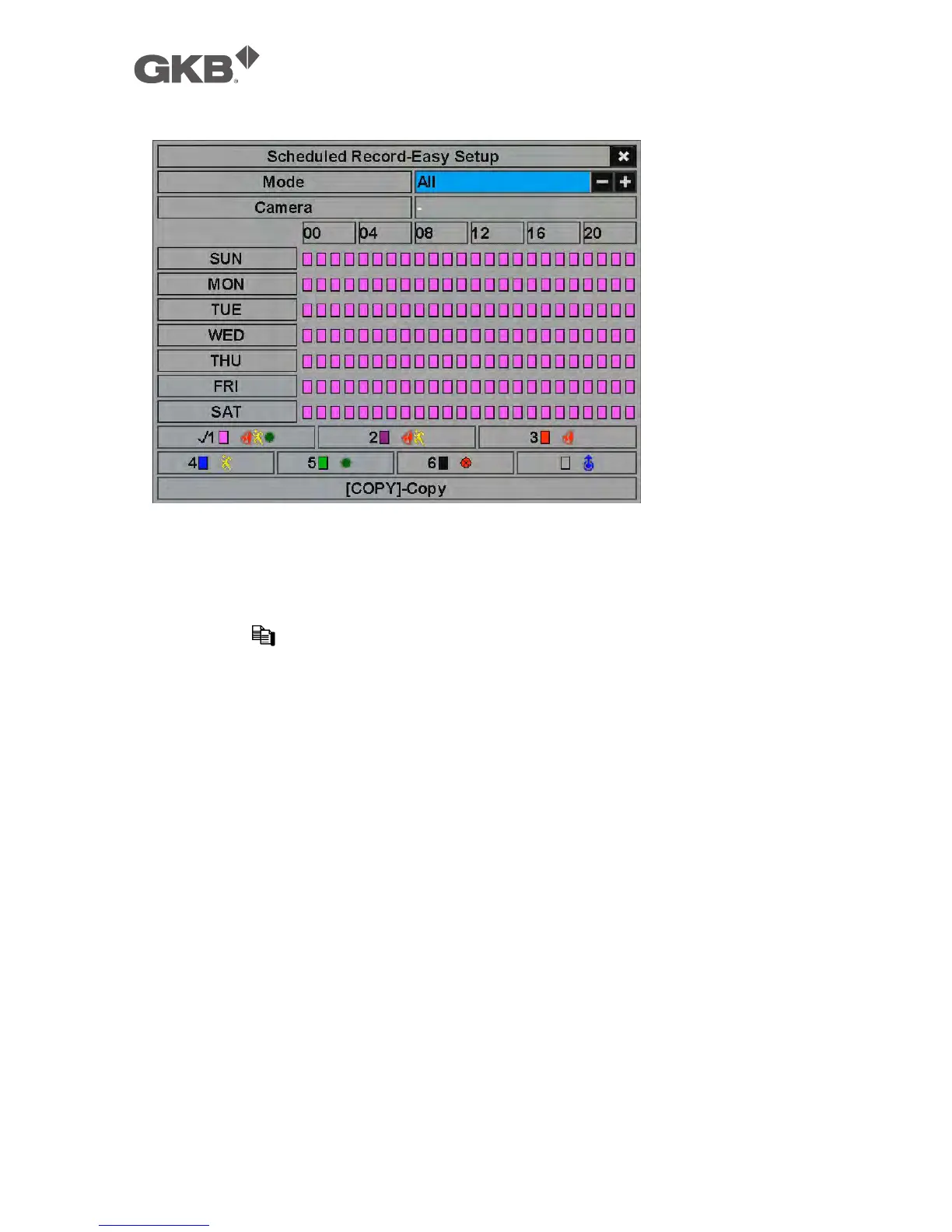
The operations are as below:
n ▲▼◄►
Press these buttons to move the focus.
n COPY ( )
Press this button to copy the settings of the focus camera to all the following
cameras. (EX. focus camera is 2, its schedule settings will be copied to those
of the cameras 3-4/8.)
n Numeric 1-6 (Mouse: Left click)
Press these buttons to select the active Recording Mode. The user may also
press ENTER when the focus is on the Recording Mode to activate it. The
Recording Modes are : “1” – Alarm+Motion+Normal, “2” – Alarm+Motion, “3” –
Alarm, “4” – Motion, “5” – Normal, “6” – No Record, and Others (which is not
selectable).
n +/- (Mouse: Left click and drag)
Press these buttons to set the focus interval (one grid for one hour)
upwardly/downwardly to the Active Recording Mode. The user may also
press ENTER to set the focus interval to the Active Recording Mode.
n ESC (Mouse: Right Click)
Press this button to escape from this screen, and return to Scheduled Record
Setup display. The time segments for each weekday in Scheduled Record will
be updated accordingly.



 To Next Page