GKB 4CH/8CH VFire Server
96
8. To have better look-&-feel for your PC, please go to Start->Setup->Control, and
select Display->Visual Style->Windows XP Style.
9. Please go to Start->Setup->Control, select Display->Settings, and set the Screen
Resolution to at least 1024x768 and Color to 32-bit.
Note: If trusted web site is not set, please follow the instructions on the screen to
download the manual package, logon the PC as administrator, and install
the package in the PC. After the package is installed, users should be able
to logon to the DVR/NVR successfully.
Firefox
To use Firefox to access the DVR/NVR, please do the followings:
1. Launch Firefox.
2. Visit the web site "http://ietab.mozdev.org" to download and install IE Tab
Plugin.
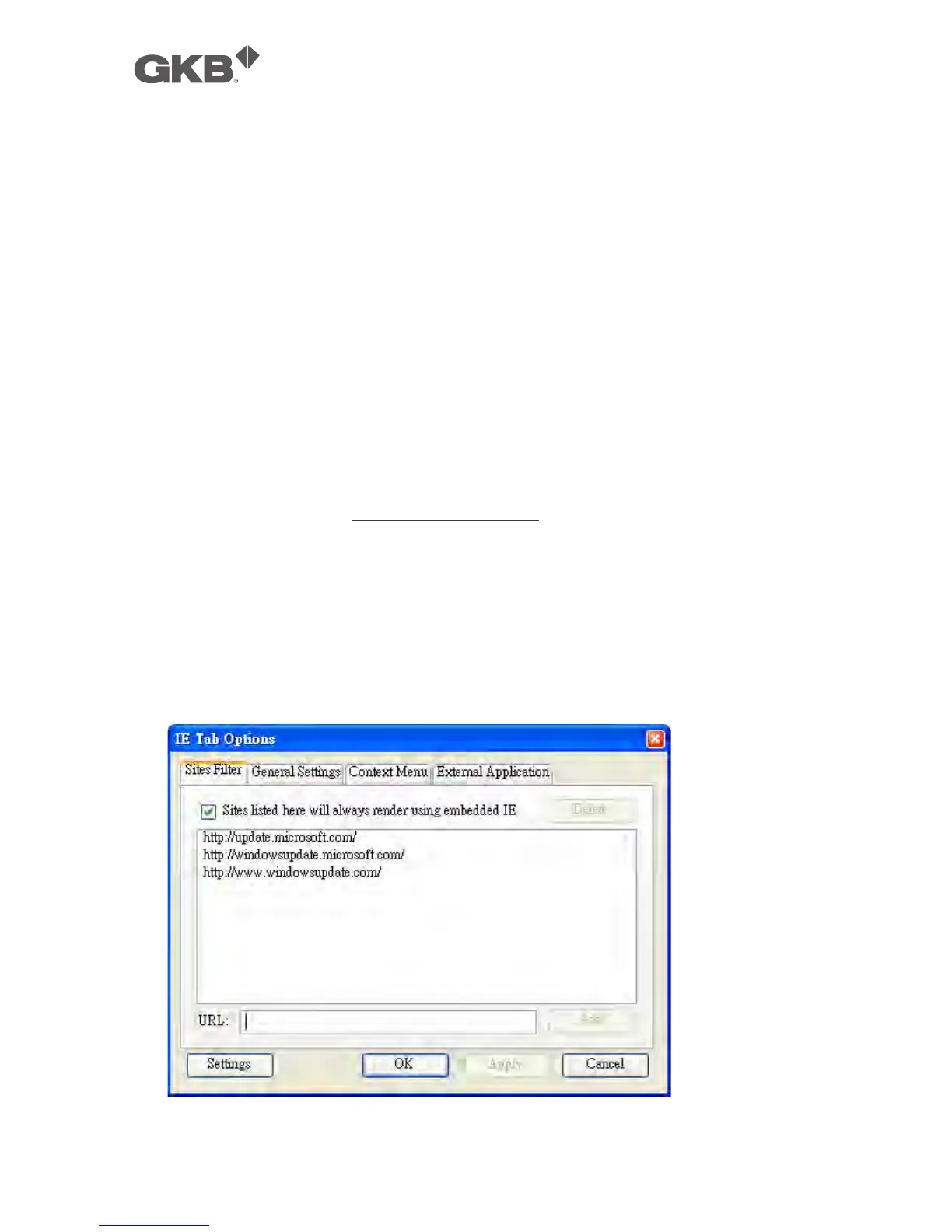
3. Select Tools->IE Tab Options.
4. Select Sites Filter.
5. Check the option "Sites list here will always render using embedded IE", and
add NVR's URL into sites list.



 To Next Page