GKB 4CH/8CH VFire Server
97
Logon
After the above-mentioned items have been done correctly, restart your web
browser and enter the domain name or IP address (EX. http://192.168.1.100 if HTTP
port is 80, or http://192.168.1.100:800 if HTTP port is 800) of the network
video/audio recorder in the Location/Address field of the web browser. The
plug-in software in the system will be downloaded and run automatically in the
web browser. Please note that up to 8 users can logon this DVR/NVR
simultaneously.
Remote Display and Operations
After the plug-in software is downloaded and run in the web browser, you will be
asked (1) to install redistributable software, and (2) for ActiveX control to interact
with your PC. Please select Yes, and the remote login display will be shown.
Please note that the PC user must have system administrator password for the PC;
otherwise, the process will fail, and an error dialog will be shown. For some PCs,
it may be necessary to click in the window with the message in red color, but
outside the Login Dialog before the next step. Please enter the correct login
name and password (and control port & data port if they have been changed) for
the NVR to login the system. Please also enter the directory name if multiple
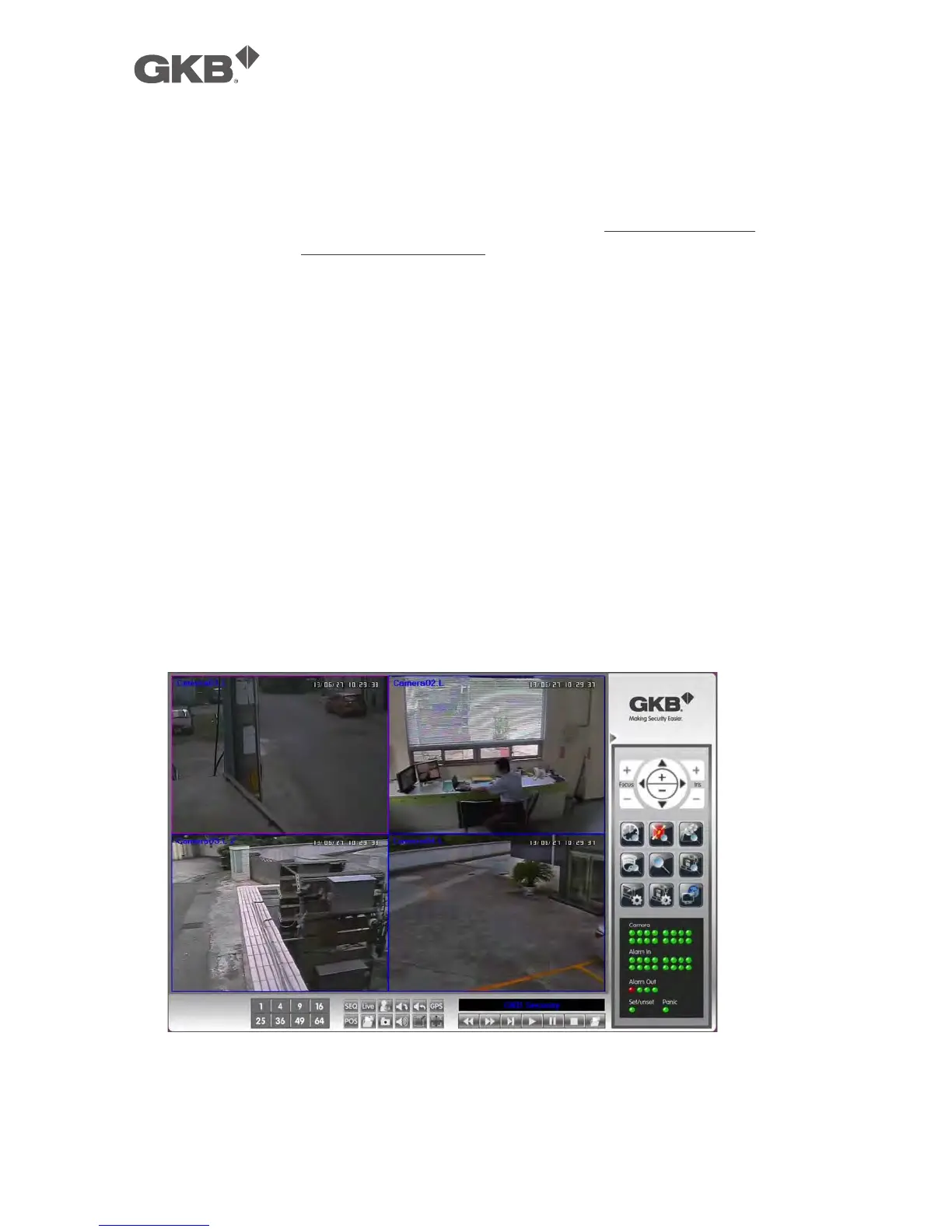
profiles were saved. And the main remote display will be shown as below.
The video images can be displayed in several types of split-window screens,
including 1/4/9/16-Window for single DVR/NVR and 25/36/49/64 for multiple



 To Next Page