TX6600PRO INSTRUCTION MANUAL
11
Single Desktop
Charger (BCD022)
Dual Desktop
Charger (BCD023)
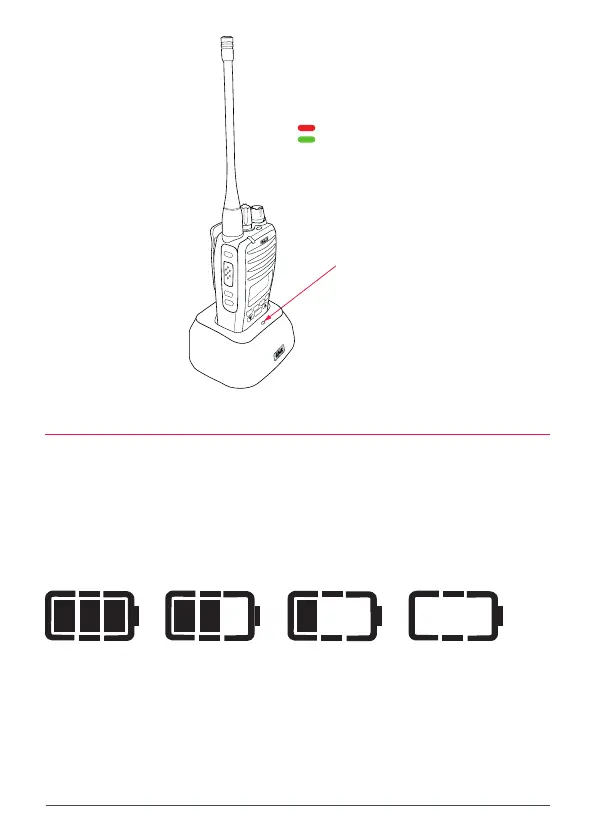
CHARGER LED INDICATORS
Red LED - Charging
Green LED - Fully charged
LED
MENU
F
CALL
LOCK
SCAN
OS/GS
QUIET
PWR
PRO
DUP
CALL
LOCK
SCAN
OS/GS
QUIET
PWR
PRO
DUP
FRONT
REAR
Single Desktop
Charger (BCD022)
Dual Desktop
Charger (BCD023)
CHARGER LED INDICATORS
Red LED - Charging
Green LED - Fully charged
LED
Front LED
Rear LED
FRONT
REAR
BATTERY LOW ALERT
As the battery voltage is depleted the internal segments of the battery icon will
extinguish one by one. When the last segment is extinguished the remaining
battery outline will ash to indicate the battery level is low. You should recharge
the battery as soon as possible. If you continue using your radio when the battery
indicator is ashing it will operate with Ultra-Low transmit power until the battery
is depleted.
Full Medium Low Recharge



 To Next Page