TX6600PRO INSTRUCTION MANUAL
34
7. RESET will again be displayed and the status LED will ash RED as the
reset process begins. After a few seconds the radio will restart and
normal operation will be restored on CB channel 1.
SCANNING
OVERVIEW
The TX6600PRO includes a Scan function that allows groups of user
programmable channels to be scanned for signals. Channels can be scanned at
over 45 channels per second. When a signal is found, scanning will pause to allow
the signal to be heard and will resume scanning when the channel is clear again.
Scan Groups
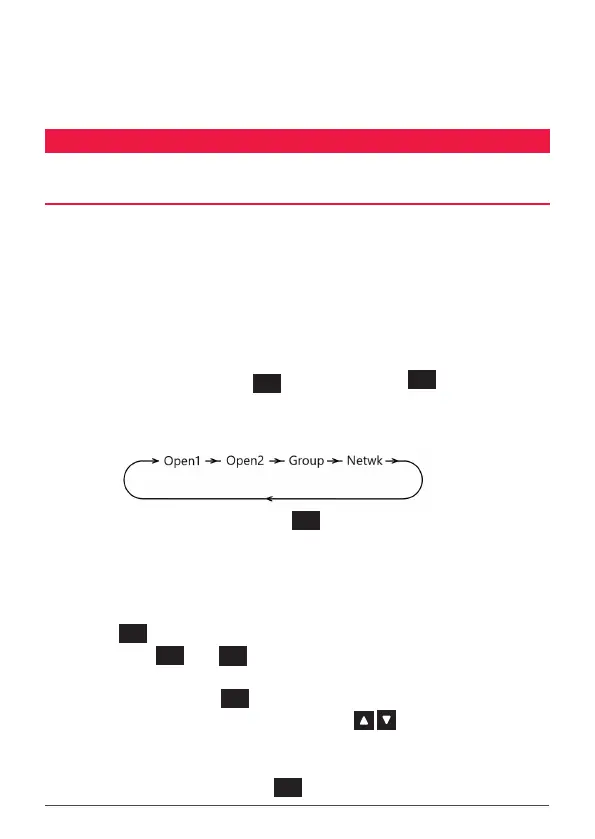
The TX6600PRO features four scan groups – Open Scan1, Open Scan2, Group Scan
and Network Scan.
To select a scan group, press the
MENU
F
key followed by the
SCAN
OS/GS
key. Each press
will cycle through the available groups and OPEN1, OPEN2, GROUP or NETWK
will be displayed briey as each group is selected.
NOTE: NETWK will not appear under the
SCAN
OS/GS
key unless NETWORK SCAN has been
enabled in the menu (NETWORK SCAN is switched o by default)
TIP: To quickly determine which channels are currently programmed into any selected
scan group.
1. Check that the radio is not already scanning. If it is, briey press the
SCAN
OS/GS
key to stop the scan.
2. Press
MENU
F
then
SCAN
OS/GS
to cycle to the desired Scan Group (OPEN1,
OPEN2, GROUP or NETWK will be displayed briey).
3. Briey press the
MENU
F
key. F will be displayed.
4. Rotate the Channel knob or press the keys to step through
the channels. Only channels that are stored in the selected scan group
will be displayed.
5. When nished, press the
MENU
F
key to exit.



 To Next Page