TX6600PRO INSTRUCTION MANUAL
36
OPEN SCAN MODE
Open Scan allows any of the channels to be scanned for activity in an ascending
sequence (i.e. from the lowest channel to the highest). If a busy channel is found,
the scan will pause to allow the signal to be heard. Once the channel has been
clear for 5 seconds, the scan will resume automatically.
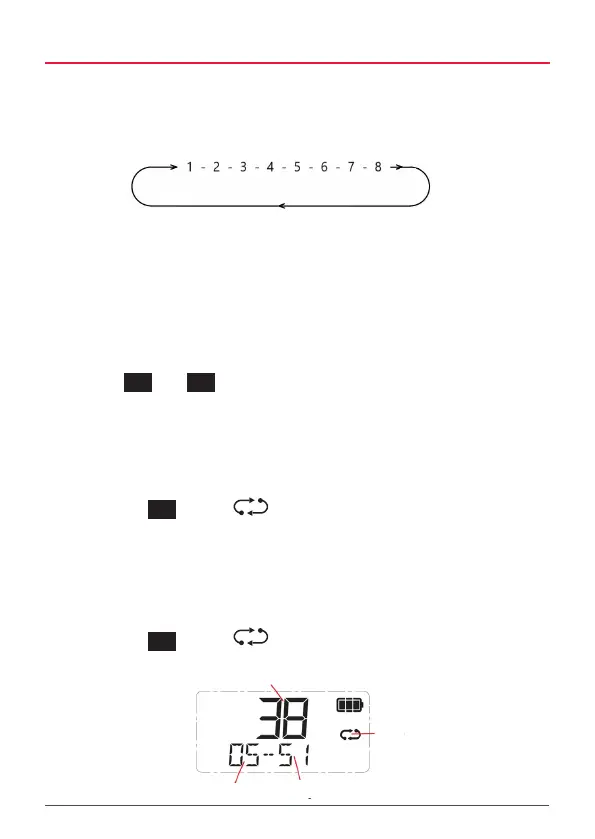
e.g. Scanning channels 1 – 8 in Open Scan.
The TX6600PRO has two separate Open Scan memories labelled OPEN1 and
OPEN2. Their operation is identical but each can be independently programmed
with a range of dierent channels. The OPEN1 scan memory has all 80 channels
factory-programmed. Any channels that are not required can be easily removed.
The OPEN2 scan memory is factory-programmed with all the repeater channels.
Selecting Open Scan
Briey press
MENU
F
then
SCAN
OS/GS
to cycle through the scan groups until OPEN1 or
OPEN2 is displayed.
Programming Open Scan channels
ADD or REMOVE your desired channels as described above.
To Start Scanning
Briey press the
SCAN
OS/GS
key. The icon will animate and the channel numbers
will change rapidly as the channels are scanned. During this time the display will
show OS-xx where OS indicates Open Scan and xx indicates your working channel
(your last-selected channel). The radio will return to this channel when you stop
the scan.
To Stop Scanning
Briey press the
SCAN
OS/GS
key. The icon animation will stop and the radio will
return to your working channel.
Last Selected Channel
(Working Channel)
Scan Icon
Scanned Channel
Open Scan



 To Next Page