TX6600PRO INSTRUCTION MANUAL
23
To lock the keys
Press the
MENU
F
key followed by the
CALL
LOCK
key. ‘LOCKED’ will appear on the display
for several seconds. The keypad will now remain locked even if the radio is turned
O and On again.
To unlock the keys
Briey press the
MENU
F
key followed by the
CALL
LOCK
key. ‘UNLOCK’ will be displayed for
a few seconds. The keypad is now restored to normal operation.
TRANSMIT POWER
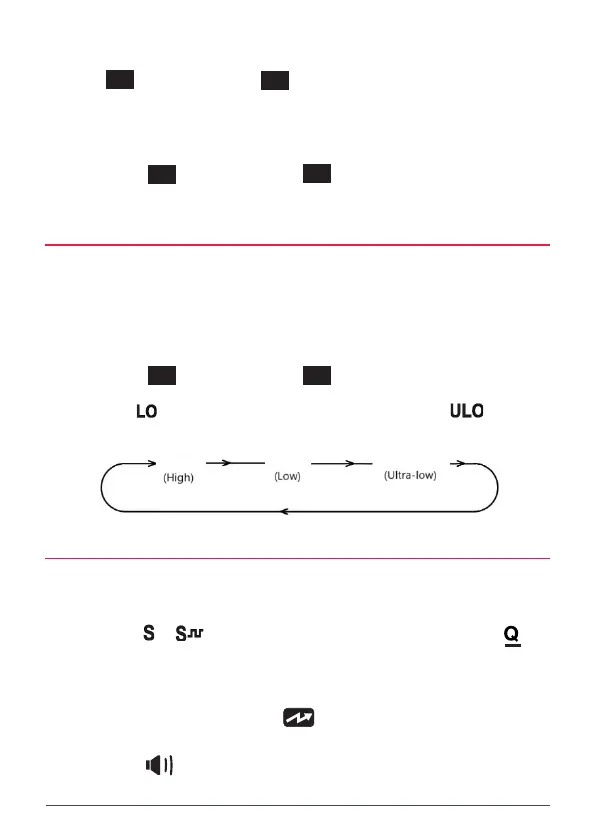
The PWR key is used to switch the transmitter power from a high power of 5W
down to a low power of 1W or an ultra-low power of 100mW. Using a lower
transmitter power for short range communications will conserve battery power
and can increase battery life quite dramatically.
To set the transmitter power:
Briey press the
MENU
F
key followed by the
QUIET
PWR
key to cycle through the
transmitter power levels. The radio will display 5W, 1W or 100mW. When 1W
is selected the icon is displayed. When 100mW is selected the icon is
displayed.
100mW
5W
1W
BUSY LOCKOUT
The Busy Lockout function detects when another signal is being transmitted on
the channel and prevents your radio from accidentally transmitting over the other
signal. When enabled, Busy lockout will be active if you are using Silent mode with
CTCSS/DCS (the or icon is displayed) or Quiet mode with Selcall (the
icon is displayed) as your radio can remain quiet even when the channel is busy in
these modes.
When Busy Lockout is active, if the channel is busy and you press the PTT key the
radio will emit a warning beep and the icon won’t be displayed.
If you get a Busy Lockout alarm when you press the PTT key, release the PTT key
and look for the icon on the display as an indicator that the channel is in use.
If so, simply wait until the channel is clear and press the PTT key again.



 To Next Page