6 Wireless Remote Control
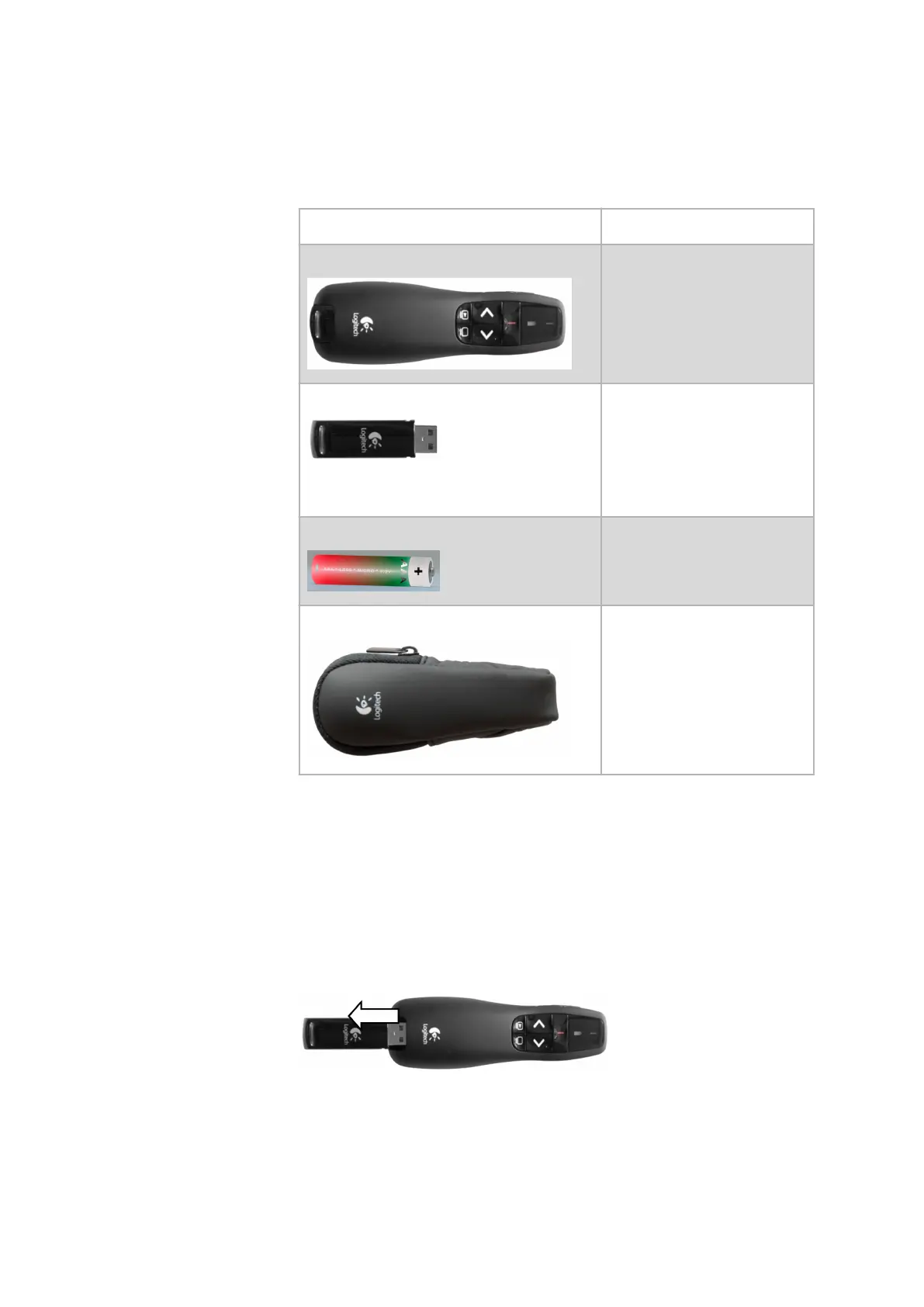
The ARAMIS system is delivered with a wireless remote control.
Accessories Description
Wireless remote control With the remote control, you
can capture calibration images
without using the mouse or
keyboard.
Receiver for the wireless remote control In the shipping configuration,
the receiver is inserted in the
wireless remote control.
Connect the receiver to a USB
connection of the measuring
computer.
Dry cell battery LR03, AAA, Micro: 1.5 V
Bag for the wireless remote control -
6.1 Prepare the Remote Control
Procedure:
1. Equip the wireless remote control with the battery.
2. Insert the receiver into the USB connection of the measuring com‐
puter.
Example:
Fig. 5: Taking out the USB receiver from the remote control
0000001503_002_EN_02-12-2019 Page 19 (56)


 To Next Page