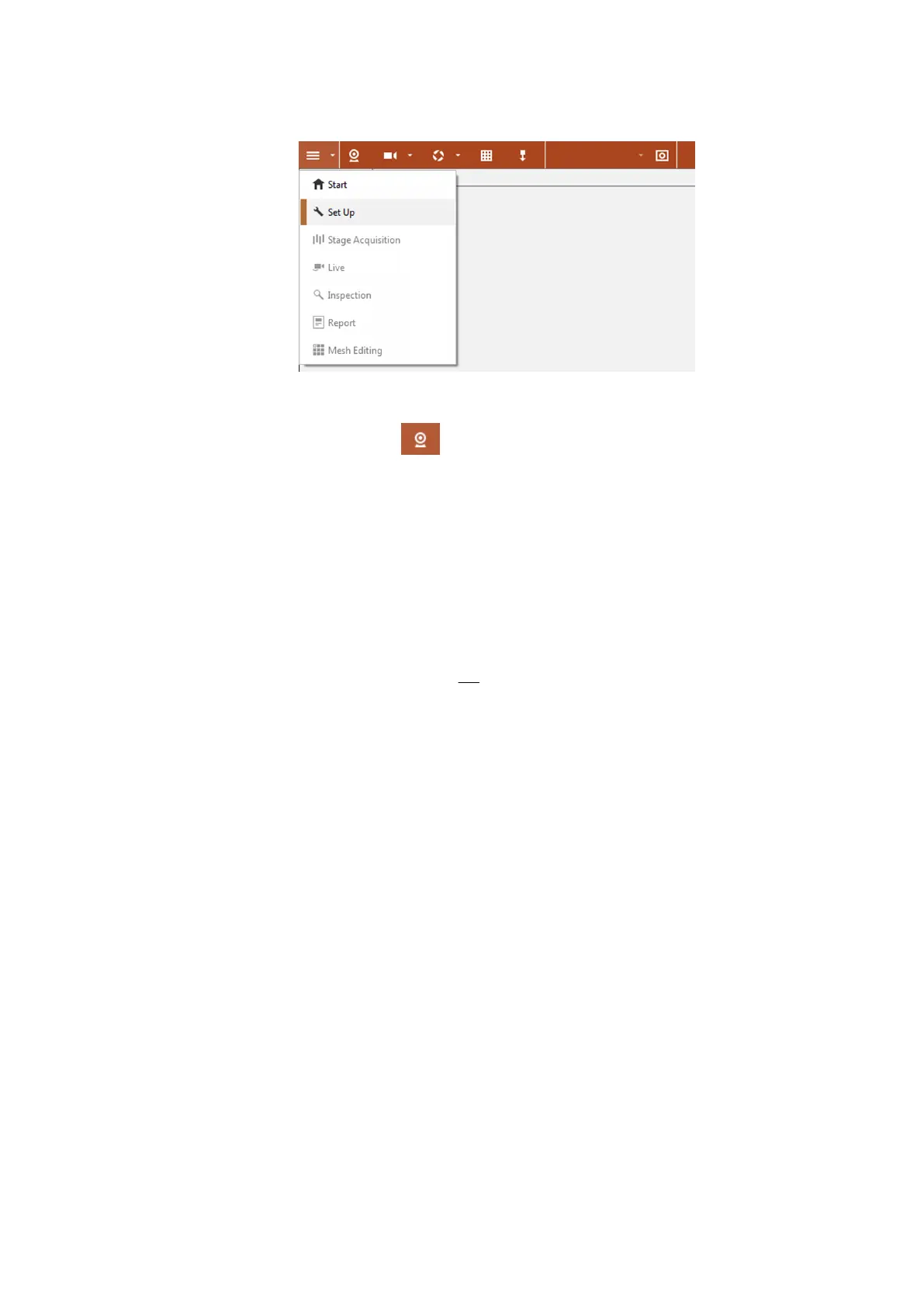
Fig. 6: Workspace Set Up in the software
Using the icon
Set Up Sensor, you can register the requested sensor
and the measuring volume in the software.
7.2 Adjust Measuring Distance
Position the sensor at the measuring distance in front of your measuring
object or the calibration object. If your sensor is equipped with a laser
pointer, switch on the laser pointer. Aim the sensor at an object at the
measuring distance.
The measuring distance is defined by a measuring tape. The measuring
distance results between the fixture of the camera support (in the middle)
and the center of the measuring object or the projected laser point on the
measuring object, (see 4.3). The measuring distance refers to the front side
of the fixture.
7.3 Adjust Slider Distance
The slider distance is the distance between the slide units of the cameras.
Move the cameras on the camera support. Thus, adjust the slider distance.
Position the cameras symmetrically on the camera support. Adjust the
cameras roughly in radial direction (camera tilt angle).
Set Up Sensor
0000001503_002_EN_02-12-2019 Page 22 (56)


 To Next Page