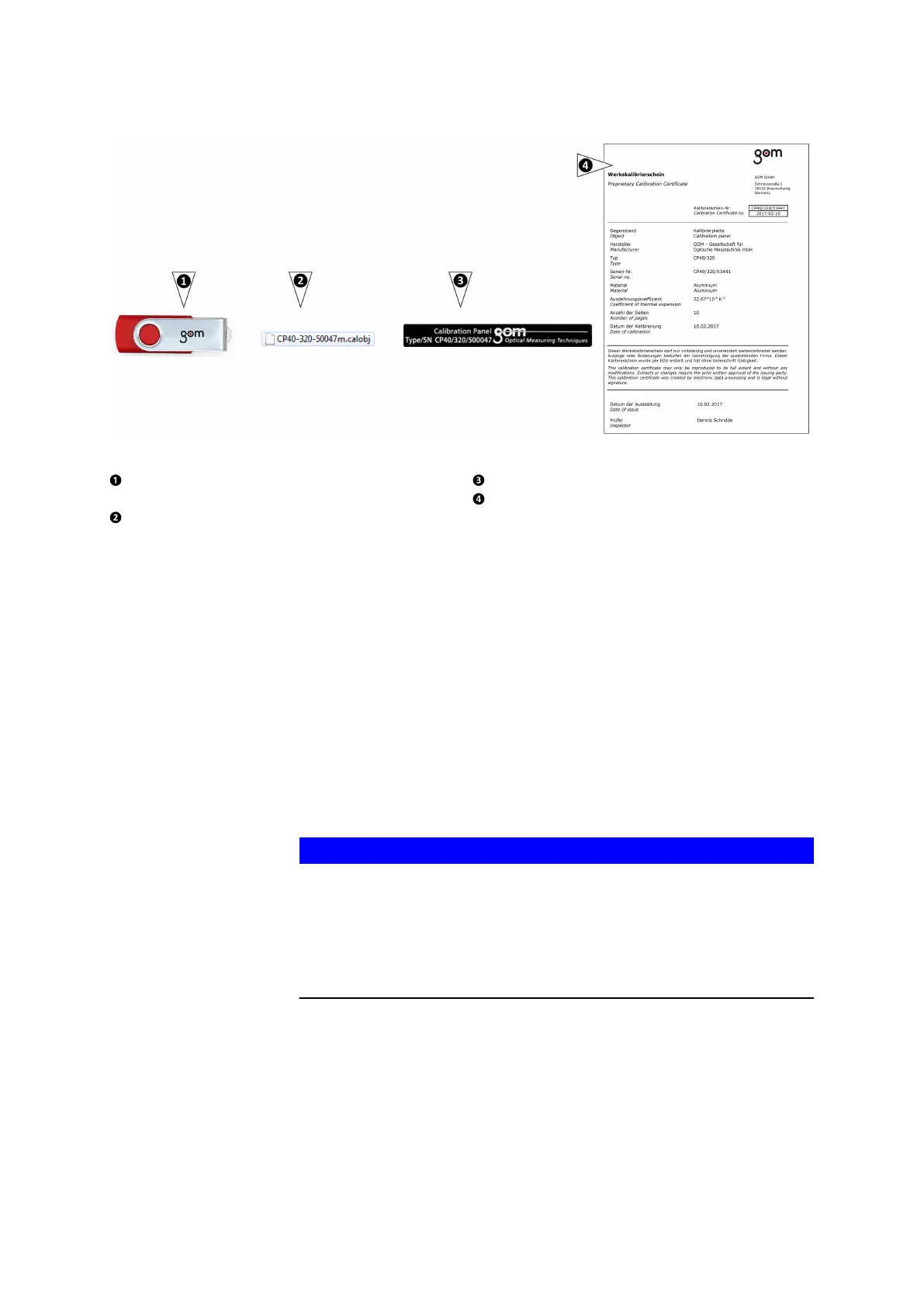
Fig. 27: Accessories belonging to the calibration object
Storage medium with calibration data
and serial number of the calibration panel
File name of the calibration data
Serial number of calibration panel
Certificate with serial number
10.3.1 Handling Instructions for the Calibration Panel CP40
•
The surface of the calibration object is very sensitive. Therefore, never
touch the surface directly with your hands.
•
All calibration panels of the large measuring volumes remain in the
case during the calibration procedure. Only remove the case cover. To
prevent any damage to the surface of the panel, remove the case
cover carefully.
•
Clean the point surface with the enclosed microfiber cloth from the
standard tool box. Wipe the surface gently only. Never exert any pres‐
sure.
•
The system does no longer use damaged points for calibration.
•
The system ignores dirty white areas during calibration. The process
uses the clean neighboring areas.
NOTICE
You probably cannot calibrate successfully with a dirty or damaged cal‐
ibration panel.
The GOM software might not recognize dirty or damaged calibration pan‐
els.
▶
Do not soil or damage particularly the area around the larger calibra‐
tion points in the middle!
Calibrate the Sensor
0000001503_002_EN_02-12-2019 Page 40 (56)


 To Next Page