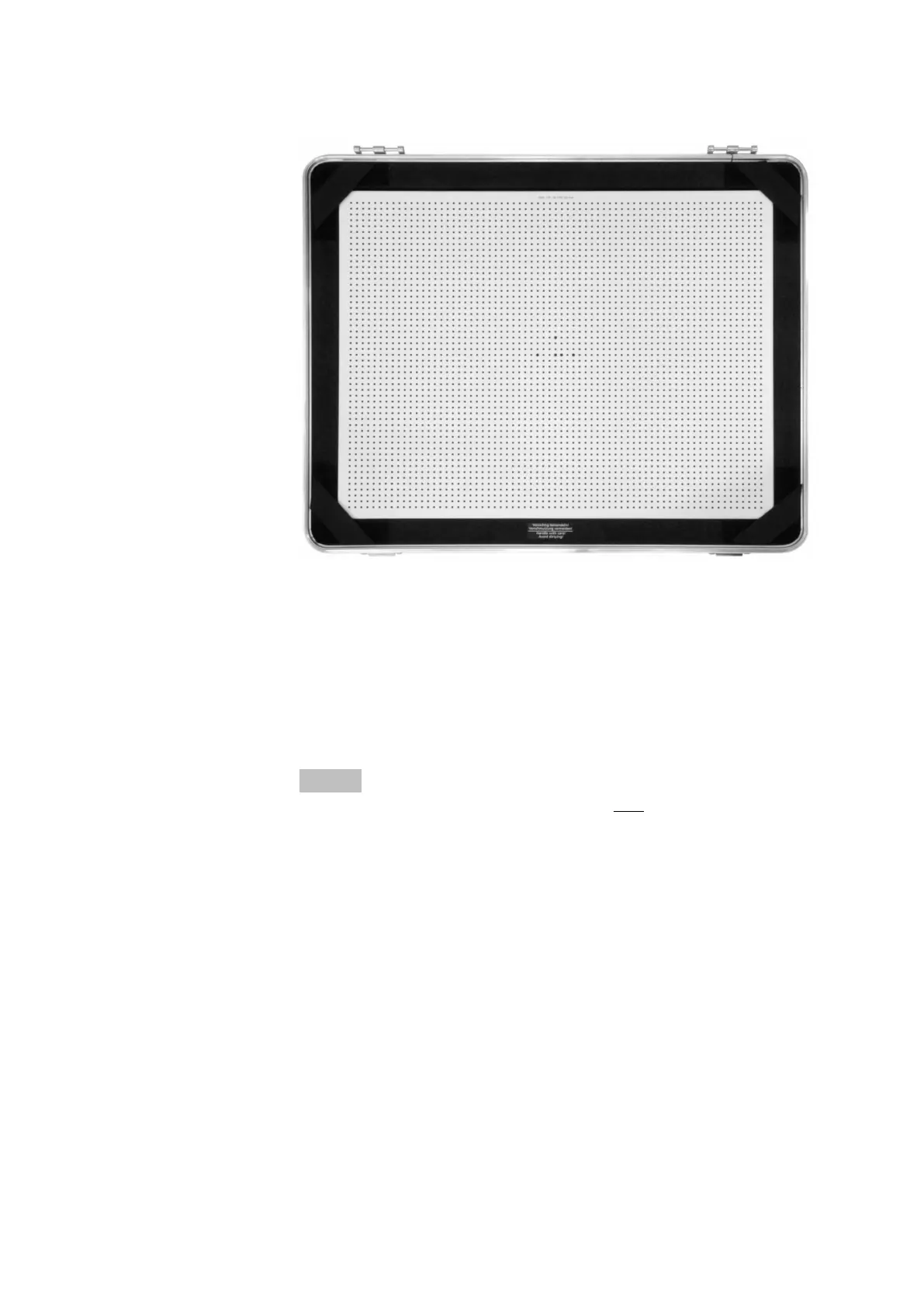
Fig. 26: Calibration object CP40 in the case (without case cover)
Calibration panels of the type CP40 consist of black points on a white
background. The larger points in the middle inform the ARAMIS
Professional software about the calibration panel type, for example, cali‐
bration panel CP40 for measuring volume MV320.
Each point was measured photogrammetrically in the factory. The calibra‐
tion data and the certificate are saved on a storage medium, which is
included in the scope of delivery. The serial number of the calibration
panel ensures a clear assignment.
Info
Ensure that the calibration panel is clean (see 10.1).
Calibrate the Sensor
0000001503_002_EN_02-12-2019 Page 39 (56)


 To Next Page