10.6.3 Prepare the Calibration
Requirements:
•
The sensor is set up (see section 7).
•
The software knows which measuring volume and which camera posi‐
tion you use.
Based on this information, the software determines the required focal
lengths of the lenses.
Procedure:
1. Open the calibration dialog in workspace Set Up with Calibrate Sensor
►
.
2. Select the corresponding calibration object.
When the calibration object was never used before or was used with a
dierent camera position, the software displays a question dialog.
3. Confirm the request with Yes.
The software resets the settings to the recommended calibration set‐
tings.
4. Enter the current measurement temperature in the next dialog.
5. Start the calibration procedure with Next.
The software displays the technical data of the calibration object and
the camera settings.
6. Start the calibration procedure with OK.
10.6.4 Position Calibration Cross
Procedure:
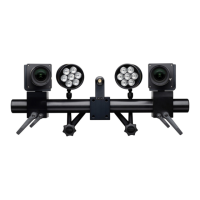
1. Place the calibration cross in front of the ARAMIS sensor.
2. Position the ARAMIS sensor at the measuring distance using the stand.
3. Move the stand until the two laser points merge to one common
point.
Info
As the laser pointers are adjusted to the working distance, move the
stand or the calibration cross.
10.6.5 Calibration Procedure
10.6.5.1 Steps for Coded Calibration Cross
Capture the calibration cross in 24 steps from dierent positions. The fol‐
lowing image series with hints shows the individual measurement posi‐
tions.
Calibrate the Sensor
0000001503_002_EN_02-12-2019 Page 46 (56)


 To Next Page