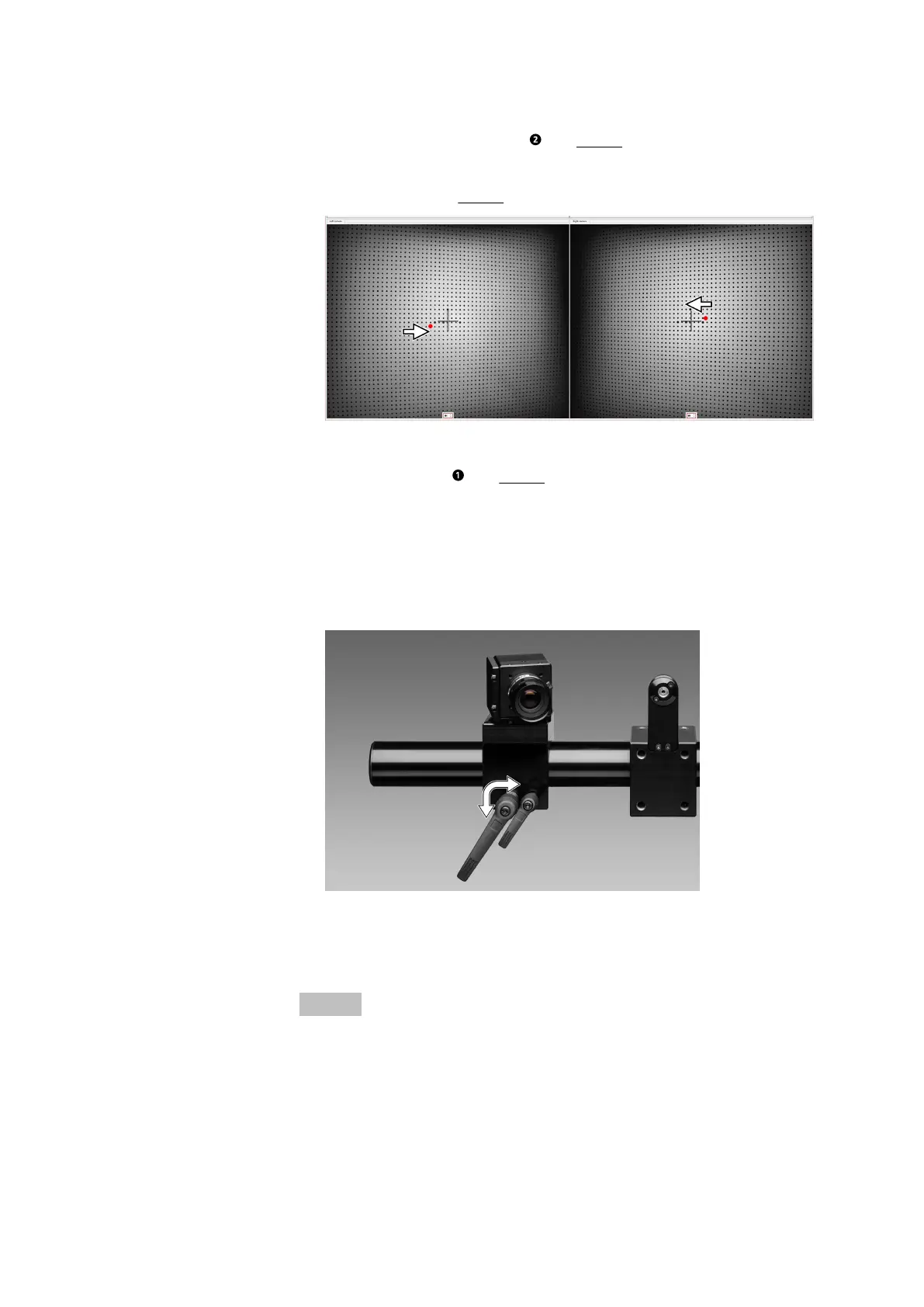
3. Rotate the respective camera (see Fig. 14). Pay attention to the posi‐
tion of the laser point to the vertical line of the cross hairs. In the live
view, the projected laser point must be adjusted to the vertical line of
the cross hairs (see Fig. 15).
Fig. 15: Laser point in the live view of the cameras
4. Tighten the screw (see Fig. 14).
7.6 Lock Cameras
Procedure:
1. Lock the cameras by means of the large handles.
Fig. 16: Locking the cameras
7.7 Adjust the Focus
Info
Adjust the focus and aperture of the camera lenses without the optional
polarizing filters.
To adjust the focus, open the aperture to its maximum extent (low aper‐
ture value) first. This allows maximal image brightness.
Set Up Sensor
0000001503_002_EN_02-12-2019 Page 28 (56)


 To Next Page