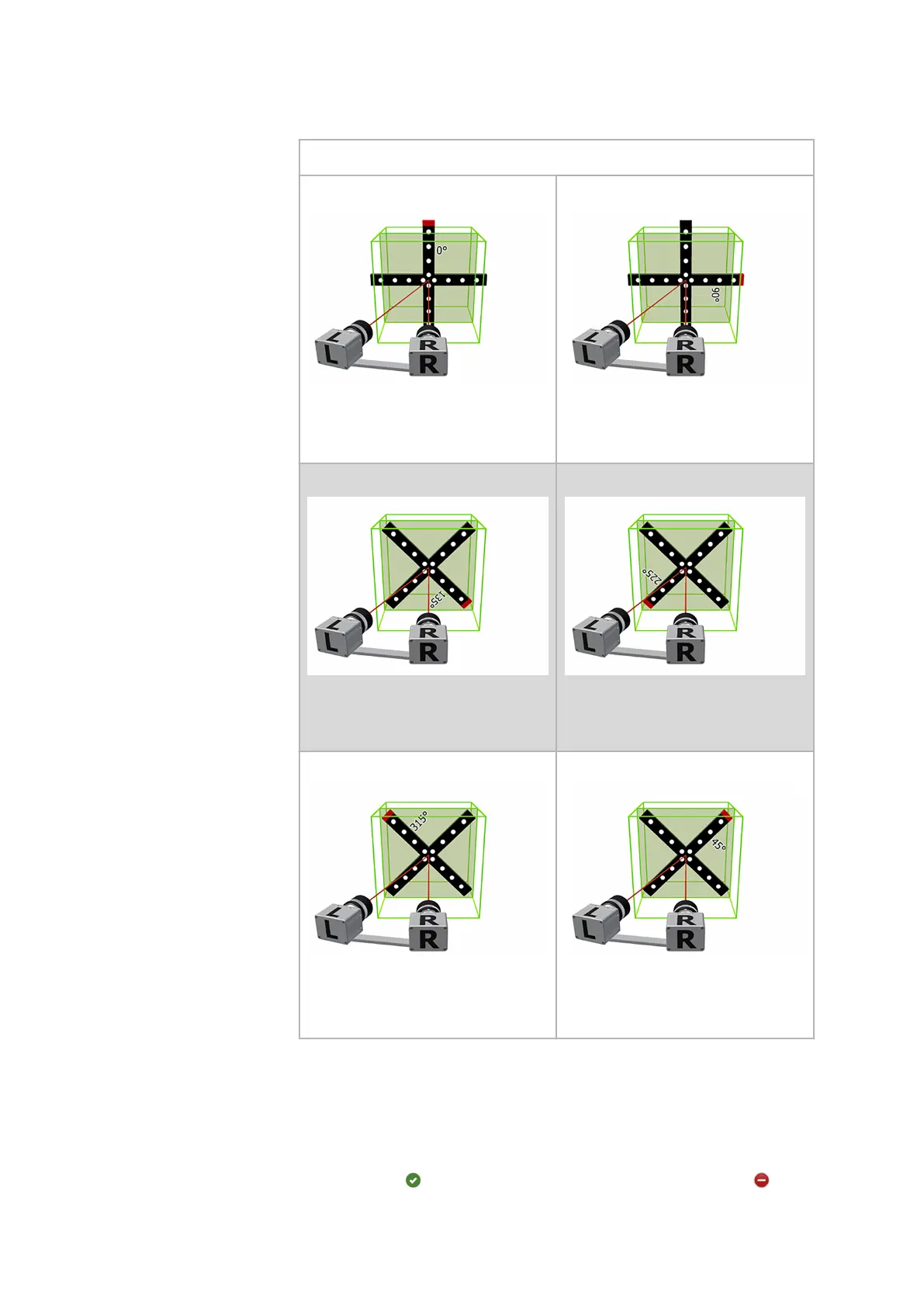
Steps for the coded calibration cross
Step 19:
•
Right camera normal
•
Cross position 0°
Step 20:
•
Right camera normal
•
Cross position 90°
Step 21:
•
Right camera normal
•
Cross position 135°
Step 22:
•
Right camera normal
•
Cross position 225°
Step 23:
•
Right camera normal
•
Cross position 315°
Step 24:
•
Right camera normal
•
Cross position 45°
Tab. 3: Workflow of calibration with calibration cross
10.6.6 Calibration Result
After executing the calibration steps as described before, you can query
the calibration result using the button Compute. The software computes
the calibration result from the image series.
The green icon
indicates a good calibration result. The red icon
indi‐
cates an insucient calibration result.
Calibrate the Sensor
0000001503_002_EN_02-12-2019 Page 50 (56)


 To Next Page