7.5 Adjust the Camera Angle
Adjust the cameras to the projected laser point in the live view. Camera
angle α results from the camera distances we adjusted in the previous sec‐
tion.
If the live view is too dark or not clear, first adjust the camera lenses with
focus and aperture to optimum image impression.
Requirements:
•
You have adjusted the camera distances correctly.
Info
If the cameras are not set to 25°, you have to adjust the camera angles.
If the adjusted camera angle is unknown, you need to adjust the camera
angle.
In the live view of the respective camera, adjust the vertical line of the
cross hairs to the projected laser point.
Procedure:
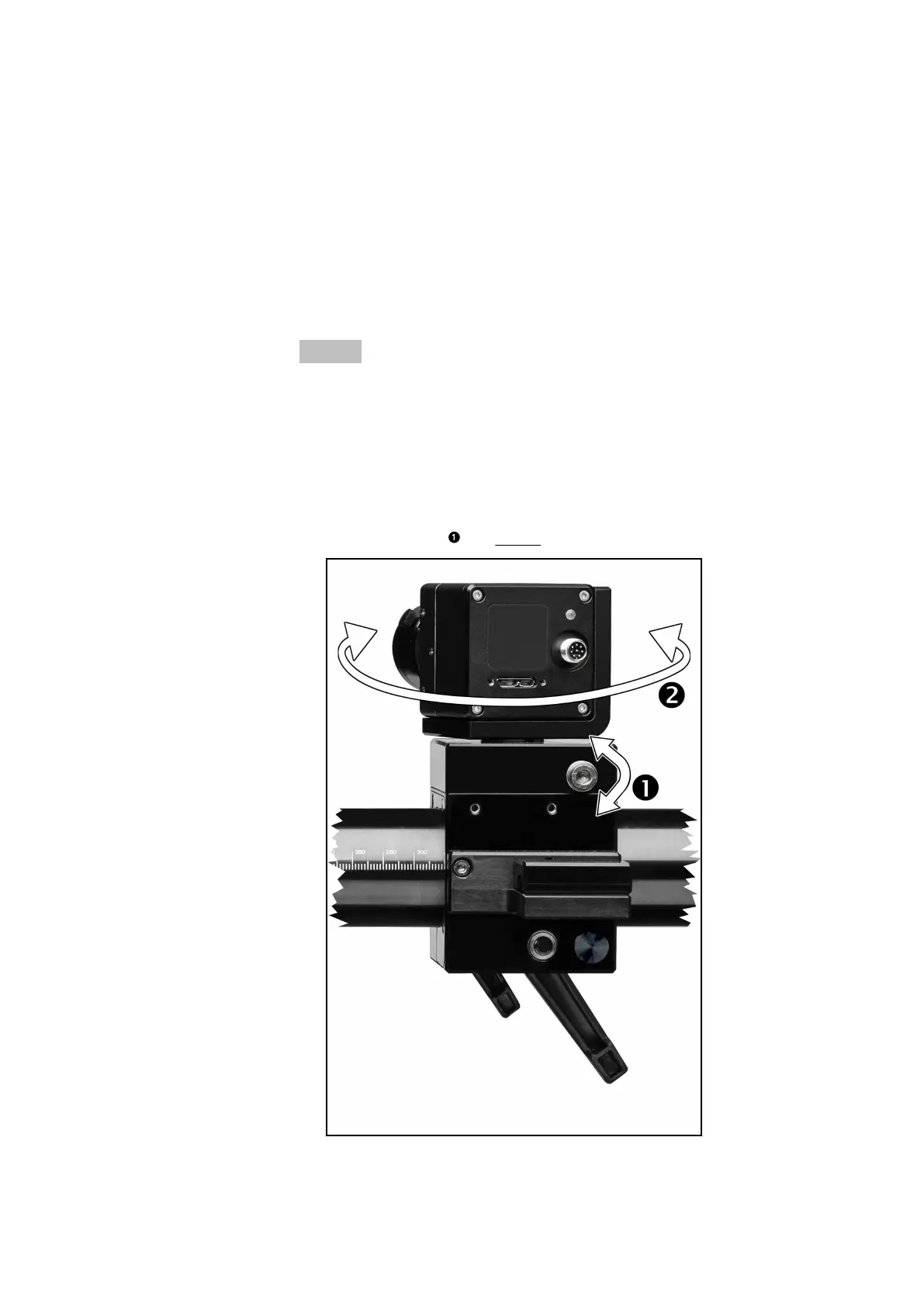
1. Loosen the screw (see Fig. 14).
Fig. 14: Adjusting the camera angle
2. Switch on the laser pointers via the software.
Set Up Sensor
0000001503_002_EN_02-12-2019 Page 27 (56)


 To Next Page