FC9000-UM-251-9370 8-27
8 Electrical Adjustment
8.13.2 Adjusting the distance accuracy from the measured distance
Required jigs and tools
• A3orlargersizesheetofpaper
• A ruler which is measured longer than 360 mm
• Fiber-tip pen and plunger.
How to adjust the distance accuracy from the measured distance
(1)
Mountabertippentothereartoolholder.
(2) Turn on the power while pressing the SLOW and the ENTER keys.
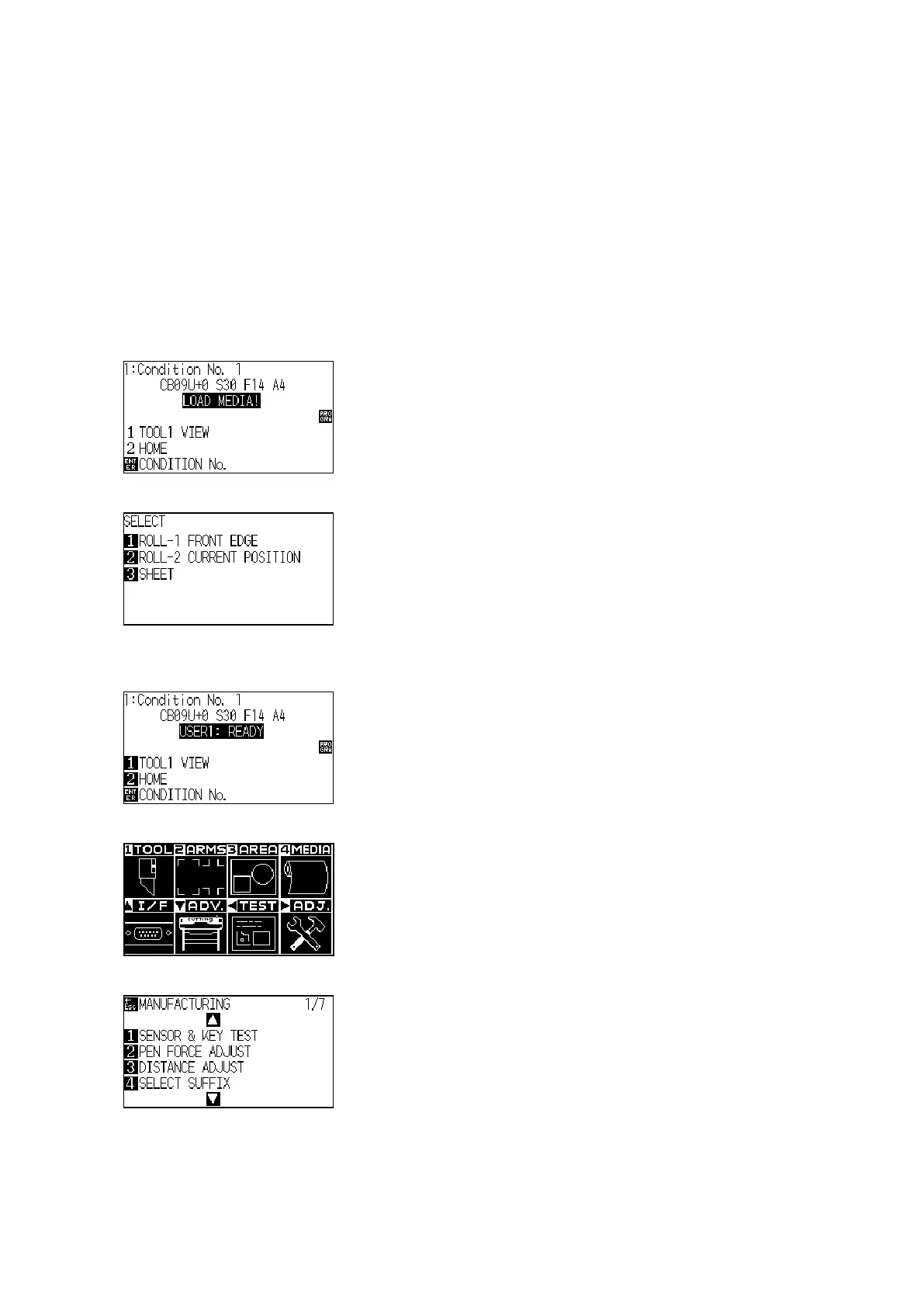
(3) The plotter displays the following menu.
(4) Load an A3 in the plotter, and then the plotter displays the following menu.
(5) Press the 3 key (SHEET) to display the menu shown below.
(6) The plotter displays the following menu.
(7) Press the PAUSE/MENU key to display the following menu.
(8) Press the Right Position key to display the adjustment menu shown below.












 To Next Page