FC9000-UM-251-9370 8-42
8 Electrical Adjustment
8.16.2 Adjusting the Cross Cutter Home Position from the measured
values
Preparation
Detach the pen block cover to see the adjustment position when the recorded values are not used.
How to adjust the cross cutter home position
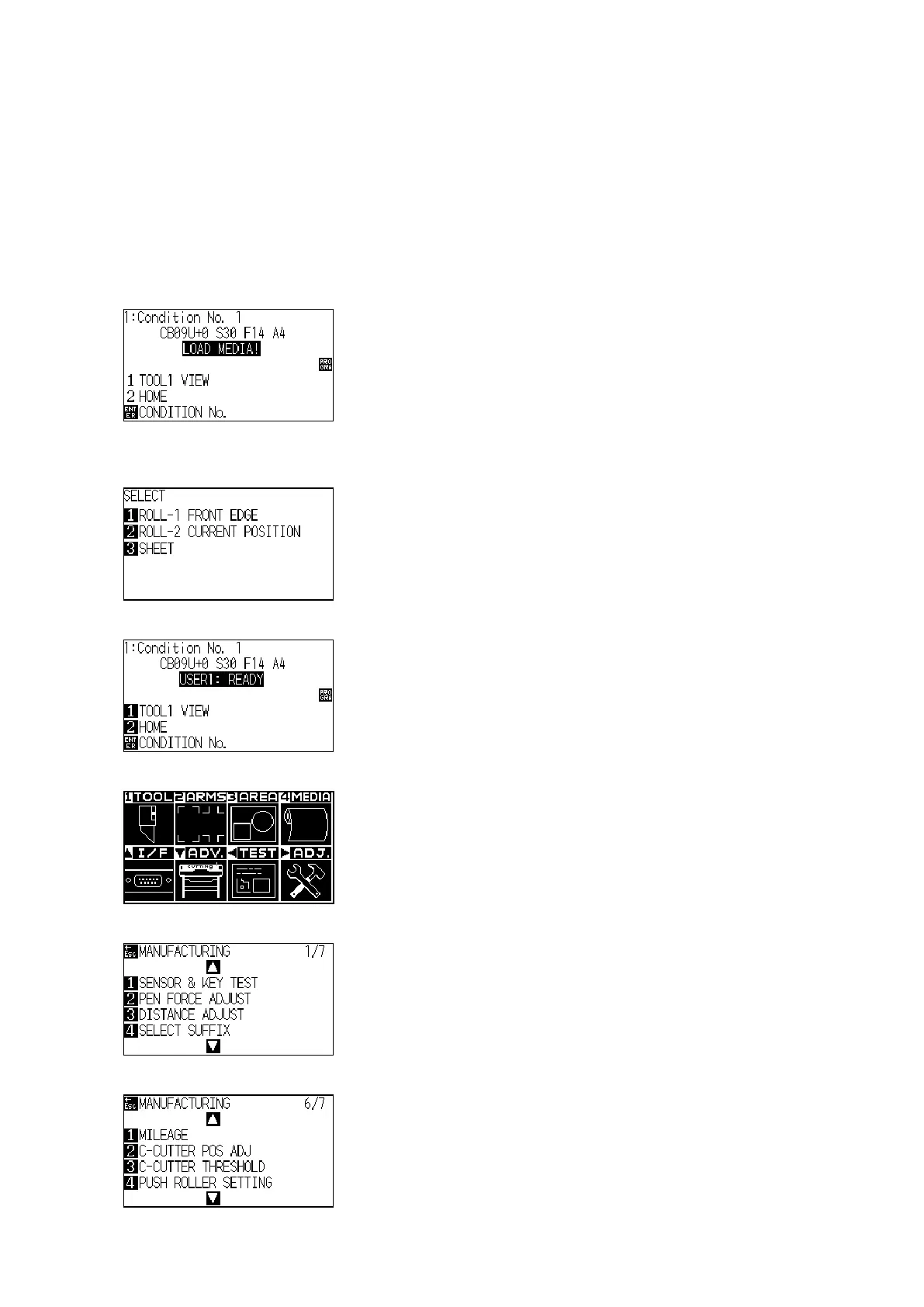
(1) Turn on the power while pressing the SLOW and the ENTER keys.
(2) The plotter displays the following menu.
(3) Load the sheet media to the plotter, and then the plotter displays the following menu.
(Media must to load to detect the home position at this adjustment.)
(4) Press the 3 key (SHEET) to display the following menu.
(5) Press the PAUSE/MENU key to display the following menu.
(6) Press the Right Position key to display the following menu.
(7) Press the Down position key until the following menu is displayed.












 To Next Page