Page 22 250 Technical Reference
STATUS ANNUNCIATORS
Refer to the following table for details.
Table 1: Status Annunciators
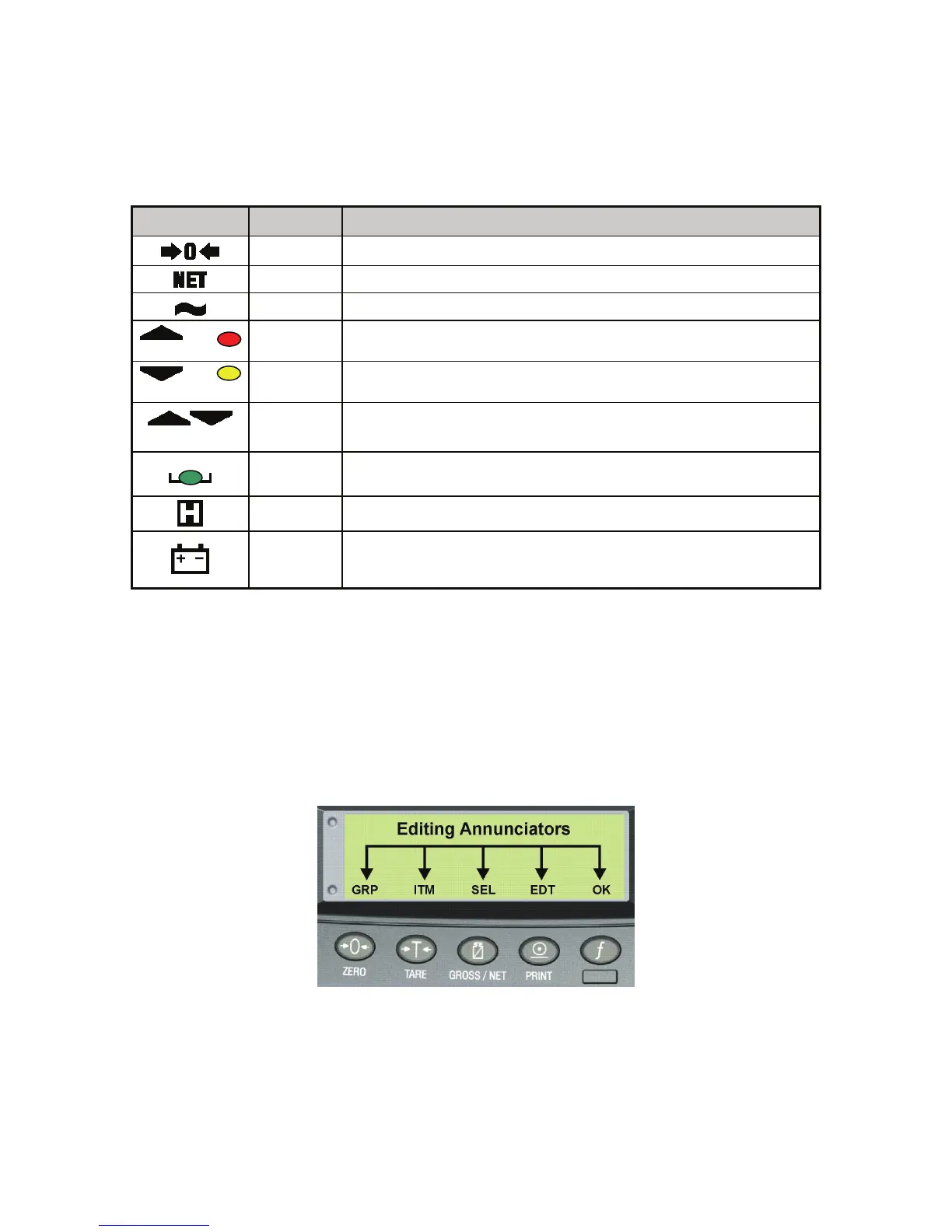
When in Setup Mode the editing annunciators are shown to identify the function of the front panel
keys (i.e. GRP, ITM, SEL, EDT and OK). For more information refer to Setup Mode Annunciators
discussed below.
SETUP MODE ANNUNCIATORS
When in Setup Mode, the Model 250 displays editing annunciators. Figure 7 identifies each of
the editing annunciators. While in the Setup Mode, press the corresponding key below the
annunciator.
Figure 7: Editing Annunciators (Setup Mode)
Symbol Name Description
ZERO
Visible when the gross reading is within ± ¼ of a division of true zero.
NET
Visible when the displayed reading represents NET weight.
MOTION
Visible when the displayed reading is not stable.
or
OVER
Visible when the setpoint weight is over the setpoint target. Red
annunciator
or
UNDER
Visible when the setpoint weight is under the setpoint target. Yellow
annunciator
or
PASS
Visible when the setpoint weight is in between the high and low limits.
Green annunciator
ZERO
BAND
Visible when the displayed weight is within the zero 'dead' band setting.
(The zero band symbol shows near the top right corner of the display.)
HOLD
Visible when the displayed reading is held.
LOW
BATTERY
Visible when battery voltage is too low and batteries need replacing or
recharging. (The low battery symbol shows in the top right corner of the
display.)



 To Next Page