Version 2.4 Page 41
Chapter 5: Calibration
The calibration results are stored in permanent memory for use each time the Model 250 is
powered up.
Note: Some of the parameters in the setup mode can affect calibration. The BUILD and
OPTION settings MUST be configured before calibration is attempted.
To perform a calibration, when in Full Setup select the CAL Group using the <GRP> key.
The calibration routine will automatically prevent the indicator from being calibrated into an
application outside of its specification. If an attempt is made to calibrate outside of the permitted
range, an error message will be displayed and the calibration will be aborted. Refer to Error
Messages on page 63.
Note: It should not be assumed that just because the Model 250 has successfully calibrated a
scale, that the scale is correct for Legal for Trade use. Refer to Chapter 6 for details on approval
specifics. Always check the BUILD parameter against the approval specification.
C
C
A
A
L
L
I
I
B
B
R
R
A
A
T
T
I
I
O
O
N
N
W
W
I
I
T
T
H
H
T
T
E
E
S
S
T
T
W
W
E
E
I
I
G
G
H
H
T
T
S
S
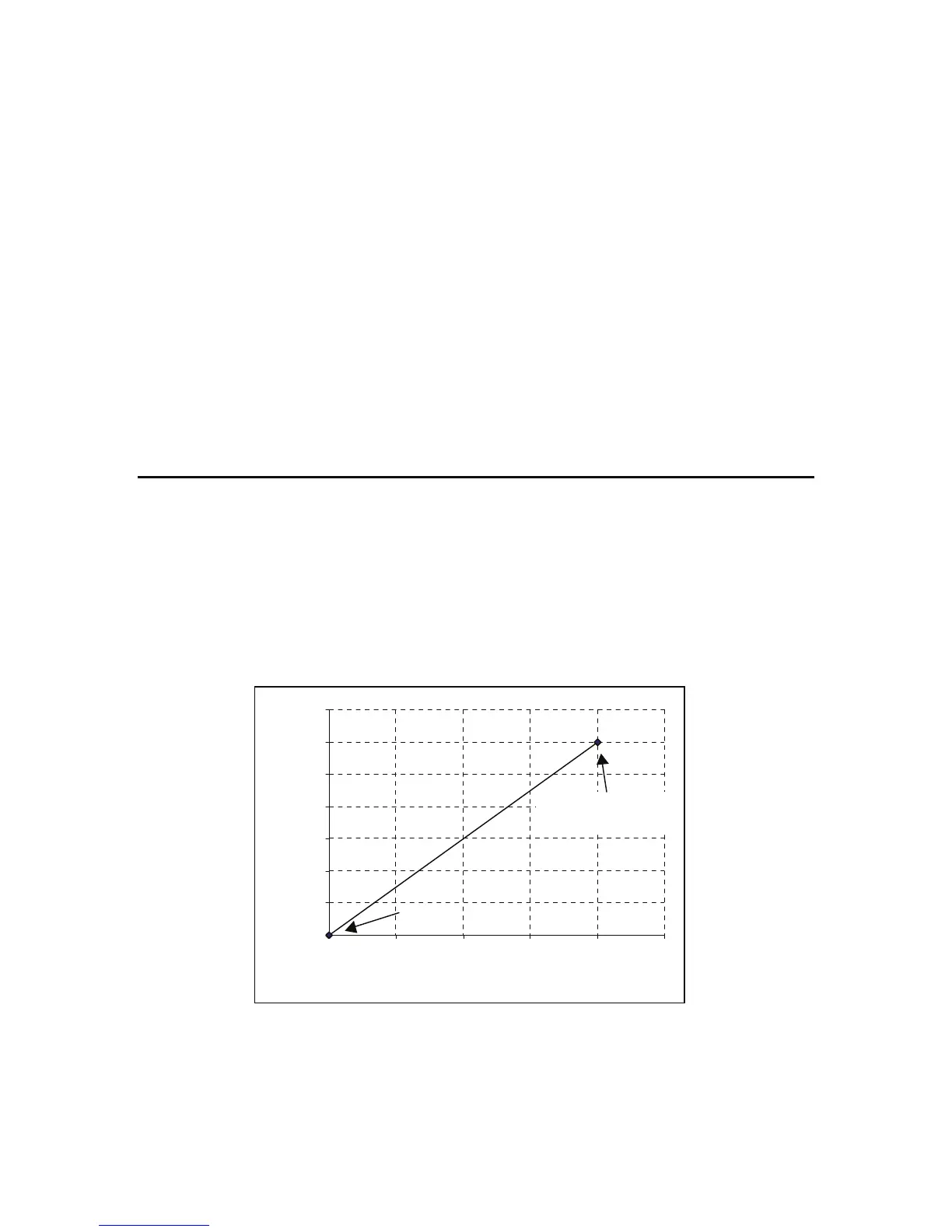
The Zero setting (CAL:ZERO) specifies a gross zero point for the scale. The Span setting
(CAL:SPAN) specifies a second point (preferably close to full scale) used to convert the A/D
readings into weighing units (e.g. lb).
Select either of the Zero (CAL:ZERO) or Span (CAL:SPAN) calibration items. It is important that
an initial Zero calibration is performed before a SPAN calibrations. The chart shown below
demonstrates how the zero and span points are used to interpret a weight reading from the load
cell reading.
NOTE: Calibration points (Zero, Span and Linearization) must be spaced by at least 2% of full
scale from each other.
0
500
1000
1500
2000
2500
3000
3500
0246810
Load Cell Output (m V)
Weight (Kg)
Span Point
(pref erably at full load)
Zero Point



 To Next Page