Version 2.4 Page 53
M
M
A
A
S
S
T
T
E
E
R
R
S
S
E
E
R
R
I
I
A
A
L
L
O
O
U
U
T
T
P
P
U
U
T
T
In Master mode, the Model 250 sends out the entire contents of the LCD every 100msec. This is
essentially the same as AUTO output but the format of the output string is designed to allow a
remote display to exactly copy the contents of the LCD including all of the annunciators and user
prompts, etc. Refer to page 34 for setup details.
A
A
D
D
V
V
A
A
N
N
C
C
E
E
D
D
C
C
O
O
M
M
M
M
U
U
N
N
I
I
C
C
A
A
T
T
I
I
O
O
N
N
USING GSE VIEW SOFTWARE
Software is available for the Model 250 which makes parameter setup simple. Simply connect
the GSE Link cable or an RS-232 cable to the indicator and computer. In order to use GSE View
with the Model 250X, the software revision must be 1.5 or higher.
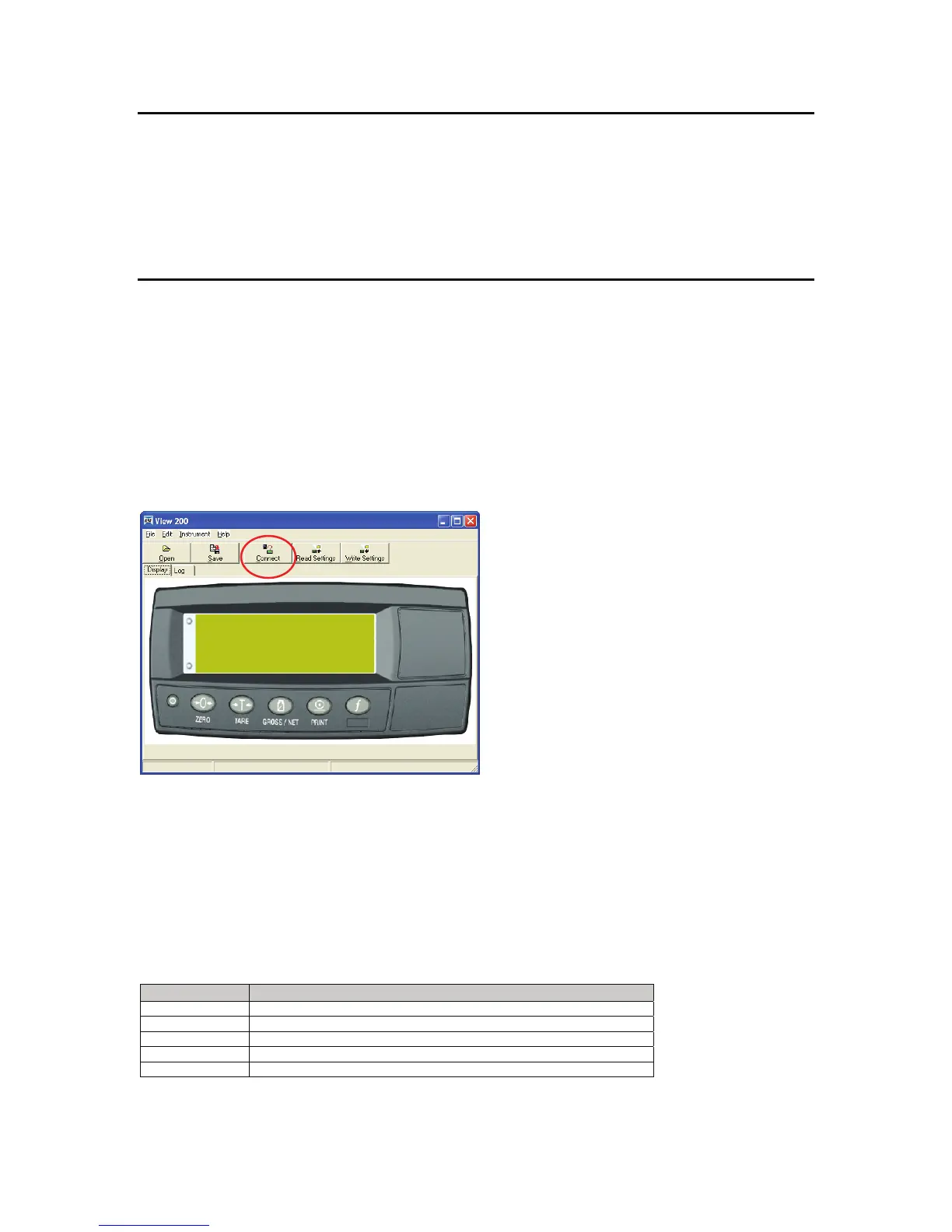
Click on the GSE View 200 icon to launch the GSE View Software. A screen similar to the one
below should be displayed.
Communicate with the Model 250
To establish a connection click on the CONNECT button. A port settings screen will appear. Be
sure to click on the connection type (RS-232 or GSE-link) and then set the protocol. If a GSE
Link is being used, be sure to press and hold the [GROSS/NET] button on the Model 250 until all
annunciators are flashing.
Once a connection is established the Model 250 display will be echoed to the software. The
Display, Log and Test tabs will be available. Click the Read Settings button to view the Setup
and Calibration tabs.
Tab Description
Display Shows the display of the connected Model 250
Setup View setup parameters and make changes
Calibration Calibrate the Model 250
Log Plot out weight readings of 4 separate digital inputs
Test Use as a communication terminal. Send commands to the indicator



 To Next Page