Back
Enter
13812345678
Delete
SMS 1
Back
13812345678
Delete
SMS 1
Enter
12
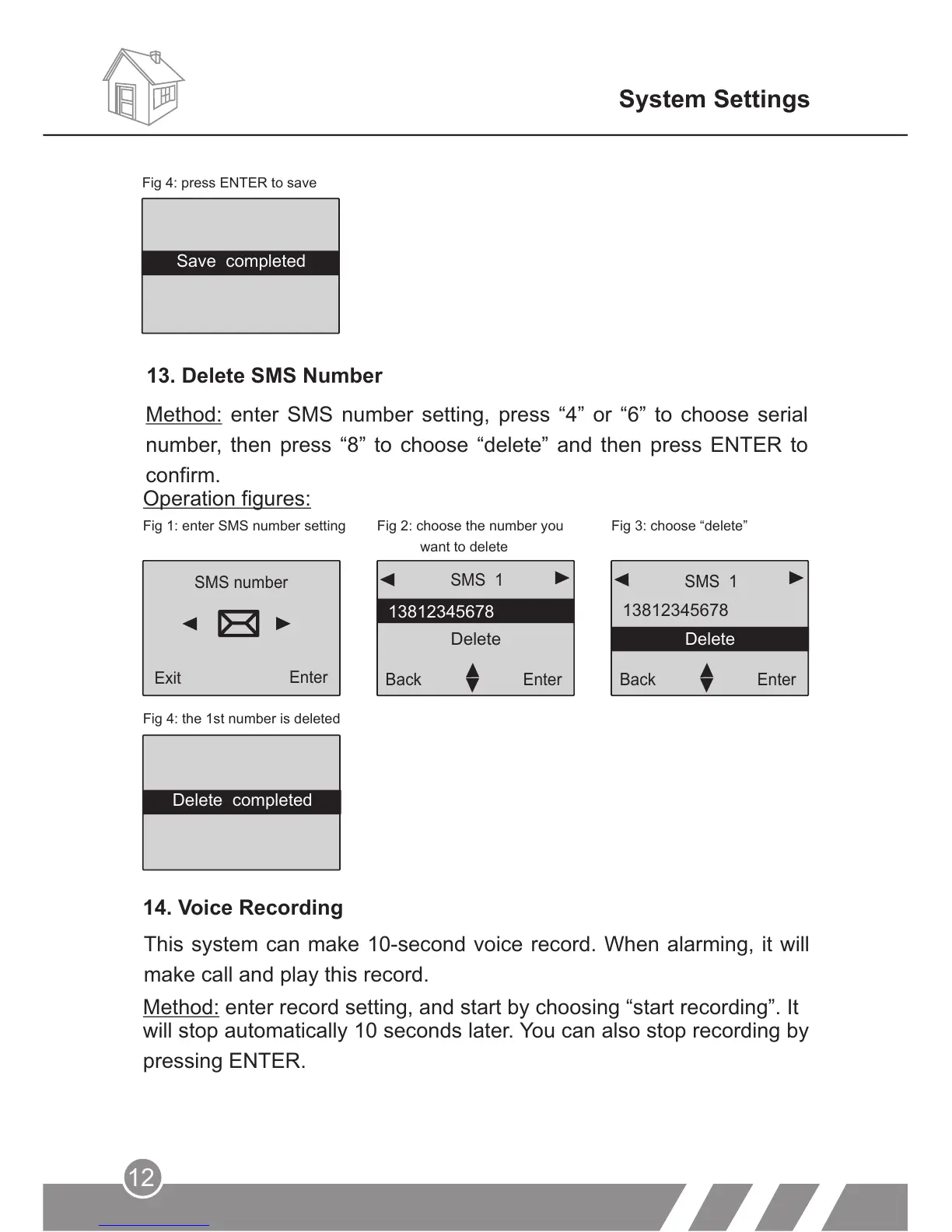
Operation figures:
Fig 1: enter SMS number setting
Fig 2: choose the number you
want to delete
Fig 3: choose “delete”
Fig 4: the 1st number is deleted
SMS number
Exit
Enter
System Settings
14. Voice Recording
This system can make 10-second voice record. When alarming, it will
make call and play this record.
Method: enter record setting, and start by choosing “start recording”. It
will stop automatically 10 seconds later. You can also stop recording by
pressing ENTER.
Fig 4: press ENTER to save
13. Delete SMS Number
Method: enter SMS number setting, press “4” or “6” to choose serial
number, then press “8” to choose “delete” and then press ENTER to
confirm.
Save completed
Delete completed



 To Next Page