System Settings
Exit
Enter
Timely disarm
Disable
Exit
Enter
11/26/2013
Date
Enter
Time
Exit
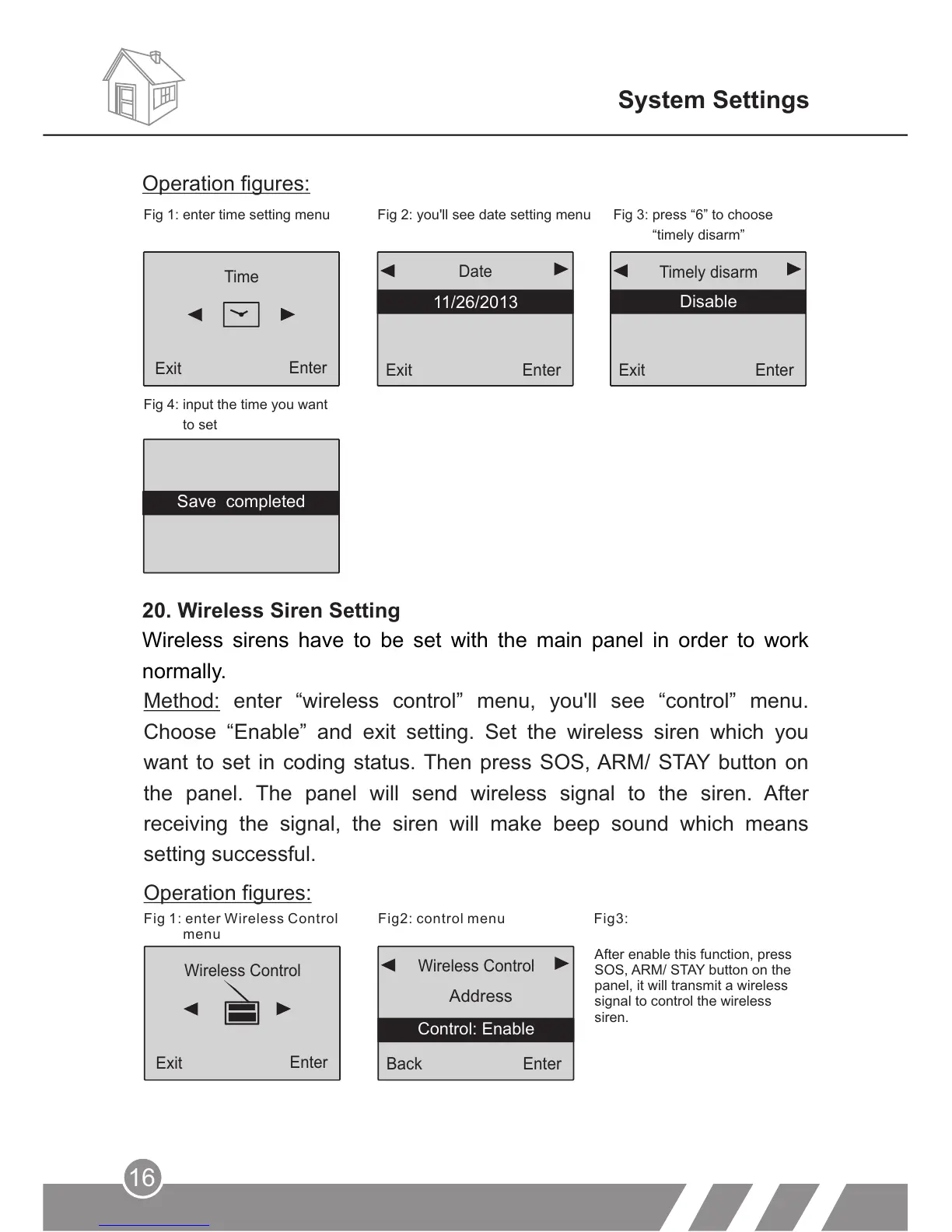
Fig 1: enter time setting menu Fig 2: you'll see date setting menu
Fig 3: press “6” to choose
“timely disarm”
Fig 4: input the time you want
to set
20. Wireless Siren Setting
Wireless sirens have to be set with the main panel in order to work
normally.
Operation figures:
Method: enter “wireless control” menu, you'll see “control” menu.
Choose “Enable” and exit setting. Set the wireless siren which you
want to set in coding status. Then press SOS, ARM/ STAY button on
the panel. The panel will send wireless signal to the siren. After
receiving the signal, the siren will make beep sound which means
setting successful.
Operation figures:
Fig 1: enter Wireless Control
menu
Fig2: control menu
Back
Enter
Address
Wireless Control
Wireless Control
Enter
Exit
16
Control: Enable
Save completed
After enable this function, press
SOS, ARM/ STAY button on the
panel, it will transmit a wireless
signal to control the wireless
siren.
Fig3:



 To Next Page