13
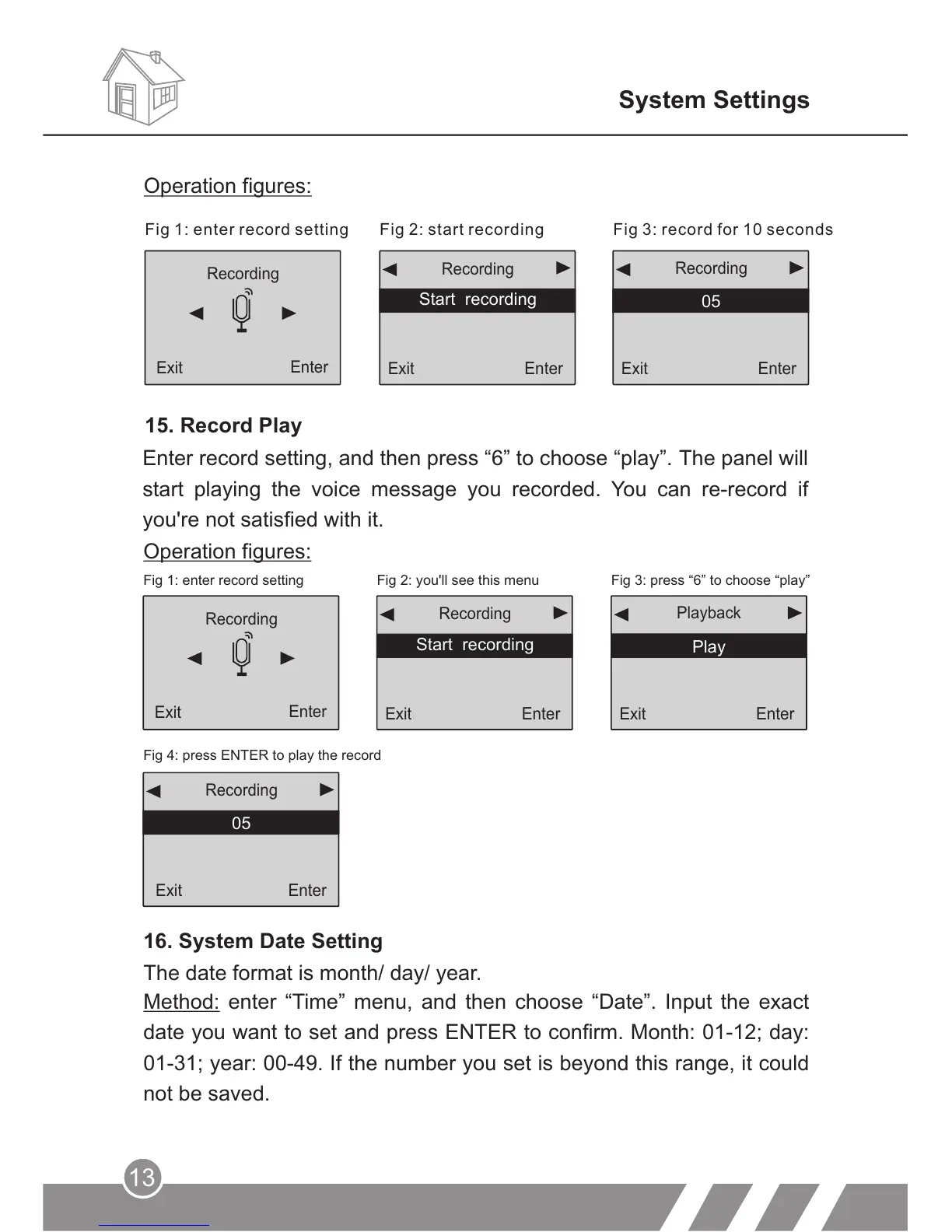
Operation figures:
Fig 1: enter record setting Fig 2: you'll see this menu
Fig 3: press “6” to choose “play”
Fig 4: press ENTER to play the record
16. System Date Setting
Method: enter “Time” menu, and then choose “Date”. Input the exact
date you want to set and press ENTER to confirm. Month: 01-12; day:
01-31; year: 00-49. If the number you set is beyond this range, it could
not be saved.
Recording
Exit
Enter
Exit
Enter
Start recording
Recording
Exit
Play
Playback
Enter
Exit
05
Recording
Enter
The date format is month/ day/ year.
System Settings
Enter record setting, and then press “6” to choose “play”. The panel will
start playing the voice message you recorded. You can re-record if
you're not satisfied with it.
Fig 1: enter record setting Fig 2: start recording Fig 3: record for 10 seconds
Recording
Exit
Enter
Exit
Enter
Start recording
Recording
Exit
05
Recording
Enter
15. Record Play
Operation figures:



 To Next Page