System disarmed
2
Chapter 2. Control Panel Introduction
Control Panel Introduction
2.
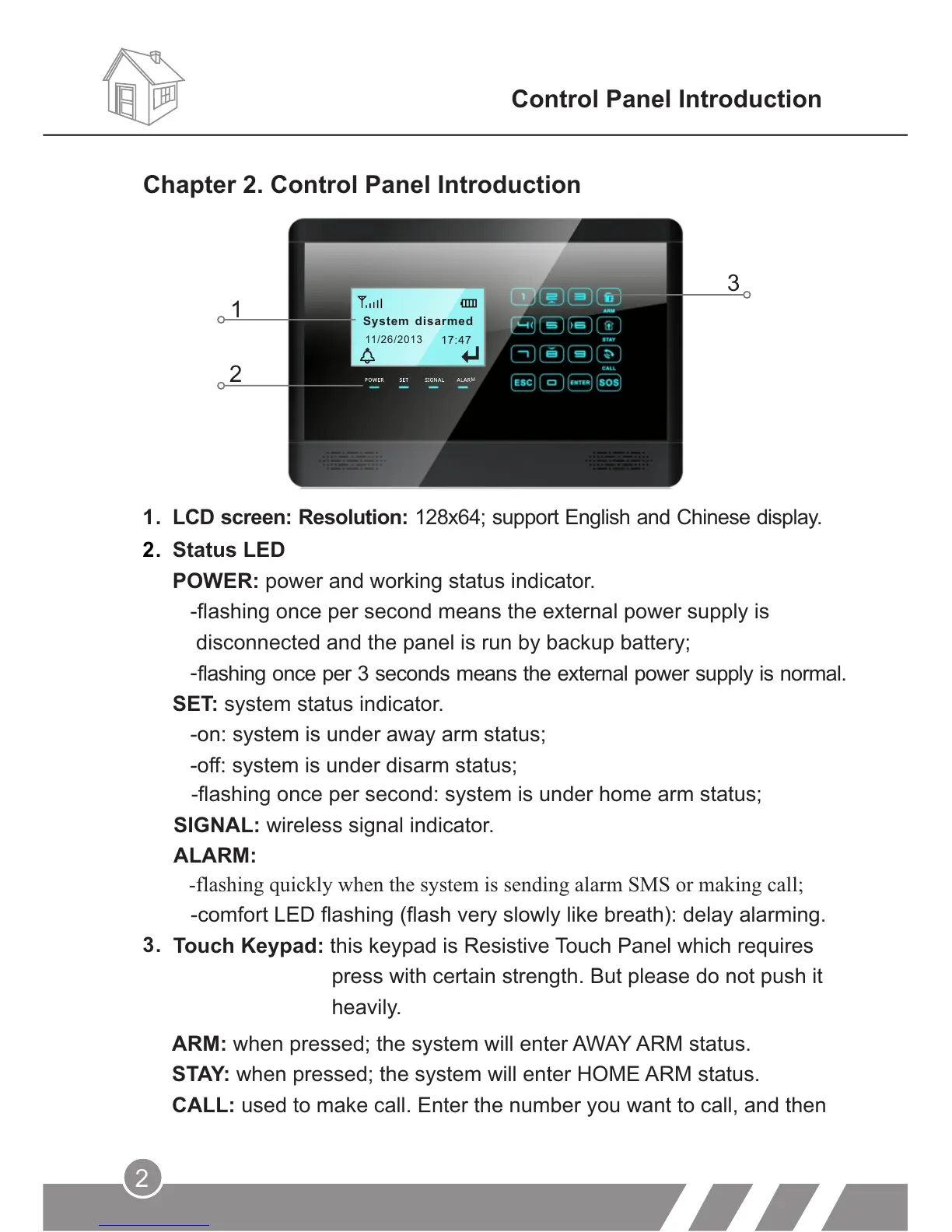
Status LED
POWER: power and working status indicator.
-flashing once per second means the external power supply is
disconnected and the panel is run by backup battery;
-
SET: system status indicator.
-on: system is under away arm status;
-off: system is under disarm status;
1.
LCD screen: Resolution: 128x64; support English and Chinese display.
-flashing once per second: system is under home arm status;
SIGNAL: wireless signal indicator.
ALARM:
ARM: when pressed; the system will enter AWAY ARM status.
STAY: when pressed; the system will enter HOME ARM status.
CALL: used to make call. Enter the number you want to call, and then
-flashing quickly when the system is sending alarm SMS or making call;
-comfort LED flashing (flash very slowly like breath): delay alarming.
Touch Keypad: this keypad is Resistive Touch Panel which requires
press with certain strength. But please do not push it
heavily.
1
2
3
flashing once per 3 seconds means the external power supply is normal.
3.
11/26/2013
M



 To Next Page