18
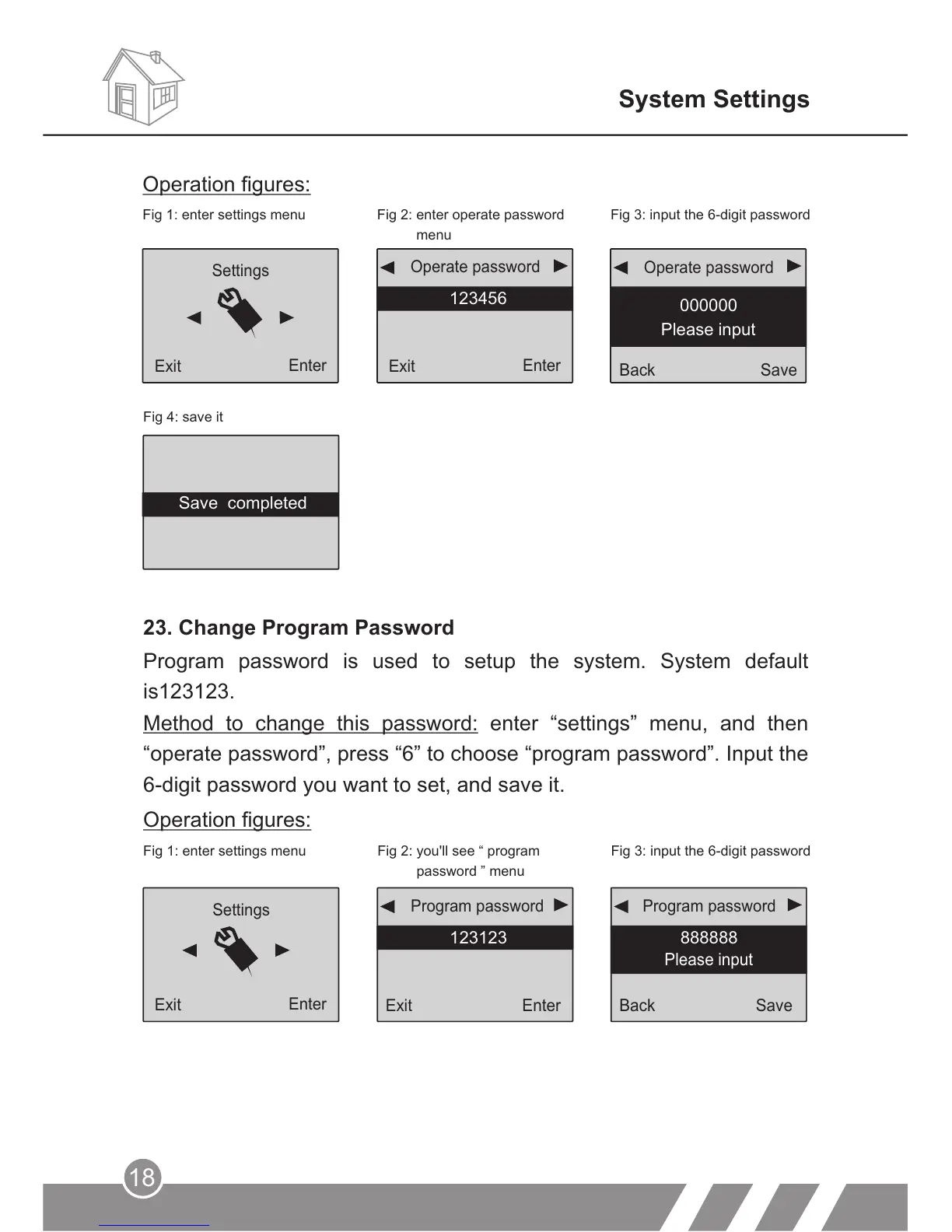
23. Change Program Password
Program password is used to setup the system. System default
is123123.
Fig 1: enter settings menu Fig 2: you'll see “
password ” menu
program
Fig 3: input the 6-digit password
Method to change this password: enter “settings” menu, and then
“operate password”, press “6” to choose “program password”. Input the
6-digit password you want to set, and save it.
Operation figures:
Back
Save
888888
Program password
Exit
Enter
123123
Program password
Settings
Exit
Enter
System Settings
Fig 4: save it
Back
Save
4545
Please input
Back
Enter
Exit
Enter
Operation figures:
Fig 2: enter operate password
menu
Fig 1: enter settings menu Fig 3: input the 6-digit password
Operate password
Operate password
Settings
123456
000000
Please input
Back Save
Please input
Exit
Enter
Exit
Enter
Save completed



 To Next Page