21
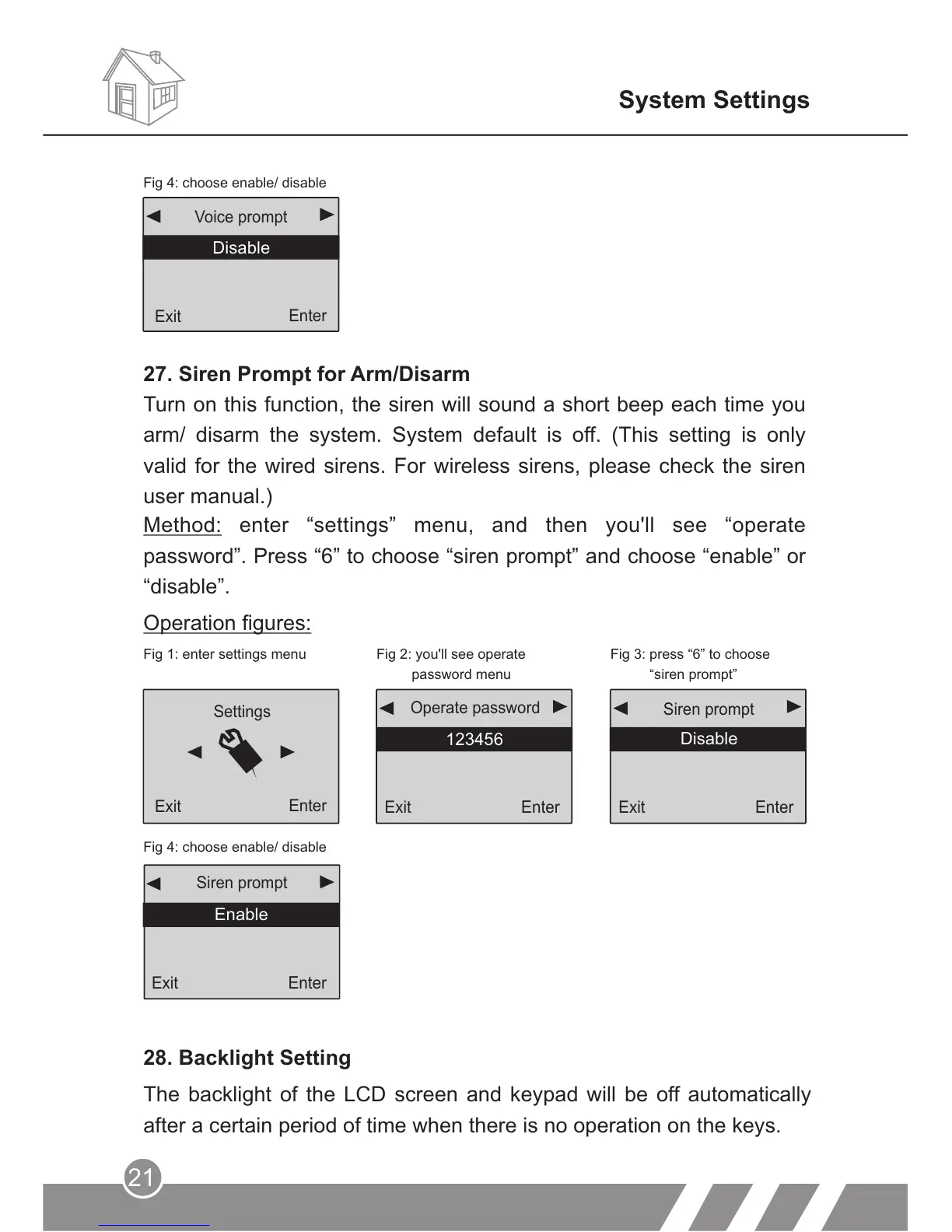
Fig 1: enter settings menu Fig 2: you'll see operate
password menu
Fig 3: press “6” to choose
“siren prompt”
Fig 4: choose enable/ disable
Settings
Exit
Enter
Exit
Enter
123456
Operate password
Exit
Enter
Siren prompt
Disable
Enable
Exit
Enter
Siren prompt
Enable
Operation figures:
28. Backlight Setting
The backlight of the LCD screen and keypad will be off automatically
after a certain period of time when there is no operation on the keys.
System Settings
Method: enter “settings” menu, and then you'll see “operate
password”. Press “6” to choose “siren prompt” and choose “enable” or
“disable”.
27. Siren Prompt for Arm/Disarm
Turn on this function, the siren will sound a short beep each time you
arm/ disarm the system. System default is off. (This setting is only
valid for the wired sirens. For wireless sirens, please check the siren
user manual.)
Back
Enter
Voice prompt
Fig 4: choose enable/ disable
Disable
Exit
Enter



 To Next Page