System Settings
25
Operation figures:
33. Factory Reset
When the system is unstable, it is recommended to reset it. Enter
“settings” menu, and then you'll see “operate password”. Press “6” to
choose “factory setting”. After this operation, all the settings return to
factory default.
Settings
Exit
Fig 1: enter settings menu
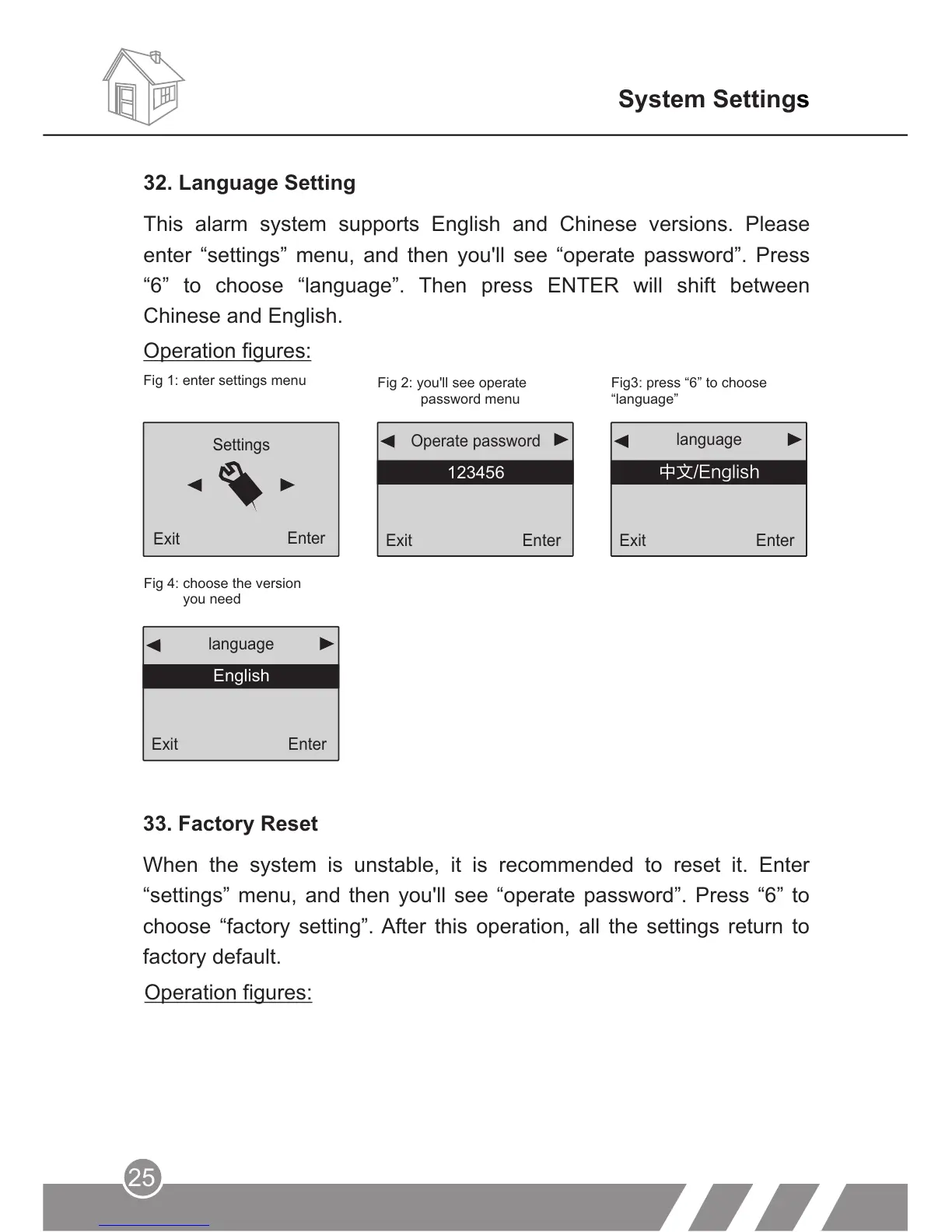
Operation figures:
32. Language Setting
This alarm system supports English and Chinese versions. Please
enter “settings” menu, and then you'll see “operate password”. Press
“6” to choose “language”. Then press ENTER will shift between
Chinese and English.
Enter
Exit
Enter
language
中文/English
Exit
Enter
123456
Operate password
Fig 2: you'll see operate
password menu
Fig3: press “6” to choose
“language”
Fig 4:
you need
choose the version
Exit
Enter
language
English



 To Next Page