22
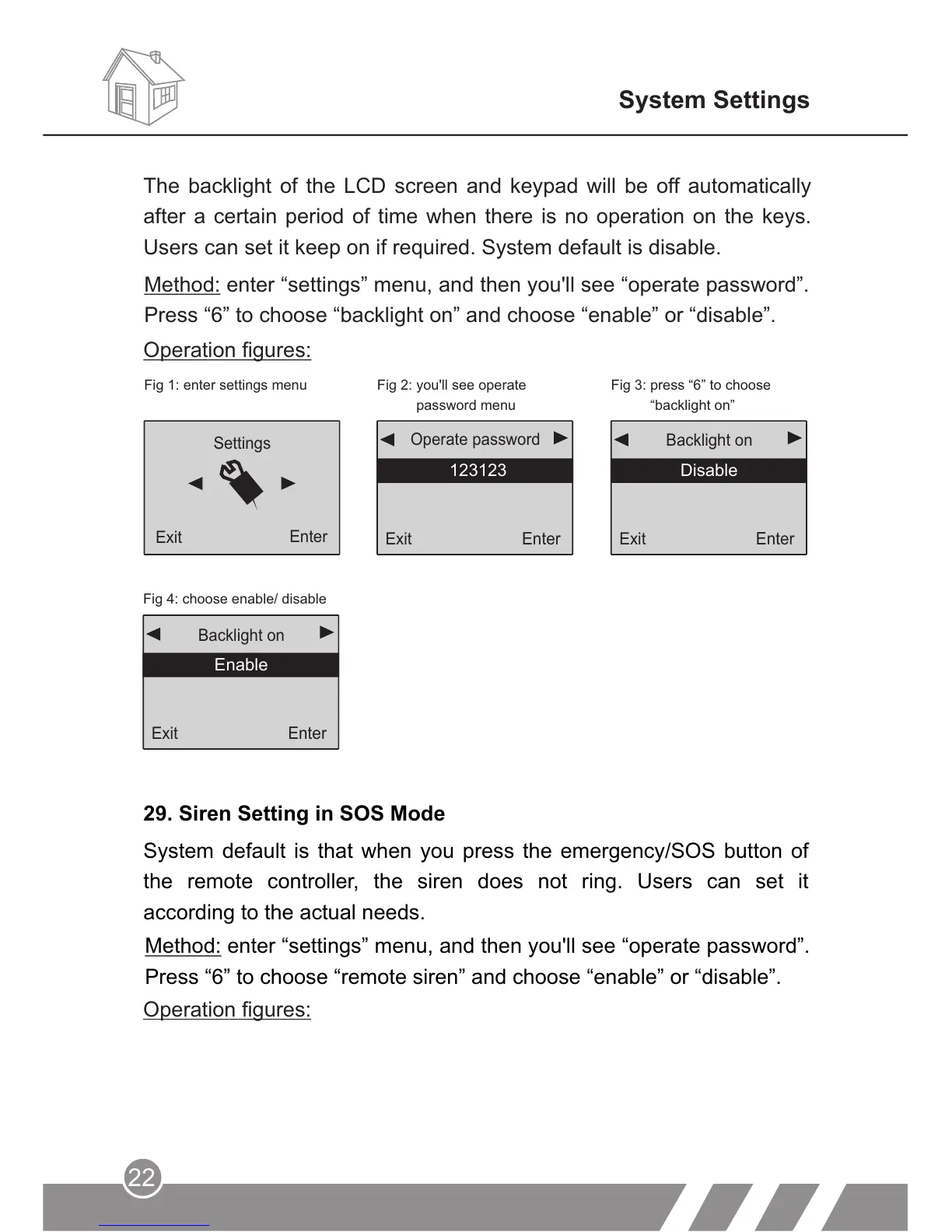
Fig 4: choose enable/ disable
Enable
Exit
Enter
Backlight on
Enable
29. Siren Setting in SOS Mode
System default is that when you press the emergency/SOS button of
the remote controller, the siren does not ring. Users can set it
according to the actual needs.
Method: enter “settings” menu, and then you'll see “operate password”.
Press “6” to choose “remote siren” and choose “enable” or “disable”.
Operation figures:
System Settings
Fig 1: enter settings menu Fig 2: you'll see operate
password menu
Fig 3: press “6” to choose
“backlight on”
Operation figures:
Exit
Enter
Backlight on
Disable
Exit
Enter
123123
Operate password
Settings
Enter
Exit
The backlight of the LCD screen and keypad will be off automatically
after a certain period of time when there is no operation on the keys.
Users can set it keep on if required. System default is disable.
Method: enter “settings” menu, and then you'll see “operate password”.
Press “6” to choose “backlight on” and choose “enable” or “disable”.



 To Next Page