5.3 SET Menu
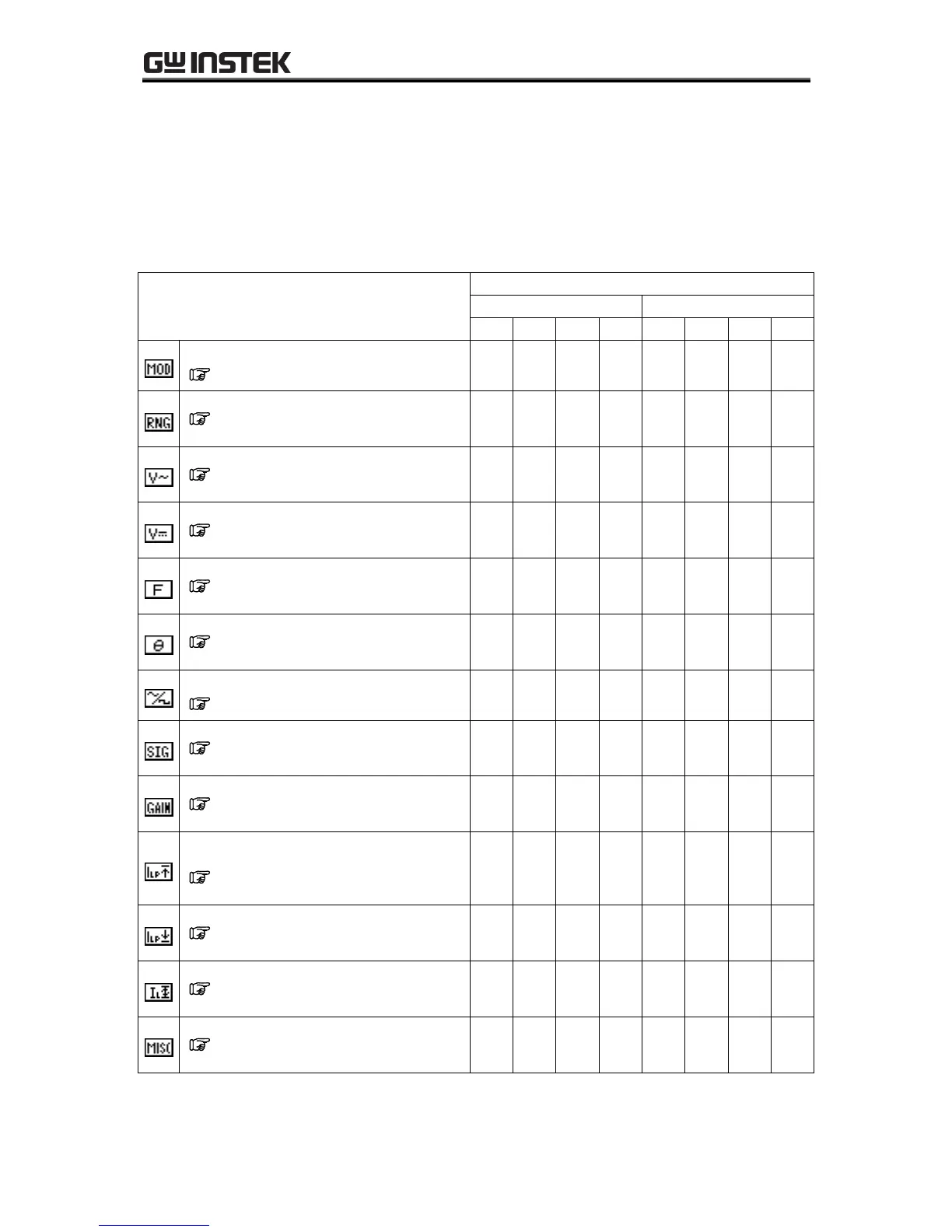
The SET menu in the menu window is used to set basic functions.
The available settings differ according to the output mode.
Table5-11. SET Menu Items and Output Modes
Selection of output mode
See “5.3.1 Output mode setting”.
Selection of output voltage range
See “5.3.2 Output voltage range
setting”.
Setting of AC voltage to be output
See “5.3.3 Setting output
voltage”.
Setting of AC voltage to be output
See “5.3.3 Setting output
voltage”.
Setting of frequency to be output
See “5.3.4 Setting output
frequency”.
Setting of phase when output is on
See “5.3.5 Output initial phase
settings”.
Selection of waveform to be output
See “5.3.6 Waveform settings”.
Selection of external sync signal source
See “4.7 Synchronize the Output
with External Signal”.
External input gain setting
See “4.9 Amplification of
External Signal”.
Output peak current limit value (positive)
setting
See “5.3.7 Peak current limiter
settings”.
Output peak current limit (negative) setting
See “5.3.7 Peak current limiter
settings”.
Output RMS current limit value setting
See “5.3.8 RMS current limiter
settings”.
Use of other functions and detailed settings
See “Table5-4. Items in MISC
Menu”.



 To Next Page