4 ADVANCED OPERATION EXAMPLE
APS-1102A
4.2.3 Set measurement display to peak value
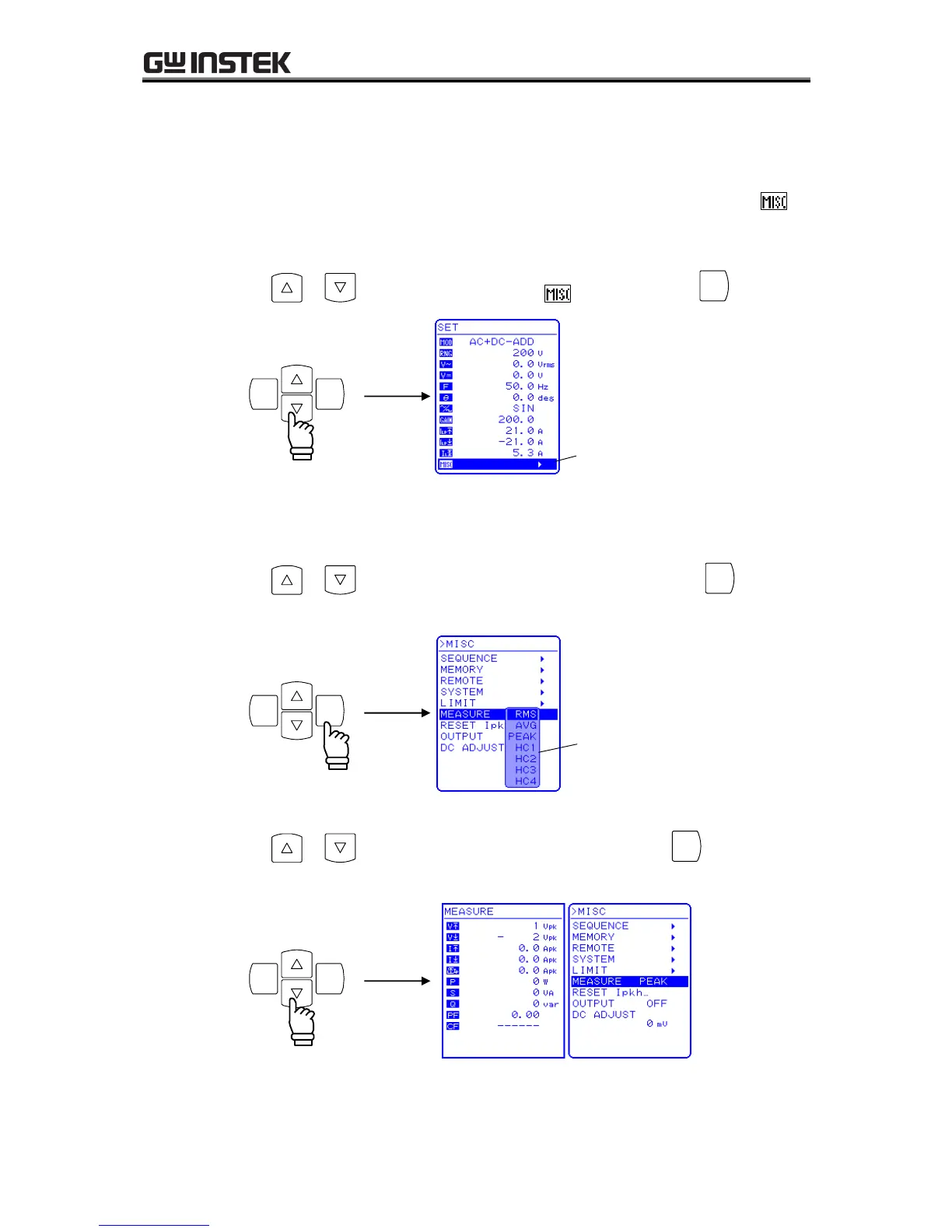
Set the displayed current measurement value to the peak value (PEAK).
To change the displayed current measurement value, select “MEASURE” in the MISC menu .
Operation steps
1. Press the or key to move the cursor to the icon, then press the
The MISC menu is displayed.
2. Press the or key to move the cursor to “MEASURE”, then press the
key.
The selection box is displayed.
3. Press the or key to move the cursor to “PEAK”, then press the
key.
This sets the measurement display to the peak value (PEAK).



 To Next Page