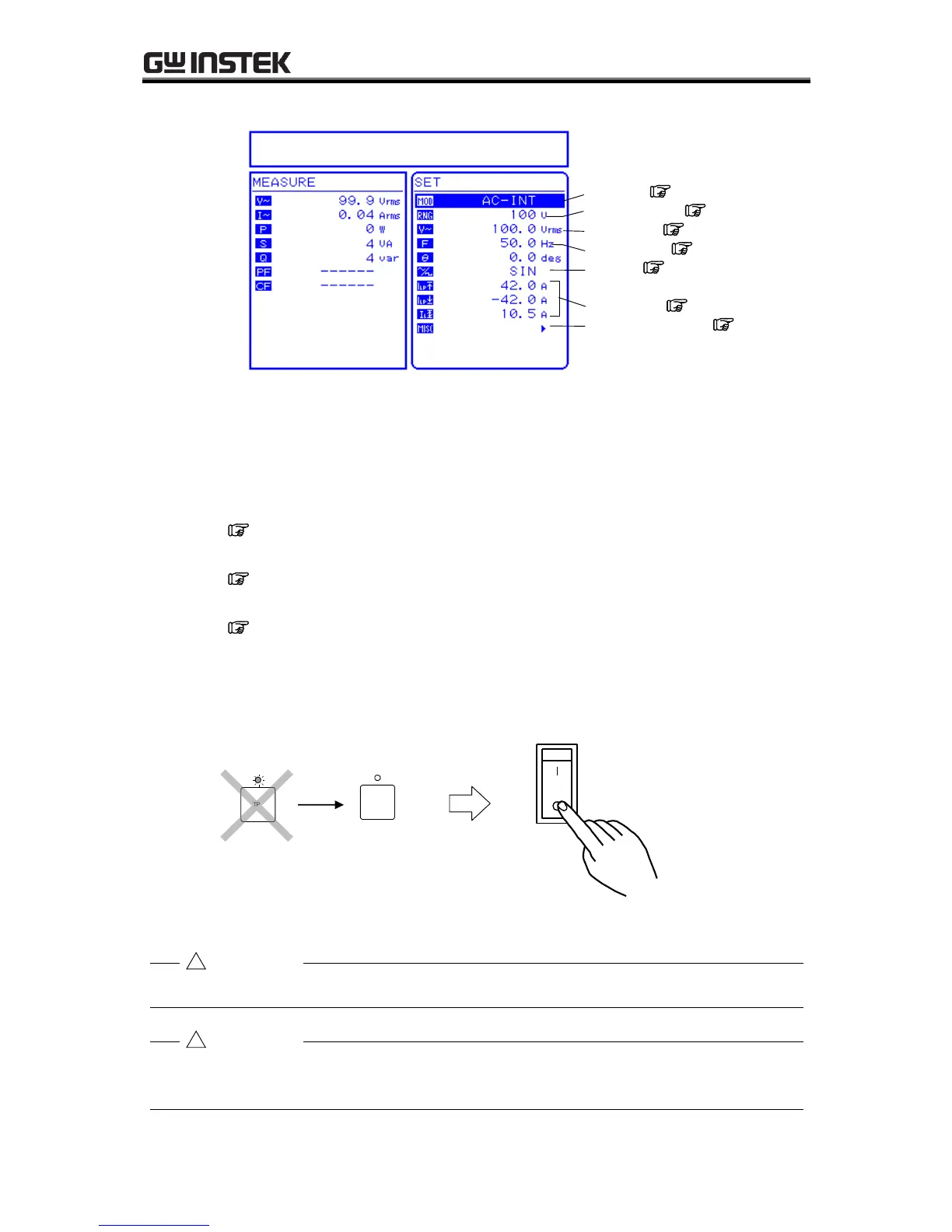
Figure 3-12. Example of Main Operations Screen (in AC-INT Mode)
The main operations screen that appears immediately after the power-on shows the same
settings that were displayed the last time the power was turned off. When a newly purchased
product is turned on for the first time, the initial settings (factory settings) are displayed.
See “3.2 Display and Initial Settings at Power-on”, for description of the initial
settings.
See “4.8 Using Memory Functions”, for description of how to read settings saved to
memory.
See “7. TROUBLESHOOTING”, for a list of warnings and error messages, along with
recommended responses.
b) Power-off
After confirming that the output is off, set the POWER switch to “”.
Before turning off the power of APS-1102A, always finish remote control. If turn off the power
during remote control, it may be caused unconformity to internal memory state.



 To Next Page