SEARCH
PICT
OPEN/CLOSEPOWER DVD/TV
CLEAR
SLEEP
DISPLAY SP/SLP
1 2 3
765
9 0
8
CH+
CH-
V- V+
MUTE
10+ REC
PAUSE/STEP
STOP
INPUT
D.MENU REPEAT
TITLE/PBC
MENU
ZOOM
SETUP
ANGLE
SLOW
A-B
AUDIO
SUBTITLEPROGRAM
D.CALL
REV FWD
PREV NEXT
4
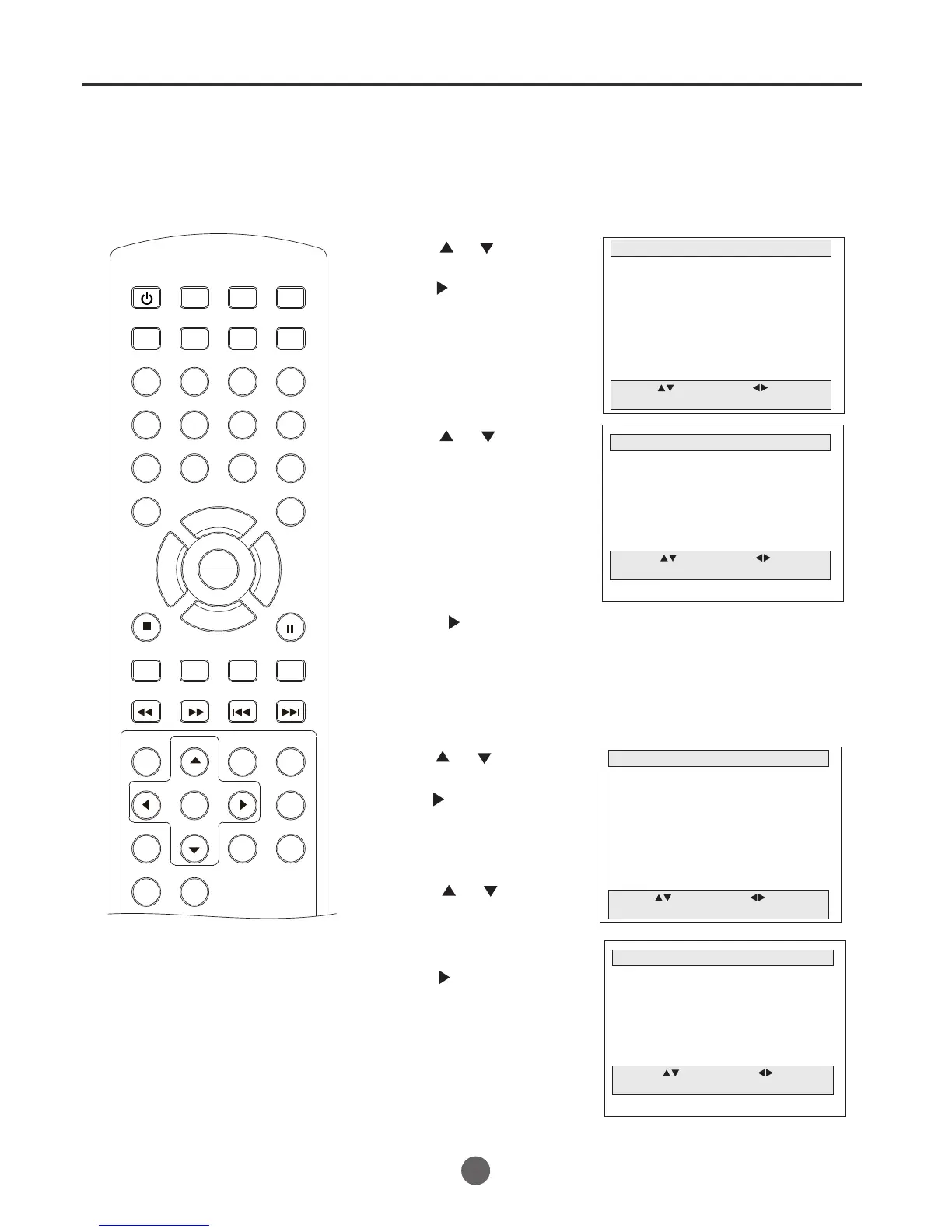
1 Press MENU. The main menu screen will appear.
MAIN MENU
Picture
Sound
Clock set
Program Set
Channel Set
Language Select
Search
Option
Move: Select:
Quit:MENU
2 Press or to select
Channel Set, then
press to enter the
submenu.
4 Press to select Add or Erase.
CHANNEL SET
CH 03
Antenna/Cable Antenna
Manual Set Add
Auto Preset
Move: Select:
Quit: MENU
5 Press MENU until the MENU screen disappears.
TO ADD/DELETE CHANNELS
3 Press or to select
Manual Set.
AUTOMATIC MEMORY TUNING
1 Press MENU. The main menu screen will appear.
MAIN MENU
Picture
Sound
Clock set
Program Set
Channel Set
Language Select
Search
Option
Move: Select:
Quit:MENU
2 Press or to select
Channel Set, then
press .
CHANNEL SET
CH 03
Antenna/Cable Antenna
Manual Set Add
Auto Preset
Move: Select:
Quit:MENU
3 Press or to select
Auto Preset.
4 Press . The TV will
memorize all the
channels available in
your area.
5 Press MENU until the MENU screen disappears.
18
Memorizing channels (continued)
PLAY
ENTER



 To Next Page