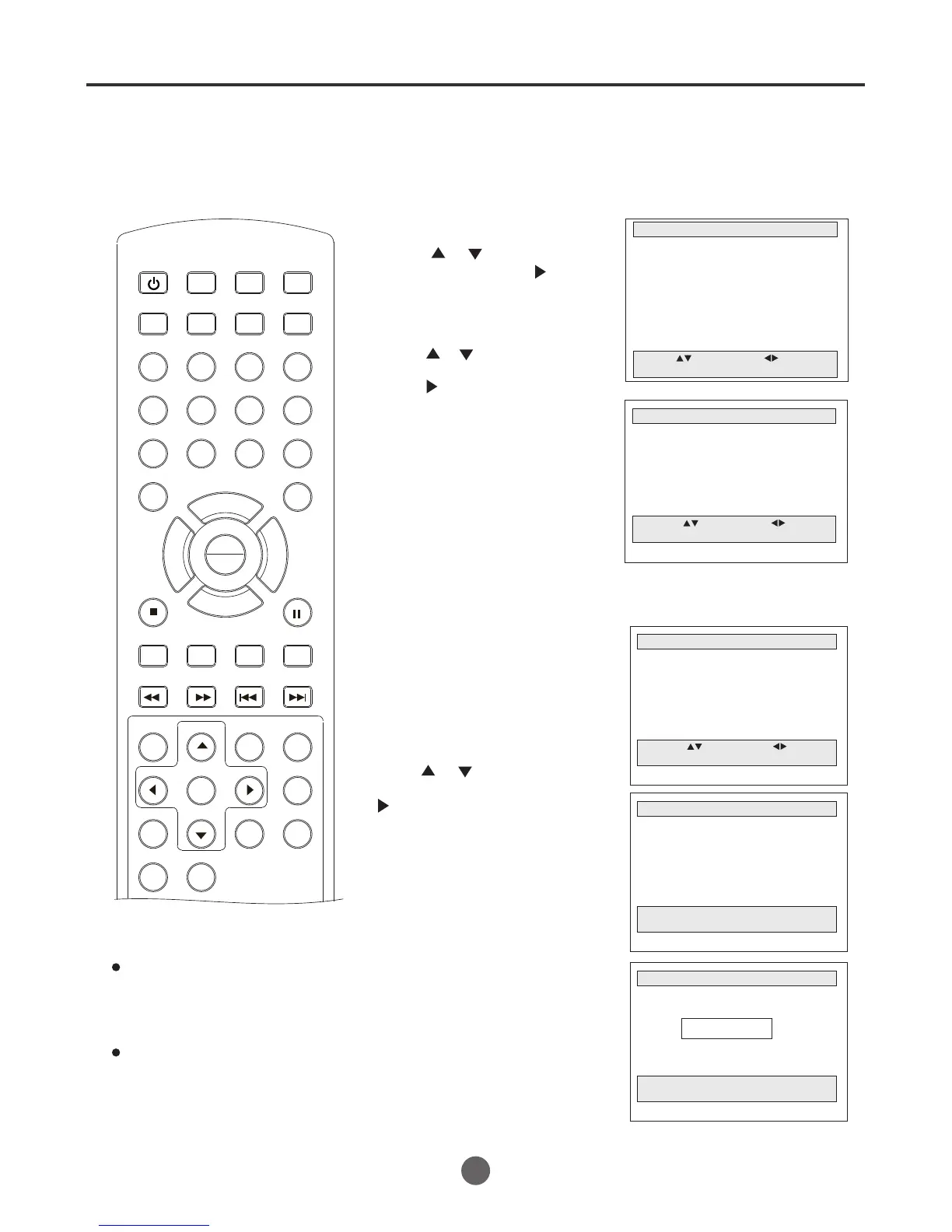
Press MENU. The main menu screen will appear.
ZERO RETURN function
This function makes tape-rewinding
stop at the counter 00:00:00 position
automatically.
2
Press or to select
Go to Zero Search, then
press to confirm.
The tape will be rewinded or
fast forwarded and
automatically stop at the
"0:00:00"position. Then the
TV will play from 0:00:00
automatically.
1
3
V
ideo index search system
This function enables you to locate the beginning of any
recording made on the VCR.
Recording an INDEX MARK
The Index Search function automatically
records an INDEX mark on the tape
whenever a recording is initiated.
NOTES for Video index search system:
When you record an INDEX mark at
the very beginning of the tape, the
mark may not be found.
During INDEX search, the tape may
stop and begin to play at a slightly
different location.
INDEX may not function properly with
old or worn out video tapes.
INDEX marks may not be found if it is
extremely close to the point where the
search began.
In recording, if you stop recording
temporarily, the INDEX mark is not
recorded on the tape.
Preparation:
Zero return function / video index search system
SEARCH
PICT
OPEN/CLOSEPOWER DVD/TV
CLEAR
SLEEP
DISPLAY SP/SLP
1 2 3
765
9 0
8
CH+
CH-
V- V+
MUTE
10+ REC
PAUSE/STEP
STOP
INPUT
D.MENU REPEAT
TITLE/PBC
MENU
ZOOM
SETUP
ANGLE
SLOW
A-B
AUDIO
SUBTITLEPROGRAM
D.CALL
REV FWD
PREV NEXT
4
31
Insert a tap.
Press or to select
Search, then press
to enter the submenu.
MAIN MENU
Picture
Sound
Clock set
Program Set
Channel Set
Language Select
Search
Option
Move: Select:
Quit:MENU
SEARCH
Go to Zero Search
Counter Search
Index Search (+)
Index Search (-)
Index Number Search
Move: Select:
Quit:MENU
SEARCH
Go to Zero Search
Counter Search
Index Search (+)
Index Search (-)
Index Number Search
Move: Select:
Quit:MENU
INDEX SEARCH (+)
Searching for index marks...
Quit: STOP
1
After calling up the search menu,
Press or to select the
Index Search (+), then press
to confirm.
The Searching for index
marks...
"
" will appear on the
screen, the searching start
working, when it finds the mark,
it will play automatically.
2
Repeated steps of the Index
Search (+), you can set the
Index Search (-).
To stop the index search, press STOP.
INDEX SEARCH (+)
End of tape
Quit: STOP
If the VCR do not find the INDEX
mark until the tap goes to its end,
End of tape will appear.""
PLAY
ENTER



 To Next Page