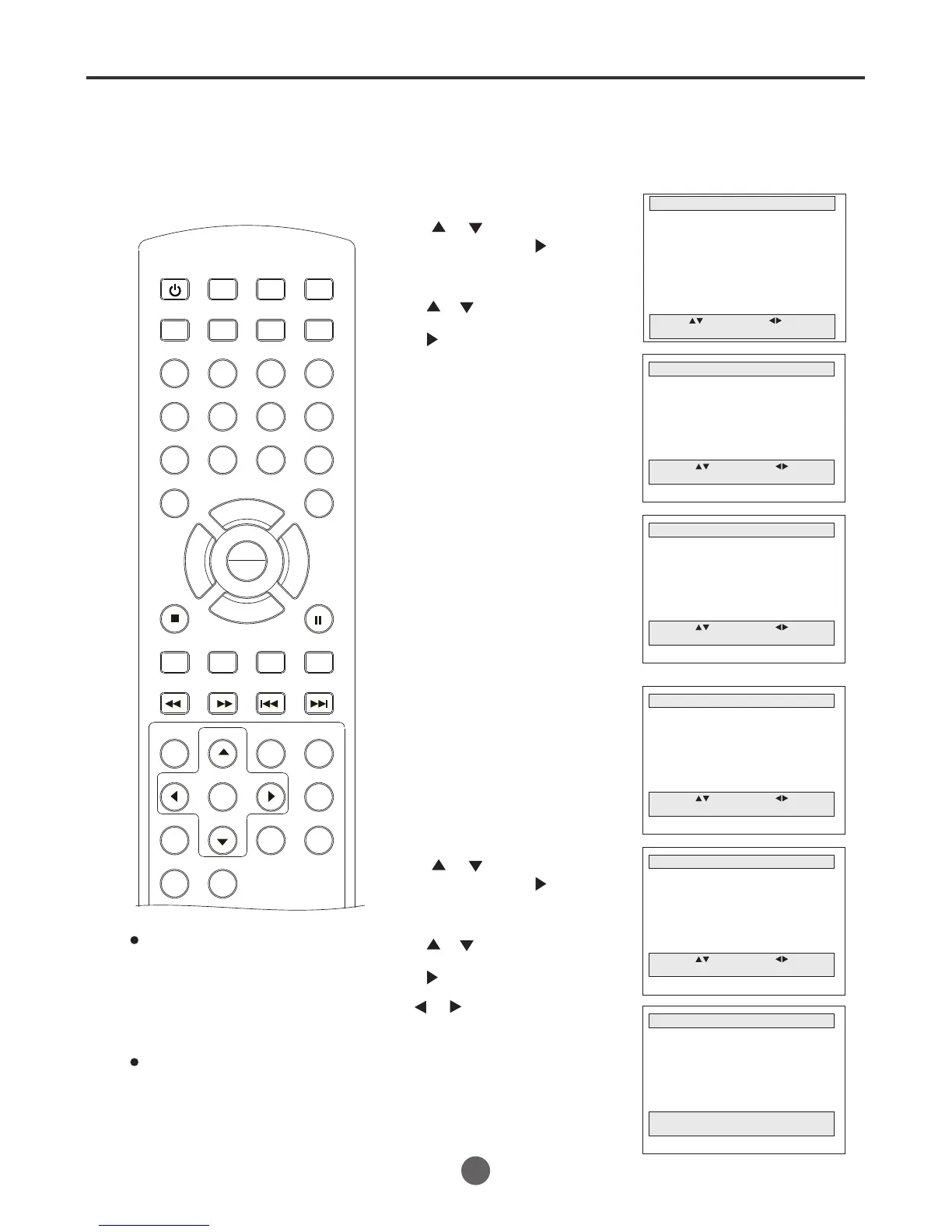
Zero return function / video index search system(continued)
SEARCH
PICT
OPEN/CLOSEPOWER DVD/TV
CLEAR
SLEEP
DISPLAY SP/SLP
1 2 3
765
9 0
8
CH+
CH-
V- V+
MUTE
10+ REC
PAUSE/STEP
STOP
INPUT
D.MENU REPEAT
TITLE/PBC
MENU
ZOOM
SETUP
ANGLE
SLOW
A-B
AUDIO
SUBTITLEPROGRAM
D.CALL
REV FWD
PREV NEXT
4
COUNTER SEARCH
MAIN MENU
Picture
Sound
Clock set
Program Set
Channel Set
Language Select
Search
Option
Move: Select:
Quit:MENU
COUNTER SEARCH
Now Counter 0:17:49
Go to Counter --:-- :00
Move: Select:
Quit:MENU
Press MENU. The main menu screen will appear.
Press or to select
Counter Search, then
press to confirm.
1
Press or to select
Search, then press
to enter the submenu.
2
3
The COUNTER SEARCH Menu
reports the current value (0:17:49)
of the tape counter (h:mm:ss) and
target value (-:- -:00) to search.
This screen has no time out.
This is allowed to enter a
specific go to counter (+) or (-)
value in the data field by pressing
Digit buttons (0~9) or CH +/CH -
button. you may enter a value
in hours and minutes, but may not
specify the seconds.
If press the CLEAR button, all
counter data of target value will
be cleared and number is changed
to the dash(-).
While the VCR is searching, if press
any button related to tape
transportation (STOP, PLAY,
FWD, REV, EJECT), the Counter
search screen will be aborted
and the system will go to normal
viewing.
""
""
""
SEARCH
Go to Zero Search
Counter Search
Index Search (+)
Index Search (-)
Index Number Search
Move: Select:
Quit:MENU
INDEX NUMBER SEARCH
INDEX NUMBER SEARCH
Number and Direction
Reverse Farward
Move: Select:
Quit:MENU
SEARCH
Go to Zero Search
Counter Search
Index Search (+)
Index Search (-)
Index Number Search
Move: Select:
Quit:MENU
Press MENU. The main menu
screen will appear.
Press or to select
Index number Search, then
press to confirm.
1
Press or to select
Search, then press
to enter the submenu.
2
3
If press or before entering any digit
button (0-9), the system will begin scanning
for the first available index mark in the
appropriate direction.
INDEX NUMBER SEARCH
Searching for
index number : 07
Quit: MENU
While the VCR is searching,
below screen is displayed. If the
user presses any button related to
tape transportation (STOP, PLAY,
FWD, REV, EJECT), the Index
Number Search screen will be
aborted and the system will go
to normal viewing.
Once the proper index mark has
been reached, the tape will
commence playback.
32
PLAY
ENTER



 To Next Page