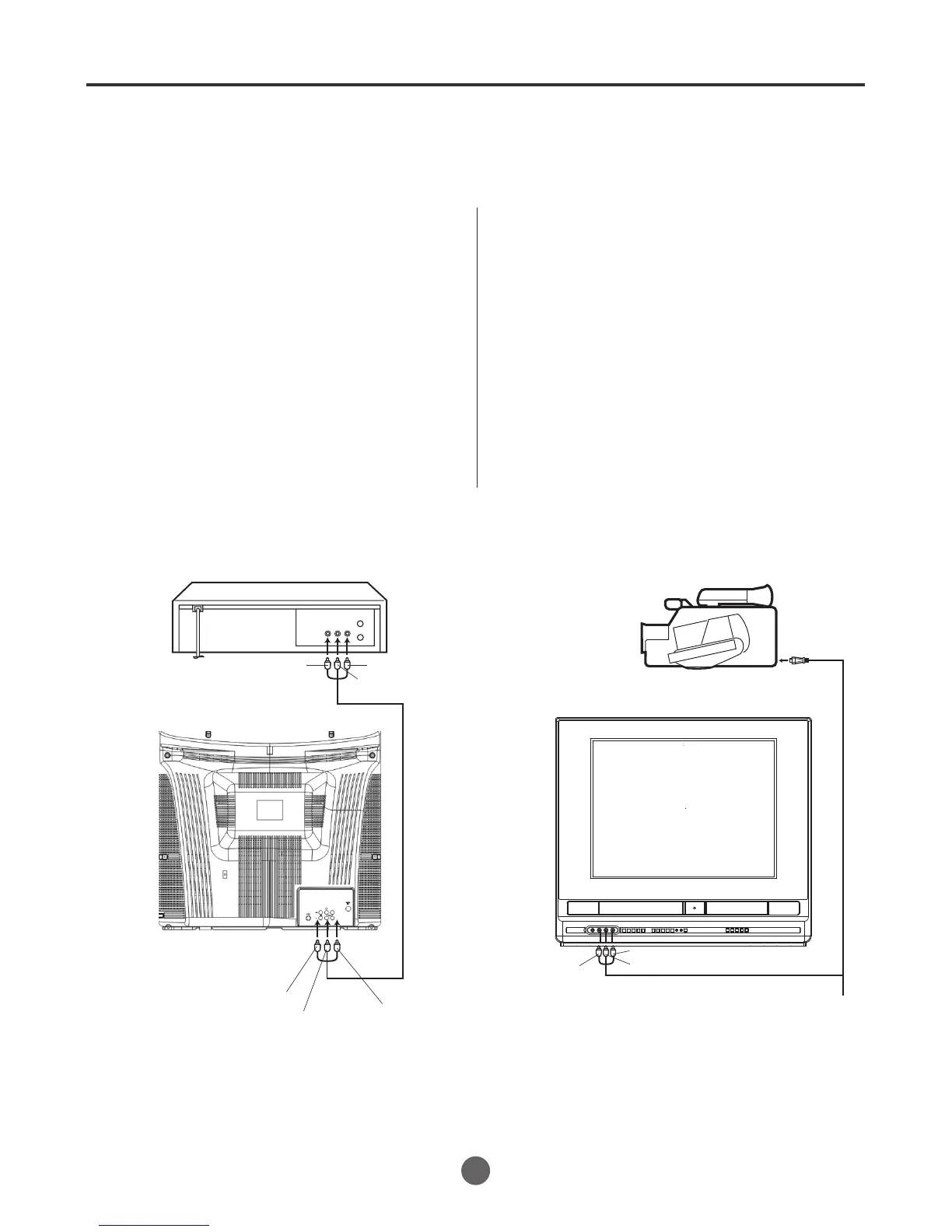
If you connect the TV/VCR/DVD to another VCR or camcorder, you can duplicate a previously recorded
tape.
Make all connections before turning on the power.
Duplicating a video tape
Load a blank cassette tape with the erase preven-
tion tab intact into the recording unit.
Load a previously recorded tape into the playback
VCR or CAMCORDER.
1
P ress SP/SLP
to select the desired tape speed SP
or SLP.
It is recommended that you set the speed to the
SP mode on the recording unit for best results.
2
Press INPUT to select input position.
" Video1" or "Video 2" will appear on
the screen.
3
Press REC on the recording unit, then press
PAUSE/STEP .
4
Press the PLAY button on the playback VCR or
CAMCORDER, then press the PAUSE/STEP
button.
5
Release the recording pause and the playback still
simultaneously to begin the duplicating process.
6
For duplicating a previously recorded tape from a
camcorder, follow the camcorder manufacturer`s
instructions. A typical camcorder dubbing hookup
is shown above.
To AUDIO (L) OUT
AUDIO/VIDEO
Cord (not supplied)
Playback VCR
To VIDEO OUT To AUDIO (R) OUT
AUDIO/VIDEO cord (not supplied)
To AUDIO (L) IN
To AUDIO ( R ) IN
To VIDEO IN
Recording unit
To AV jack
Playback Camcorder
Connection with second Video recorder
Connection with Video camera
Duplicating a video tape
Video1: on the front panel
Video2: on the rear panel
To AUDIO (R) IN
To AUDIO (L) IN
40
To VIDEO IN



 To Next Page