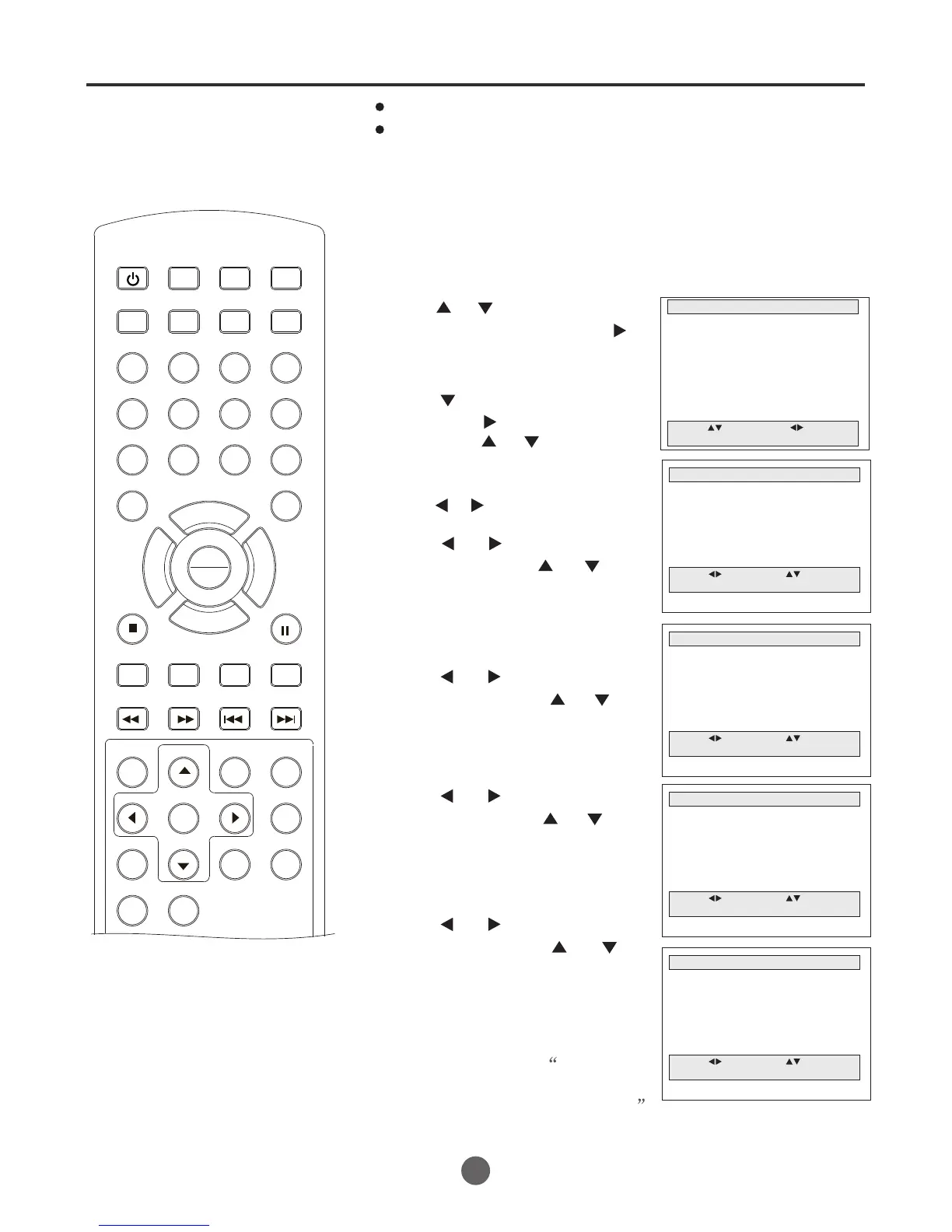
Timer recording
36
Load a cassette tape with the erase prevention tab intact.
Press DISPLAY
to verify that the time and date are Correct.
Timer recording can be programmed
on-screen with the remote control.
The built-in timer allows automatic
unattended recording of up to 8
programs within 1 month.
SEARCH
PICT
OPEN/CLOSEPOWER DVD/TV
CLEAR
SLEEP
DISPLAY SP/SLP
1 2 3
765
9 0
8
CH+
CH-
V- V+
MUTE
10+ REC
PAUSE/STEP
STOP
INPUT
D.MENU REPEAT
TITLE/PBC
MENU
ZOOM
SETUP
ANGLE
SLOW
A-B
AUDIO
SUBTITLEPROGRAM
D.CALL
REV FWD
PREV NEXT
4
1 Press MENU. The main menu screen will appear.
2 Press or to select
Program Set, then press
to enter the submenu.
3 Press to select Cable,
then press to select --
then press or to input
the channel number (125).
You can press the digits (0-9).
Press or to move the cursor.
"",
TIMER RECORDING
MAIN MENU
Picture
Sound
Clock set
Program Set
Channel Set
Language Select
Search
Option
Move: Select:
Quit:MENU
PROGRAM 1 (09/09 FRI)
Move: Input:
Quit:MENU
Channel Cable 125
Start Date 09/23
REC Cycle One Time
Start Time --/-- AM
End Time --/-- AM
Tape Speed SP
Example: Program a timer recording for the 23rd day, channel 125
(CABLE), 7:00 - 9:30 PM on timer program number 1 (Tape speed: SLP).
4 Press or to select Start
Date, then press or to
input the date number.
Please input the month first
and then input the day.
5 Press or to select REC
Cycle, then press or to
select "One Time", "Weekly",
"Weekdays" or "Daily".
PROGRAM 1 (09/09 FRI)
Move: Input:
Quit:MENU
Channel Cable 125
Start Date 09/23
REC Cycle One Time
Start Time --/-- AM
End Time --/-- AM
Tape Speed SP
6 Press or to select Start
Time, then press or to
input the start time(07/00).
Repeat the step to input the
end time (09/30).
PROGRAM 1 (09/09 FRI)
Move: Input:
Quit:MENU
Channel Cable 125
Start Date 09/23 (05)
REC Cycle One Time
Start Time 07/00 PM
End Time 09/30 PM
Tape Speed SP
7 Press or to select Tape
Speed, then press or to
select the characters SP or
SLP.
PROGRAM 1 (09/09 FRI)
Move: Input:
Quit:MENU
Channel Cable 125
Start Date 09/23 (05)
REC Cycle One Time
Start Time 07/00 PM
End Time 09/30 PM
Tape Speed SP
8 After your desired setting,
press MENU, the Program1
has be saved. For program
recording, insert a cassette.
will appear on the screen.
Note:
if program 1 has been set, when you
enter the program menu again, it will
goes to the program 2 automatically.
PLAY
ENTER



 To Next Page