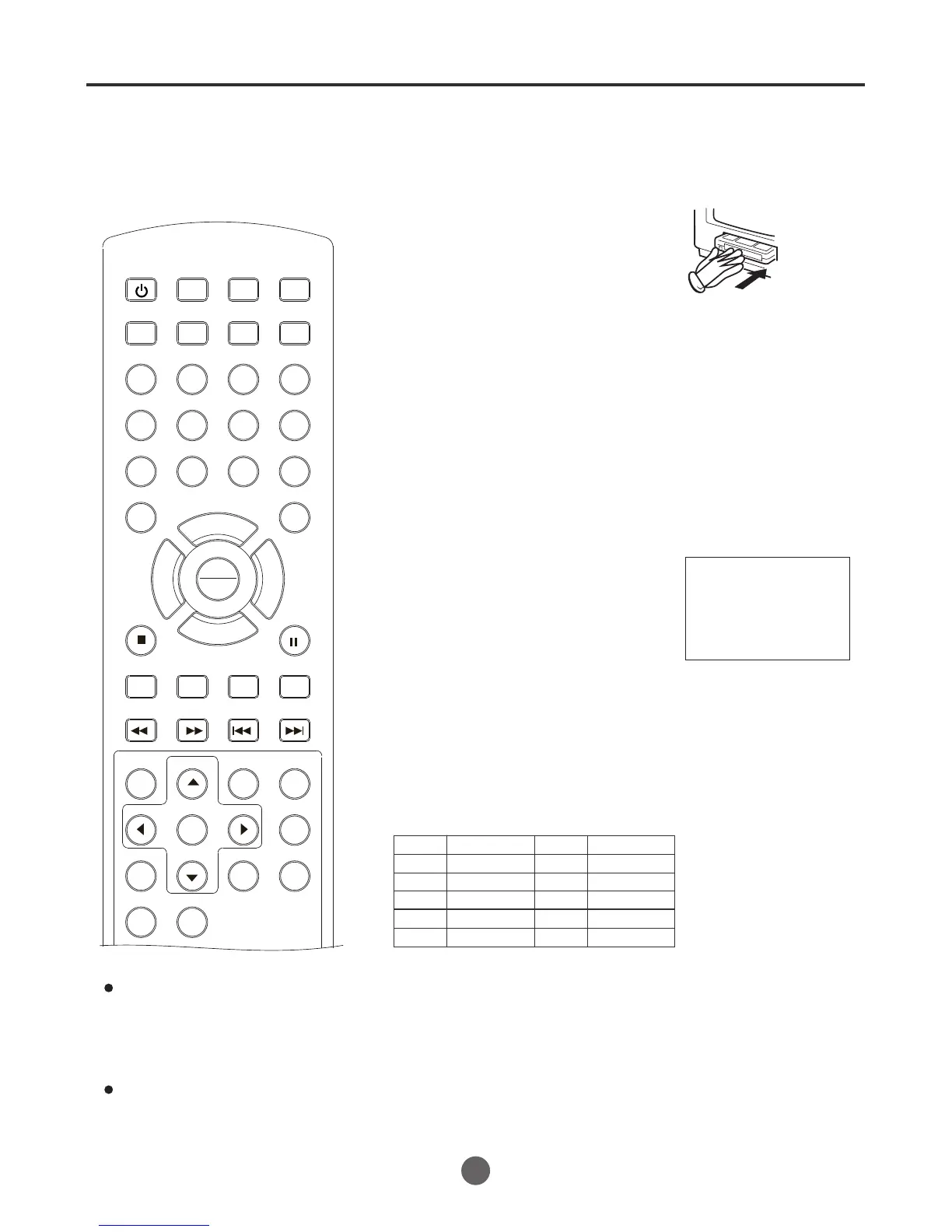
One-touch timer recording (OTR)
35
Record Length 0:30
3
Load a cassette tape with the erase
prevention tab intact.
The TV/VCR/DVD will automatically turn
on.
Set the Antenna/Cable option to the appropriate position.
1
2
Press SP/SLP to select the desired tape
speed SP or SLP.
The tape counter and SP or SLP will
appear on the screen for about 5
seconds.
4
The One-touch Timer Recording
feature provides a simple and
convenient way to make a timed
recording.
Press the number buttons (0-9) or
CH+/-
to select the channel to be
recorded.
If you wish to watch the DVD playback
during the recording or the OTR, press
DVD/TV to change to DVD mode and
perform the DVD playback.
¥The channel cannot be changed
during recording.
Example: One-touch Timer Recording for 30 minutes.
Press REC.
Each additional press of REC will increase
recording time as shown in the chart below, up to a maximum of
4 hours. The OTR and recording time will appear on the screen
for about 5 seconds.
Press STOP.
"
" will appear on screen for about 4 seconds.
To cancel OTR
Press
once
twice
3 times
4 times
5 times
Normal REC
Normal REC
Recording time
Press
6 times
7 times
8 times
9 times
10 times
Recording time
SEARCH
PICT
OPEN/CLOSEPOWER DVD/TV
CLEAR
SLEEP
DISPLAY SP/SLP
1 2 3
765
9 0
8
CH+
CH-
V- V+
MUTE
10+ REC
PAUSE/STEP
STOP
INPUT
D.MENU REPEAT
TITLE/PBC
MENU
ZOOM
SETUP
ANGLE
SLOW
A-B
AUDIO
SUBTITLEPROGRAM
D.CALL
REV FWD
PREV NEXT
4
0:30
1:00
1:30
2:00
2:30
3:00
3:30
4:00
Stop
5
Notes:
During the recording or OTR, you can
not use the front AV input and back AV
input by pressing the INPUT button on
the remote control.
OTR CH13
0:00:02
SP
PLAY
ENTER



 To Next Page