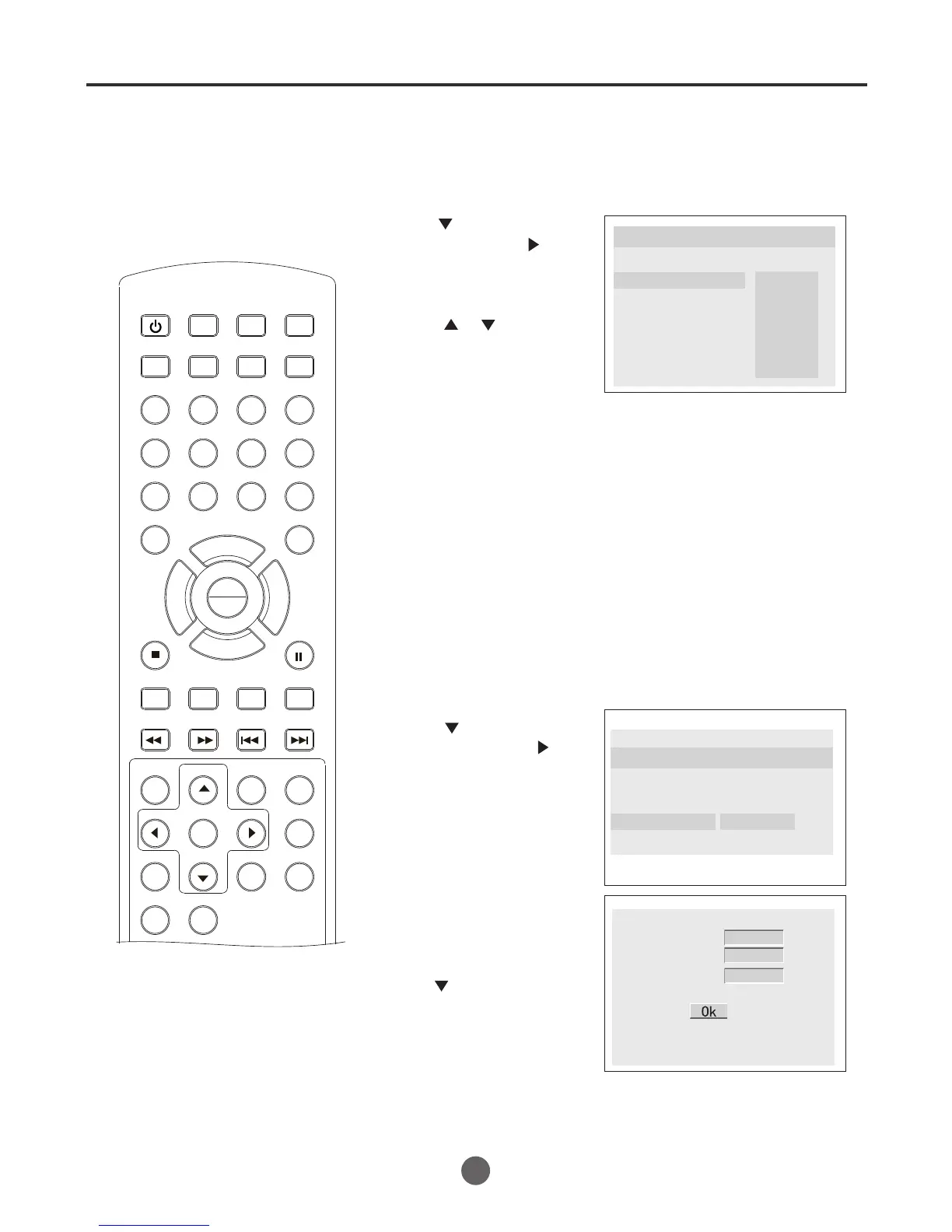
Parental control setting / changing the password
If you want to limit the types of discs
that can be played, use the Parental
Control feature.
SEARCH
PICT
OPEN/CLOSEPOWER DVD/TV
CLEAR
SLEEP
DISPLAY SP/SLP
1 2 3
765
9 0
8
CH+
CH-
V- V+
MUTE
10+ REC
PAUSE/STEP
STOP
INPUT
D.MENU REPEAT
TITLE/PBC
MENU
ZOOM
SETUP
ANGLE
SLOW
A-B
AUDIO
SUBTITLEPROGRAM
D.CALL
REV FWD
PREV NEXT
4
1 Press SETUP twice in No Disc.
2 Press to select "Paren
-tal", then press or
PLAY/ENTER.
3 Press or to select
the level you require,
then press PLAY/
ENTER.
4 Press SETUP to remove the Menu screen.
Parental control setting
..Preference Page..
TV Type AUTO
Parental
Password
Default
1 Kid Saf
2 G
3 Pg
4 Pg 13
5 Pgr
6 R
7 Nc17
8 Adult
¥
Note:
1 To change this setting you must enter your password.
(Initial password is 1234)
2 When set to OFF, all discs may be viewed.
1 Press SETUP twice in No Disc.
2 Press to select "Pass-
word ",then press or
PLAY/ENTER.
3 Press the number bu-
ttons (0-9) to input the old
password, then input a
4-digit password. Input
the new password again.
4 Press SETUP to remove the Menu screen.
Changing the password
..Preference Page..
TV Type AUTO
Parental
Password Change
Default
Old Password
New Password
Confirm Pwd
Be sure to remember this
number!
* Press to select, press
PLAY/ENTER confirm.
NOTE:
If you forget your password or a
password is accidentally set enter
1369 as the password. This will
enable you to regain control.
52
PLAY
ENTER



 To Next Page