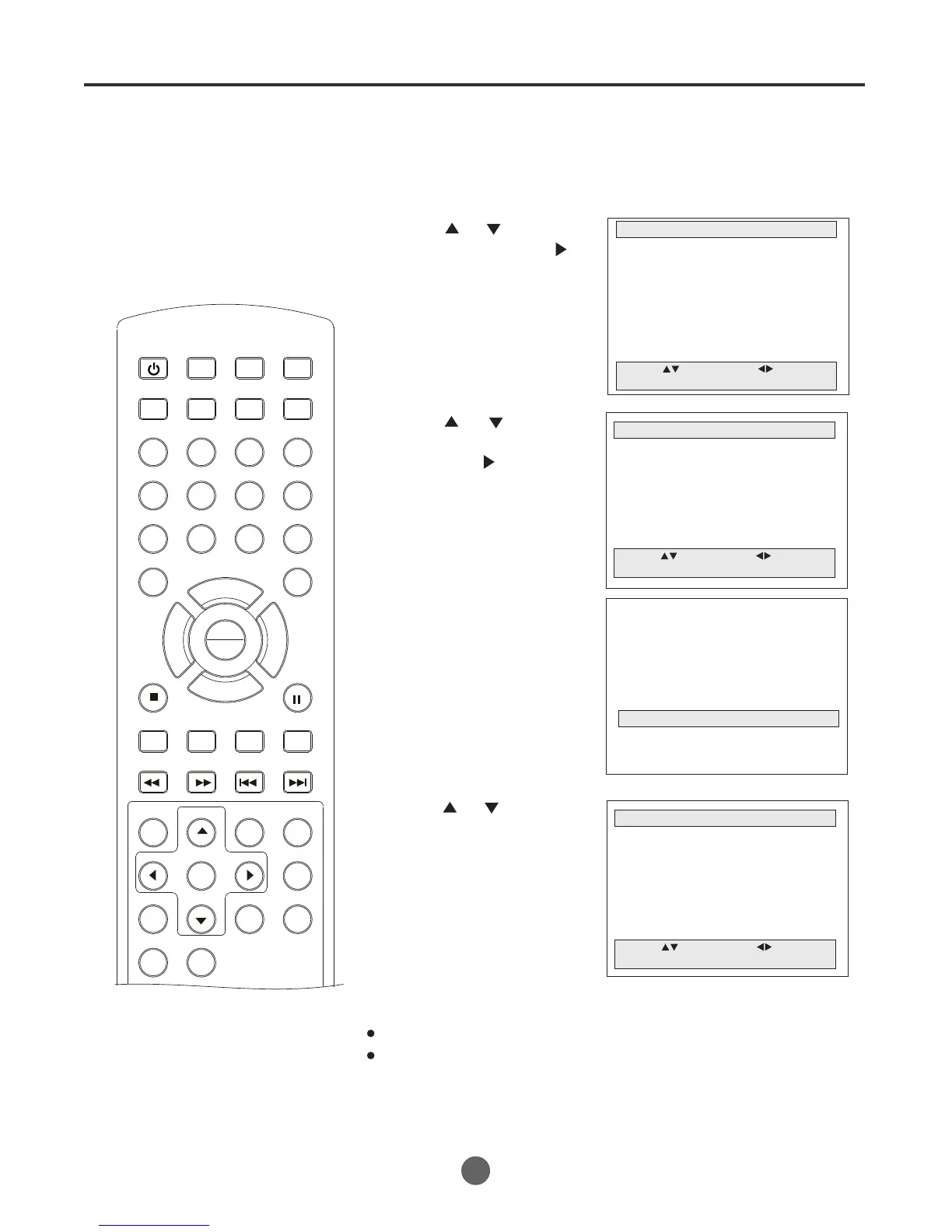
Setting the parental control
TO REGISTER PASSWORD
An age limitation can be set to
forbid children to see and hear
violent scenes or pictures for
adults, etc. The TV/VCR/DVD
corresponds to "TV RATING" and
"MOVIE RATING". To use the
parental control function, you must
register a password.
NOTES:
If you forget the password, you
cannot set the .Parent Control
1 Press MENU. The main menu screen will appear.
MAIN MENU
Picture
Sound
Clock set
Program Set
Channel Set
Language Select
Search
Option
Move: Select:
Quit: MENU
2 Press or to select
Option, then press to
enter the submenu.
OPTION
OSD Display On
Auto Power Off No
Closed Caption Off
Parental Control
Timer
Move: Select:
Quit: MENU
3 Press or to select
Parental Control,
then press to enter
the submenu.
Input:0-9 Quit: MENU
####
Enter the Password
4 Enter the password (4 digits)
using the number buttons
(0-9).
The TV is set up with the
initial password 0000.
PARENTAL CONTROL
Parental Lock Off
TV Ratings
Movie Ratings
NO Ratings Unlock
EXT. Source Unlock
Play Source Lock
Change Password
Move: Select:
Quit:MENU
5 Press or to select
the desired item.
SEARCH
PICT
OPEN/CLOSEPOWER DVD/TV
CLEAR
SLEEP
DISPLAY SP/SLP
1 2 3
765
9 0
8
CH+
CH-
V- V+
MUTE
10+ REC
PAUSE/STEP
STOP
INPUT
D.MENU REPEAT
TITLE/PBC
MENU
ZOOM
SETUP
ANGLE
SLOW
A-B
AUDIO
SUBTITLEPROGRAM
D.CALL
REV FWD
PREV NEXT
4
20
To avoid forgetting the password, write it down and keep it in a
safe place.
PLAY
ENTER



 To Next Page