Configuring your Mailing System
128
9
How to Change the 'Soft off time-out' (User)
How to Change
the 'Soft off time-
out' (User)
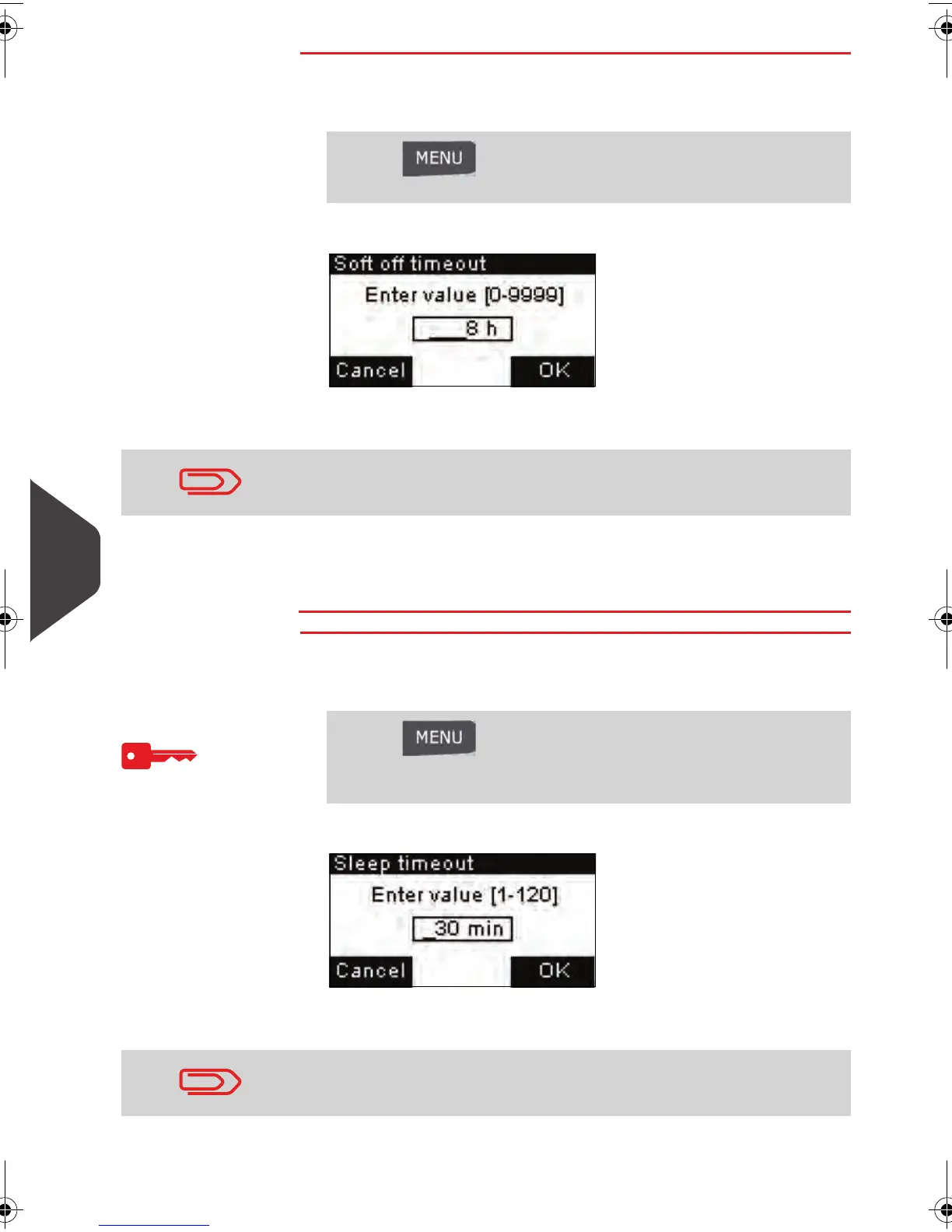
To change the 'Soft off time-out':
1 As a user:
The
Soft off time-out
screen is displayed.
2 Enter the new value of the 'Soft off time-out'.
3 Press [OK] to validate.
The
Timeout settings
screen is displayed.
How to Change the 'Sleep time-out' (Supervisor)
How to Change
the 'Sleep time-
out' (Supervisor)
To change the 'Sleep time-out':
1 As supervisor (see
How to Log in as Supervisor
p.124 )
The
Sleep time-out
screen is displayed.
2 Enter the new value of the 'sleep time-out'.
Press and type 2.3.2 or select the path:
> Job settings > Time-out settings > Soft off time-out
Use the key [C ] to clear the old setting and then enter a new
value.
Press and type 3.5.1 or select the path:
> Default user settings > Time-out settings > Sleep time-
out
Use the key [C ] to clear the old setting and then enter a new
value.
ALPHA1_US.book Page 128 Mardi, 3. mai 2011 2:23 14



 To Next Page