Processing Mail
29
3
Turning Machine On and Starting a Work Session
Turning the system on starts a work session on the mailing system.
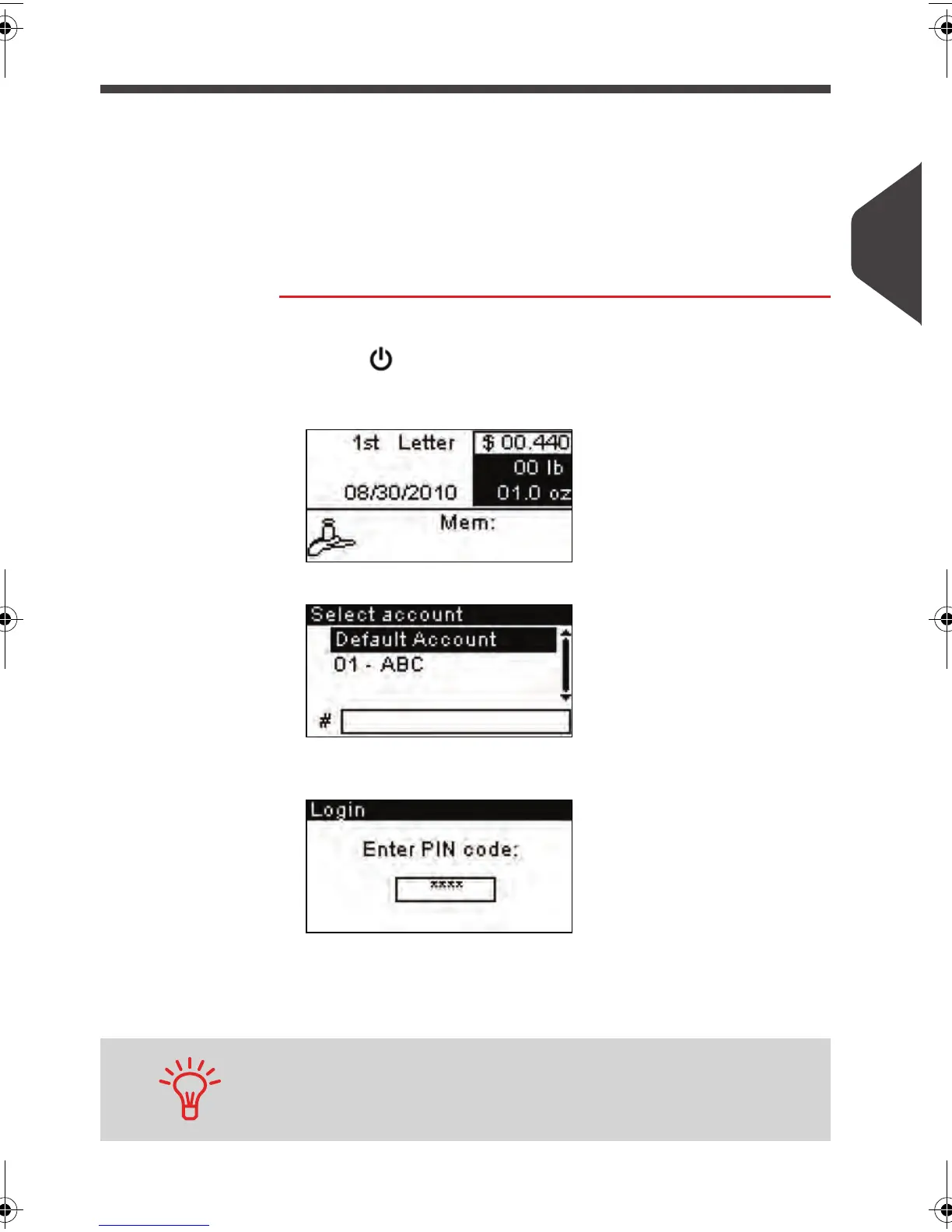
At start-up, depending on specific supervisor settings:
• The access to the system may be free
• You may have to select an account
• You may have to enter a PIN code.
Your work session ends when the system returns to 'Sleep mode'.
How to Log in and Start a Work Session
How to Log in
and Start a Work
Session
To log in as a user:
1 Press to wake the system up.
The system may display one of the following screens:
1
Home screen [Standard]
, if there is no account.
2
Account
screen, if there are accounts.
3
Login
screen, if there are a machine PIN code or accounts
with PIN code.
On the
Account
screen, select your account as follows.
Use up and down arrows (use double arrows to scroll list) and
press [OK] to validate, or:.
Find your account quicker: instead of using up and down arrows,
type the account number.
ALPHA1_US.book Page 29 Mardi, 3. mai 2011 2:23 14



 To Next Page