Processing Mail
36
3
Printing Mail
Standard weighing is automatically selected when you put a mail piece on the Scale.
How to Apply Postage (Running Mail)
How to Apply
Postage
(Running Mail)
In Manual weight entry mode
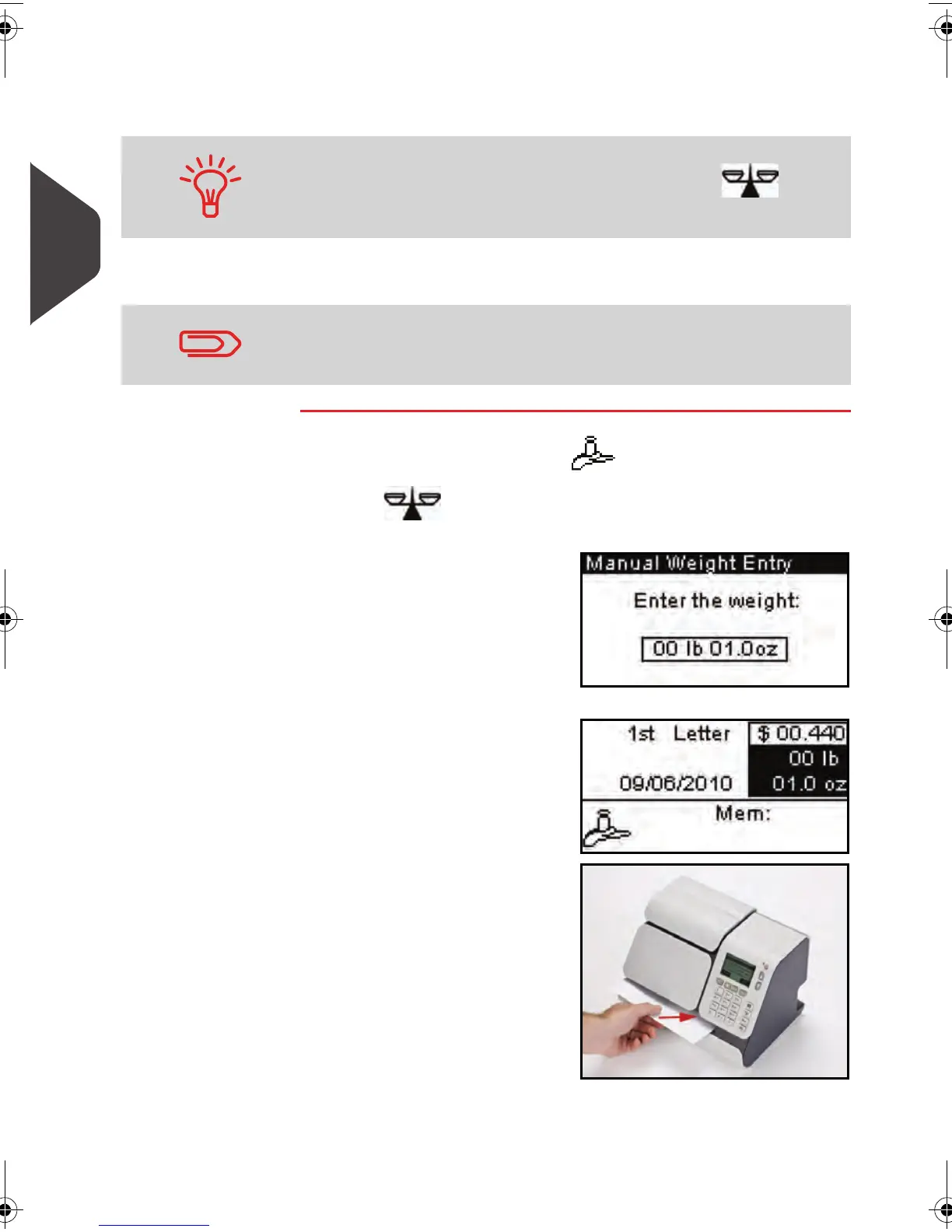
1 Press , select > Manual Weight Entry and press [OK] .
The following screen is displayed.
2 Enter the weight and
press [OK] .
The weight of the mail
piece is displayed in the
Weight
area of the
home screen and the
postage amount is
updated.
3
Insert the mail piece (or
a label tape) into the
system, with the side to
be printed facing
upwards.
You can still enter the weight manually by pressing and
select > 1 or > Manual entry mode .
If you need to change the current account before applying post-
age (on account-enabled configurations), see
How to Change
Accounts
p.45 .
ALPHA1_US.book Page 36 Mardi, 3. mai 2011 2:23 14



 To Next Page