Managing Accounts and Access Rights
72
5
Setting up 'Machine PIN Code '
You can set a 'Machine PIN code' to open a session on your mailing system by acti-
vating the 'Access control ' mode.
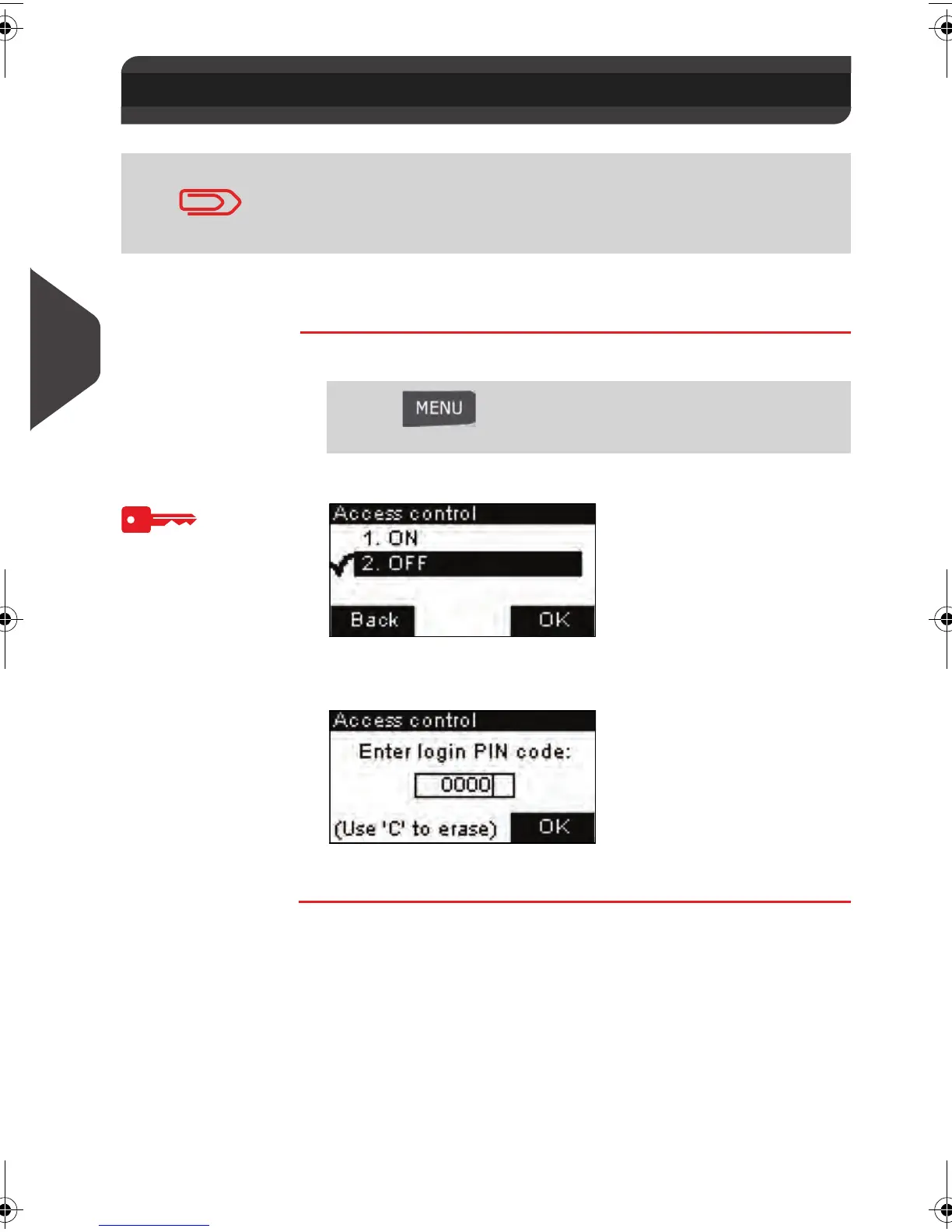
How to activate 'Access control' and set the 'Machine PIN code'
How to activate
'Access control'
and set the
'Machine PIN
code'
1 As supervisor (see
How to Log in as Supervisor
p.124 ):
The
Access control
screen is displayed.
2 Select ON with up and down arrows
A screen to set the 'Machine PIN code' appears
3 Enter the PIN code and press [OK] .
5.2 Setting up 'Machine PIN Code '
This functionnality is only applicable to systems where Account-
ing is not allowed (Account Number = 0).
To check your number of accounts or upgrade your system, see
Account Level (Optional)
p.104
Press and type 3.2.2 or select the path:
> Default user settings > System settings > Access control
ALPHA1_US.book Page 72 Mardi, 3. mai 2011 2:23 14



 To Next Page